

Lorem Ipsum dolor sit amet
Lorem ipsum dolor sit amet, consetetur sadipscing elitr, sed diam nonumy eirmod tempor invidunt ut labore et dolore magna aliquyam erat, sed diam voluptua. At vero eos et accusam et justo duo dolores et ea rebum. Stet clita kasd gubergren, no sea takimata sanctus est Lorem ipsum dolor sit amet. Lorem ipsum dolor sit amet, consetetur sadipscing elitr, sed diam nonumy eirmod tempor invidunt ut labore et dolore magna aliquyam erat, sed diam voluptua. At vero eos et accusam et justo duo dolores et ea rebum. Stet clita kasd gubergren, no sea takimata sanctus est Lorem ipsum dolor sit amet.
Crestron Mediensteuerungen
Das Herz eines Crestron-System ist die zentrale Steuerung, welche es in unterschiedlichen Bauformen, mit unterschiedlichen Schnittstellen und Prozessorleistungen gibt.
Crestron Produkt-Slider Steuerungen

The CP4N is a secure, high‑performance control processor with a powerful 4-Series™ control engine. The CP4N is designed to integrate and automate technology within any modern networked home, commercial building, or government facility. An isolated control subnet port provides a Gigabit Ethernet LAN dedicated to Crestron devices. 4-Series Control Engine 4-Series control systems come equipped with an upgraded multicore CPU, delivering a sizable speed and performance increase compared to all Crestron 3‑Series® control processors. The improved performance allows 4-Series control systems to handle the increasing demands of an advanced automated system. Crestron 4-Series delivers a dynamic and secure control system platform capable of managing a room full of disparate technologies. Reliable networking and IP control afford seamless integration with other systems and devices, with add-on control capability using Crestron touch screens, wireless remotes, and mobile device apps, as well as remote management through Crestron Fusion® software and the XiO Cloud® service. Modular Programming Architecture The CP4N provides a modular programming architecture that allows the CP4N to run up to ten programs simultaneously. Programmers can develop and run independent, device‑specific programs, enabling each program to be optimized for a specific function and allowing for changes to be made to one program without affecting the whole system. Dedicated Control Subnet The Crestron Control Subnet is a Gigabit Ethernet network dedicated to Crestron devices. Via the Control Subnet port, an installer can connect a single touch screen or wireless gateway or can add a Crestron PoE switch (CEN‑SW‑POE‑5 or CEN‑SWPOE‑16, both sold separately) to handle multiple touch screens, gateways, AV components, and other devices. Auto-configuration of the entire subnet is performed by the CP4N, discovering each device and assigning IP addresses without any extra effort from the installer. NOTE: The Control Subnet port does not supply any PoE power to connected devices A separate LAN port provides a single-point connection to the local network, requiring only one IP address for the entire control system. The LAN port allows for interconnectivity between devices on the local subnet and other devices, systems, servers, and WAN/internet connections outside the local subnet. For sensitive applications that require heightened security, the entire Control Subnet can be isolated completely from the local network. Onboard Control Ports Through a full complement of onboard control ports, the CP4N can be integrated with a wide variety of audio, video, lighting, motorized shades, thermostats, door locks, sensors, security systems, and other equipment. Gigabit Ethernet provides an interface for connecting to the building network and controlling Crestron AV switchers, audio processors, power controllers, and other IP controllable equipment. Cresnet® network connectivity provides support for Crestron lighting dimmers, motorized shades, sensors, thermostats, keypads, and more. Onboard RS‑232, IR/serial, relay, and Versiport I/O control ports enable direct integration with all types of third‑party equipment. Expanded connectivity can be provided to the CP4N via Crestron control port expansion modules, Ethernet to Cresnet bridges, wired Ethernet I/O modules, wireless network I/O modules, or infiNET EX® network wireless gateways (all sold separately). Crestron Fusion Room Monitoring and Scheduling Crestron Fusion provides an integrated platform for creating smart buildings that save energy and enhance worker productivity. As part of a complete managed network in a corporate enterprise, college campus, convention center, or any other facility, the CP4N works with Crestron Fusion to enable remote scheduling, monitoring, and control of rooms and technology from a central help desk or mobile app. It also enables organizations to reduce energy consumption by tracking real-time usage and automating control of AV, lighting, shades, and HVAC. For more information about Crestron Fusion, visit www.crestron.com/fusion. XiO Cloud Provisioning and Management 4-Series control systems leverage the power and flexibility of XiO Cloud services, enabling users to remotely provision, monitor, and manage Crestron devices across an enterprise network. XiO Cloud can be used to configure and load programs to the control system before it is received, making the control system fully functional as soon as it is connected to the network. XiO Cloud is built on the Microsoft® Azure® software platform and utilizes Microsoft's industry leading Azure IoT Hub technology. XiO Cloud enables installers and IT managers to deploy and manage thousands of devices in the time it previously took to manage just one. Unlike other virtual machine based cloud solutions, Azure services provide unlimited scalability to suit the ever growing needs of an enterprise. For more information, visit www.crestron.com/xiocloud. Enhanced Enterprise-Grade Security The CP4N is an enterprise‑class control processor that can be deployed across hundreds of spaces and set up easily using a web browser, Crestron Toolbox™ software, or XiO Cloud. It employs standard network security protocols, including 802.1X network access control, Active Directory® service authentication, SSH, TLS, and HTTPS to ensure reliability and compliance with your organization’s IT policies. The CP4N is configured to meet Crestron's enhanced security standards right out of the box. The CP4N ships with authentication enabled and requires that an administrator account be created before access is granted to device configuration and control interfaces. SNMP V3 Support Built-in SNMP V3 support enables integration with third-party IT management software, allowing network administrators to manage and control Crestron systems on the network in an IT-friendly format. BACnet Support Native support for the BACnet communication protocol provides a direct interface to third-party building management systems over Ethernet, simplifying integration with HVAC, security, and other systems. Using BACnet, each system runs independently but communicates together on one platform.1 Apple HomeKit Integration The CP4N supports integration with an Apple® HomeKit® technology system. Once the CP4N is paired with a HomeKit system via SIMPL programming, a Crestron TSR-310 can be used to control supported Apple devices. A pairing QR code is affixed to the CP4N that makes it easy to pair the control system directly to the Apple Home app.2 Key Features 4‑Series™ control system with 2 GB SDRAM and 8 GB flash memory Embedded 4‑Series multicore CPU processor iPhone®, iPad®, and Android™ device control app support XPanel computer and web based control Modular programming architecture Onboard IR/serial, COM, I/O, relay, Cresnet® network, and high‑speed gigabit Ethernet control ports Control subnet port providing a dedicated local network for Crestron® devices High-speed USB 2.0 host port and rear panel memory card slot Crestron Fusion® software room monitoring and scheduling support XiO Cloud® service provisioning and management support Enterprise‑class network security and authentication SNMP V3 remote IT management support Native BACnet network/IP support Installer setup via software, web browser, or cloud IPv6 ready Integrates with Apple® HomeKit® technology Rack mountable

4-Series™ Control System A rack-mountable control system with a powerful 4‑Series™ control engine and numerous integrated control ports.The CP4 is a secure, high‑performance control processor with a powerful 4-Series™ control engine. The CP4 is designed to integrate and automate technology within any modern networked home, commercial building, or government facility. 4-Series Control Engine 4-Series control systems come equipped with an upgraded multicore CPU, delivering a sizable speed and performance increase compared to all Crestron 3‑Series® control processors. The improved performance allows 4-Series control systems to handle the increasing demands of an advanced automated system. Crestron 4-Series delivers a dynamic and secure control system platform capable of managing a room full of disparate technologies. Reliable networking and IP control afford seamless integration with other systems and devices, with add-on control capability using Crestron touch screens, wireless remotes, and mobile device apps, as well as remote management through Crestron Fusion® software and the XiO Cloud® service.

The DIN-AP4 is a secure, high‑performance control processor with a powerful 4-Series™ control engine designed specifically for DIN rail mounting applications. The DIN-AP4 is designed to integrate and automate technology within any modern networked home, commercial building, or government facility. DIN rail mounting provides a space‑efficient, cost‑effective, and modular solution for configuring complete automation systems using the DIN-AP4 along with additional Crestron and third‑party DIN rail mountable devices. 4-Series Control Engine 4-Series control systems come equipped with an upgraded multicore CPU, delivering a sizable speed and performance increase compared to Crestron 3‑Series® control processors. The improved performance allows 4-Series control systems to handle the increasing demands of an advanced automated system. Reliable networking and IP control afford seamless integration with other systems and devices, with add-on control capability using Crestron touch screens, wireless remotes, and mobile device apps, as well as remote management through Crestron Fusion® software and the XiO Cloud® service. Modular Programming Architecture The DIN-AP4 provides a modular programming architecture for running up to ten programs simultaneously. Programmers can develop and run independent, device‑specific programs, enabling each program to be optimized for a specific function and allowing for changes to be made to one program without affecting the whole system. Through a full complement of onboard control ports, the DIN-AP4 can be integrated with a wide variety of audio, video, lighting, motorized shades, thermostats, door locks, sensors, security systems, and other equipment. Ethernet provides an interface for connecting to the building network and controlling Crestron AV switchers, audio processors, power controllers, and other IP controllable equipment. Cresnet® network connectivity provides support for Crestron lighting dimmers, motorized shades, sensors, thermostats, keypads, and more. Onboard RS‑232, IR/serial, relay, and Versiport I/O control ports enable direct integration with all types of third‑party equipment. Cresnet Network Cresnet provides a dependable network wiring solution with simple configuration, carrying bidirectional communication and 24 VDC power to each connected device over a 4‑conductor cable. The DIN-AP4 includes a pair of Cresnet master ports (paralleled) capable of supporting approximately 20 typical devices. Larger systems with more than 20 devices can be handled by adding a DIN‑HUB Cresnet distribution hub or a DIN‑CENCN‑2 Ethernet to Cresnet bridge. Connectivity for multiple wiring runs can be facilitated using one or more DIN‑BLOCK Cresnet distribution blocks (all sold separately). Crestron Fusion Room Monitoring and Scheduling As part of a complete managed network, the DIN-AP4 works with Crestron Fusion to enable remote scheduling, monitoring, and control of rooms and technology from a central help desk or mobile app. It also enables organizations to reduce energy consumption by tracking real-time usage and automating control of AV, lighting, shades, and HVAC. For more information about Crestron Fusion, visit www.crestron.com/fusion. XiO Cloud Provisioning and Management 4-Series control systems leverage the power and flexibility of XiO Cloud services, enabling users to remotely provision, monitor, and manage Crestron devices across an enterprise network. XiO Cloud can be used to configure and load programs to the control system before it is received, making the control system fully functional as soon as it is connected to the network. XiO Cloud is built on the Microsoft® Azure® software platform and utilizes Microsoft's industry leading Azure IoT Hub technology. XiO Cloud enables installers and IT managers to deploy and manage thousands of devices in the time it previously took to manage just one. Unlike other virtual machine based cloud solutions, Azure services provide unlimited scalability to suit the ever growing needs of an enterprise. For more information, visit www.crestron.com/xiocloud. Enhanced Enterprise-Grade Security The DIN-AP4 is an enterprise‑class control processor that can be deployed across hundreds of spaces and set up easily using a web browser, Crestron Toolbox™ software, or Crestron XiO Cloud. It employs standard network security protocols, including 802.1X network access control, Active Directory® service authentication, SSH, TLS, and HTTPS to ensure reliability and compliance with your organization’s IT policies. The DIN-AP4 is configured to meet Crestron's enhanced security standards right out of the box. The DIN-AP4 ships with authentication enabled and requires that an administrator account be created before access is granted to device configuration and control interfaces. SNMP V3 Support Built-in SNMP V3 support enables integration with third-party IT management software, allowing network administrators to manage and control Crestron systems on the network in an IT‑friendly format. BACnet Support Native support for the BACnet communication protocol provides a direct interface to third-party building management systems over Ethernet, simplifying integration with HVAC, security, and other systems. Using BACnet, each system runs independently but communicates together on one platform.1 Apple HomeKit Integration The DIN-AP4 supports integration with an Apple® HomeKit® technology system. Once the DIN-AP4 is paired with a HomeKit system via SIMPL programming, a Crestron TSR-310 can be used to control supported Apple devices. A pairing QR code is affixed to the DIN-AP4 that makes it easy to pair the control system directly to the Apple Home app.2 Versatile Power Options The DIN-AP4 can be powered using a 24 VDC power pack (PW‑2407WUL or equivalent, sold separately) or via PoE (Power over Ethernet). Using PoE technology, the DIN-AP4 gets its operating power directly through the LAN wiring. A PoE injector (PWE‑4803RU) simply connects in line with the LAN cable at a convenient location. Crestron PoE switches (CEN‑SW‑POE-5 or CEN‑SWPOE‑16) may also be used to provide a total networking solution with built-in PoE. All PoE injectors and switches are sold separately. DIN Rail Mounting The DIN-AP4 is designed to attach to a standard DIN rail for installation in a wall mount enclosure (Crestron DIN‑EN series or similar) or on a wall panel as part of a complete DIN rail automation system. Key Features 4‑Series™ control system with 1 GB SDRAM and 8 GB flash memory Embedded 4‑Series multicore CPU processor iPhone®, iPad®, and Android™ device control app support XPanel computer and web based control Modular programming architecture Onboard IR/serial, COM, I/O, relay, Cresnet® network, and Ethernet control ports High-speed USB 2.0 host port and memory card slot Crestron Fusion® software room monitoring and scheduling XiO Cloud® service provisioning and management Enterprise‑class network security and authentication SNMP V3 remote IT management support Native BACnet network/IP support Installer setup via software, web browser, or cloud IPv6 ready Integrates with Apple® HomeKit® technology Powered via 24 VDC power pack or PoE (Power over Ethernet) 9M wide DIN rail mountable

The Crestron® RMC4 provides a secure, high‑performance, cost-effective control processor and interface for controlling and monitoring for a single display device, a small AV system, lighting and shading, climate control, security, energy management, and many other specialized applications. A small form factor allows the RMC4 to be placed just about anywhere, with the option to attach it to a flat surface or DIN rail using the included mounting bracket. The RMC4 can fit easily behind a video display or above a projector, and provides enough control ports to control the display device along with a screen or lift.4-Series Control Engine4-Series™ control systems come equipped with an upgraded multicore CPU, delivering a sizable speed and performance increase compared to all Crestron 3‑Series® control processors. The improved performance allows 4-Series control systems to handle the increasing demands of an advanced automated system. Crestron 4-Series delivers a dynamic and secure control system platform capable of managing a room full of disparate technologies.Reliable networking and IP control afford seamless integration with other systems and devices, with add-on control capability using Crestron touch screens, wireless remotes, and mobile device apps, as well as remote management through Crestron Fusion® software and the XiO Cloud® service.Modular Programming ArchitectureThe RMC4 is designed to run a single program out of the box. The optional modular programming architecture (MPA) add-on allows the RMC4 to run up to ten programs simultaneously.1 Programmers can develop and run independent, device‑specific programs, enabling each program to be optimized for a specific function and allowing for changes to be made to one program without affecting the whole system.Onboard Control PortsThrough a full complement of onboard control ports, the RMC4 can be integrated with a wide variety of audio, video, lighting, motorized shades, thermostats, door locks, sensors, security systems, and other equipment.Ethernet provides an interface for connecting to the building network and controlling Crestron AV switchers, audio processors, power controllers, and other IP controllable equipment.Cresnet® network connectivity provides support for Crestron lighting dimmers, motorized shades, sensors, thermostats, keypads, and more.2Onboard RS‑232, IR, relay, and digital input control ports enable direct integration with all types of third‑party equipment.Expanded connectivity can be provided to the RMC4 via Crestron control port expansion modules, Ethernet to Cresnet bridges, wired Ethernet I/O extenders, or Wi-Fi® network I/O extenders (all sold separately).Crestron Fusion Room Monitoring and SchedulingCrestron Fusion provides an integrated platform for creating smart buildings that save energy and enhance worker productivity. As part of a complete managed network in a corporate enterprise, college campus, convention center, or any other facility, the RMC4 works with Crestron Fusion to enable remote scheduling, monitoring, and control of rooms and technology from a central help desk or mobile app. It also enables organizations to reduce energy consumption by tracking real-time usage and automating control of AV, lighting, shades, and HVAC. For more information about Crestron Fusion, visit www.crestron.com/fusion.XiO Cloud Provisioning and Management4-Series control systems leverage the power and flexibility of XiO Cloud services, enabling users to remotely provision, monitor, and manage supported Crestron and third-party devices across an enterprise network. XiO Cloud can be used to configure and load programs to the control system before it is received, making the control system fully functional as soon as it is connected to the network. XiO Cloud is built on the Microsoft® Azure® software platform and utilizes Microsoft's industry leading Azure IoT Hub technology. XiO Cloud enables installers and IT managers to deploy and manage thousands of devices in the time it previously took to manage just one. Unlike other virtual machine based cloud solutions, Azure services provide unlimited scalability to suit the ever growing needs of an enterprise. For more information, visit www.crestron.com/xiocloud.Enhanced Enterprise-Grade SecurityThe RMC4 is an enterprise‑class control processor that can be deployed across hundreds of spaces and set up easily using a web browser, Crestron Toolbox™ software, or Crestron XiO Cloud. It employs standard network security protocols, including 802.1X network access control, Active Directory® service authentication, SSH, TLS, and HTTPS to ensure reliability and compliance with your organization’s IT policies.The RMC4 is configured to meet Crestron's enhanced security standards right out of the box. The RMC4 ships with authentication enabled and requires that an administrator account be created before access is granted to device configuration and control interfaces.SNMP V3 SupportBuilt-in SNMP V3 support enables integration with third-party IT management software, allowing network administrators to manage and control Crestron systems on the network in an IT-friendly format.BACnet SupportNative support for the BACnet communication protocol provides a direct interface to third-party building management systems over Ethernet, simplifying integration with HVAC, security, and other systems. Using BACnet, each system runs independently but communicates together on one platform.3Apple HomeKit IntegrationThe RMC4 supports integration with an Apple® HomeKit® technology system. Once the RMC4 is paired with a HomeKit system via SIMPL programming, a Crestron TSR-310 can be used to control supported Apple devices. A pairing QR code is affixed to the RMC4 that makes it easy to pair the control system directly to the Apple Home app.4PoE Network PoweredUsing PoE technology, the RMC4 gets its operating power directly through the LAN wiring, eliminating the need for a local power supply or dedicated power wiring. A PoE injector (PWE‑4803RU) simply connects in line with the LAN cable at a convenient location. Crestron PoE switches (CEN‑SW‑POE-5 or CEN‑SWPOE‑16) may also be used to provide a total networking solution with built-in PoE. All PoE injectors and switches are sold separately.Integrator Friendly EnclosureThe RMC4 features the Crestron IFE form factor, a compact Integrator Friendly Enclosure design that fits almost anywhere and enables a variety of installation options. Its shape allows multiple RMC4 and other IFE compliant devices to be stacked together. Using the included mounting bracket, it can be fastened to a flat surface or snapped onto a standard DIN rail. Rack mount and pole mount kits are also available (sold separately). Key FeaturesCompact 4‑Series™ control system with 1 GB SDRAM and 8 GB flash memoryEmbedded 4‑Series multicore CPU processoriPhone®, iPad®, and Android™ device control app supportXPanel computer and web based controlModular programming architecture (optional)Onboard IR/serial, COM, digital input, relay, Cresnet® network, and Ethernet control portsUSB OTG (On-the-Go) portCrestron Fusion® software room monitoring and schedulingXiO Cloud® service provisioning and managementEnterprise‑class network security and authenticationSNMP V3 remote IT management supportNative BACnet network/IP supportInstaller setup via software, web browser, or cloudIPv6 readyIntegrates with Apple® HomeKit® technologyPoE (Power over Ethernet) network powerCompact, stackable IFE micro form factorSurface or DIN rail mountableAvailable rack mount and pole mount options

The 4‑Series Control System, International (MC4‑I) provides a secure, high‑performance, cost-effective control processor and interface. Its small form factor and versatile mounting options makes it ideal for smaller systems such as single‑room media systems, small to medium‑sized homes and offices, and MDUs (multidwelling units). The MC4‑I includes a built‑in infiNET EX® and ER wireless gateway for acquiring wireless devices as well as numerous control ports for controlling wired devices. 4-Series Control Engine 4-Series control systems come equipped with an upgraded multicore CPU, delivering a sizable speed and performance increase compared to all Crestron 3‑Series® control processors. The improved performance allows 4-Series control systems to handle the increasing demands of an advanced automated system. Crestron 4-Series delivers a dynamic and secure control system platform capable of managing a room full of disparate technologies. Reliable networking and IP control afford seamless integration with other systems and devices, with add-on control capability using Crestron touch screens, wireless remotes, and mobile device apps, as well as remote management through Crestron Fusion® software and the Crestron XiO Cloud™ service. Modular Programming Architecture The MC4‑I is designed to run a single program out of the box. The optional modular programming architecture add-on allows the MC4‑I to run up to ten programs simultaneously.1 Programmers can develop and run independent, device‑specific programs, enabling each program to be optimized for a specific function and allowing for changes to be made to one program without affecting the whole system. Onboard Control Ports Through a full complement of onboard control ports, the MC4‑I can be integrated with a wide variety of audio, video, lighting, motorized shades, thermostats, door locks, sensors, security systems, and other equipment. Gigabit Ethernet provides an interface for connecting to the building network and controlling Crestron AV switchers, audio processors, power controllers, and other IP controllable equipment. Cresnet® network connectivity provides support for Crestron lighting dimmers, motorized shades, sensors, thermostats, keypads, and more. Onboard RS‑232, IR, relay, and Versiport I/O control ports enable direct integration with all types of third‑party equipment. Expanded connectivity can be provided to the MC4‑I via Crestron control port expansion modules, Ethernet to Cresnet bridges, wired Ethernet I/O extenders, or Wi-Fi® network I/O extenders (all sold separately). Built-In Wireless Gateway The MC4‑I also provides a built-in infiNET EX wireless gateway that allows wireless infiNET EX and ER (extended range) devices to be paired directly to the control system. infiNET EX Technology Integrated infiNET EX technology provides an easy and cost-effective way to control various functions using infiNET EX based wireless products. infiNET EX wireless technology provides 2‑way RF communications throughout a structure without the need for physical control wiring. Employing a 2.4 GHz mesh network topology, nearly every infiNET EX device on the network acts as an expander, relaying wireless commands between the gateway and all the other EX devices on the network to ensure that every command reaches its intended destination without disruption.2 Extended Range (ER) Technology Crestron Extended Range (ER) wireless technology enables compatibility with certain Crestron wireless touch screens and handheld remotes. Crestron ER operates in the same 2.4 GHz spectrum as infiNET EX and is optimized specifically for use with wireless touch screen devices to ensure dependable bidirectional RF communications. IR Wireless Option When equipped with the optional CNXRMIRD IR Receiver, the MC4‑I affords a low-cost IR wireless control solution using a universal IR remote. Crestron Fusion Room Monitoring and Scheduling Crestron Fusion provides an integrated platform for creating smart buildings that save energy and enhance worker productivity. As part of a complete managed network in a corporate enterprise, college campus, convention center, or any other facility, the MC4‑I works with Crestron Fusion to enable remote scheduling, monitoring, and control of rooms and technology from a central help desk or mobile app. It also enables organizations to reduce energy consumption by tracking real-time usage and automating control of AV, lighting, shades, and HVAC. For more information about Crestron Fusion, visit www.crestron.com/fusion. Crestron XiO Cloud Provisioning and Management 4-Series control systems leverage the power and flexibility of Crestron XiO Cloud services, enabling users to remotely provision, monitor, and manage Crestron devices across an enterprise network. Crestron XiO Cloud can be used to configure and load programs to the control system before it is received, making the control system fully functional as soon as it is connected to the network. Crestron XiO Cloud is built on the Microsoft® Azure® software platform and utilizes Microsoft's industry leading Azure IoT Hub technology. Crestron XiO Cloud enables installers and IT managers to deploy and manage thousands of devices in the time it previously took to manage just one. Unlike other virtual machine based cloud solutions, Azure services provide unlimited scalability to suit the ever growing needs of an enterprise. For more information, visit www.crestron.com/xiocloud. Enhanced Enterprise-Grade Security The MC4‑I is an enterprise‑class control processor that can be deployed across hundreds of spaces and set up easily using a web browser, Crestron Toolbox™ software, or Crestron XiO Cloud. It employs standard network security protocols, including 802.1X network access control, Active Directory® service authentication, SSH, TLS, and HTTPS to ensure reliability and compliance with your organization’s IT policies. The MC4‑I is configured to meet Crestron's enhanced security standards right out of the box. The MC4‑I ships with authentication enabled and requires that an administrator account be created before access is granted to device configuration and control interfaces. SNMP V3 Support Built-in SNMP V3 support enables integration with third-party IT management software, allowing network administrators to manage and control Crestron systems on the network in an IT-friendly format. BACnet Support Native support for the BACnet™ communication protocol provides a direct interface to third-party building management systems over Ethernet, simplifying integration with HVAC, security, and other systems. Using BACnet, each system runs independently but communicates together on one platform.3 Apple HomeKit Integration The MC4‑I supports integration with an Apple® HomeKit® technology system. Once the MC4‑I is paired with a HomeKit system via SIMPL programming, a Crestron TSR-310 can be used to control supported Apple devices. A pairing QR code is affixed to the MC4‑I that makes it easy to pair the control system directly to the Apple Home app.4 PoE Network Powered Using PoE technology, the MC4‑I gets its operating power directly through the LAN wiring, eliminating the need for a local power supply or dedicated power wiring. A PoE injector (PWE‑4803RU) simply connects in line with the LAN cable at a convenient location. Crestron PoE switches (CEN‑SW‑POE-5 or CEN‑SWPOE‑16) may also be used to provide a total networking solution with built-in PoE. All PoE injectors and switches are sold separately. NOTE: Ethernet speed is limited to 100 Mbps when using the PWE-4803RU. Versatile Mounting Options The MC4‑I mounts conveniently to a wall, ceiling, or other flat surface. Its compact, surface-mountable form factor fits easily behind a flat panel display, beneath a tabletop, or inside other furniture, making it ideal for single‑room systems. It can even be installed into an equipment rack using the included rack ears or can be attached to a single rack rail. Key Features Compact 4-Series controller with 1 GB SDRAM and 4 GB Flash memory Embedded 4‑Series multicore CPU processor iPhone®, iPad®, and Android® device control app support XPanel computer and web based control Modular programming architecture (optional) Onboard IR, COM, I/O, relay, Cresnet® network, and high‑speed gigabit Ethernet control ports High-speed USB 2.0 host port and rear panel memory card slot Built-in infiNET EX® and ER wireless network gateway Crestron Fusion® software room monitoring and scheduling support Crestron XiO Cloud™ service provisioning and management support Enterprise‑class network security and authentication SNMP V3 remote IT management support Native BACnet™ network/IP support Installer setup via software, web browser, or cloud IPv6 ready Integrates with Apple® HomeKit® technology PoE (Power over Ethernet) powered Rack or surface mountable
Crestron Bedienelemente
Touchscreen und Bedienelemente für Ihr Crestron-System
Crestron Produkt-Slider Touchscreen

The Crestron® TSW‑770 series is a stylish and versatile wall mount touch screen that is ideal for residential and enterprise applications. The TSW‑770 features a 7 in. (178 mm) capacitive touch screen display with custom‑programmable control buttons and support for Smart Graphics® software and HTML5‑based custom UI projects. PoE and Wi‑Fi® network connectivity and a comprehensive assortment of mounting accessories simplify new and retrofit installations. Advanced Touch Screen Control The TSW‑770 offers a sleek and powerful user interface for controlling technology in a home, boardroom, classroom, or command center. The touch screen provides an intuitive interface that is fully customizable with easy-to-use capacitive controls, true feedback, and real-time status display. A built-in proximity sensor wakes the screen without requiring any user interaction, and automatic brightness controls ensure optimal visibility under varying lighting conditions. Custom-Programmable Virtual Buttons The TSW‑770 provides a universal status bar that is populated with virtual buttons for quick access to common touch screen functions. The touch screen comes preconfigured with virtual buttons for Power, Home, Lights, Up, Down, and Microphone. Each button can be programmed via a Crestron control system to provide custom functionality, and unused buttons can be hidden individually. The universal status bar is expanded or hidden using simple swipe gestures on touch screen display. Dynamic User Interfaces The TSW‑770 supports custom user interfaces created with Crestron HTML5 User Interface and Smart Graphics technologies, allowing greater flexibility for UI developers and programmers. Crestron HTML5 User Interface enables UI designers to develop rich, front-end user interfaces with increased reusability and efficiency using modern web methodologies. Crestron HTML5 User Interface development tools are provided to simplify creating user interfaces built on standard web technologies Smart Graphics enables programmers to integrate fluid gesture‑driven controls, animated feedback, rich metadata, embedded apps and widgets, and full-motion video into their user interfaces. Smart Graphics provides dynamic features such as graphical buttons and sliders, lists and toolbars, drag-and-drop objects, dashboard widgets, screensavers, and customizable themes. Voice Recognition With built‑in voice recognition, spoken commands can be issued to the TSW‑770 to quickly turn devices on or off, select and play a specific media source, change the channel, choose a lighting scene, lower the window shades, lock the doors, arm the security system, or enter a password. Simply say a command and Crestron does the rest.1,2 Streaming Video Native support for H.265, H.264, and MJPEG formats allows the TSW‑770 to display live streaming video from an IP camera, a streaming encoder (Crestron DM‑TXRX‑100‑STR, or similar), or a DigitalMedia™ switcher.3 Video is delivered to the touch screen over Ethernet, eliminating the need for any extra video wiring. Rava SIP Intercom Rava SIP Intercom Technology enables hands‑free VoIP communication with other Rava‑enabled touch screens and door stations. Rava works over Ethernet, supporting 2-way intercom and paging without requiring any special wiring. VoIP phone capability is also possible through integration with a SIP‑compatible IP phone system or SIP server, allowing hands‑free telephone functionality complete with speed-dialing, caller ID, custom ringers, and other enhancements. Built‑in echo cancellation affords full‑duplex performance for clear, seamless voice communication using the integrated microphone and speakers.2 Sonos App Sonos and Crestron have partnered to provide a powerful whole-house music experience. From any touch screen in the house, browse for tracks, artists, or playlists using all the services available from Sonos and instantly play them in any room using Sonos® wireless speakers or a Crestron Sonnex® multiroom audio system. The Sonos app runs natively on the TSW‑770, enabling enhanced control of Sonos products as part of a complete Crestron system. The app checks for updates nightly so it’s always current, and support for the Sonos S2 App is provided.1 Crestron Room Scheduling App As part of a complete enterprise room scheduling solution, the TSW‑770 can be deployed as a scheduling panel via the Crestron room scheduling app. A Crestron scheduling panel can be installed at the entrance of a meeting room to provide indication of the room’s availability and a view of its schedule for the day. If desired, the room can be reserved on the spot for an ad hoc meeting. A CEN‑ODT‑C‑POE occupancy sensor can also be paired to the touch screen, allowing for occupancy status to be reported instantly to the scheduling app for no‑shows and unscheduled room usage.3,4 Running the Crestron Scheduling App, the TSW‑770 integrates directly with Crestron Fusion® software, Microsoft Exchange Server® software (for users of Outlook® software and Office 365® software), the Google Calendar™ calendaring app (including G Suite™ software), CollegeNET® 25Live® scheduling software, or Ad Astra™ software. IBM® Notes® software is also supported through a Crestron Fusion on‑premises server. Third-Party Scheduling Apps The TSW‑770 also includes support various third-party scheduling applications. New providers are made available via firmware updates. Whatever provider you choose, setup is as simple as connecting the touch screen to the network and choosing an app from the web-based setup menu or built-in setup screens. The selected app downloads from the cloud and installs on the touch screen without any programming or control system required.5,6 Zoom Rooms App The Zoom Rooms™ conferencing control application enables the TSW‑770 to be used as a touch screen control panel for a Zoom Rooms software-based conferencing and collaboration solution. The TSW‑770 offers a superior alternative to a consumer tablet device, providing a more reliable and secure platform with versatile, streamlined mounting options. The TSW‑770 may be configured to run the Zoom Rooms app exclusively, or to allow toggling between the Zoom Rooms app and touch screen control mode. The latter option is used to integrate Zoom Rooms conferencing into a larger AV system while providing touch screen control for both.7 NOTE: The Zoom ultrasonic proximity signal is supported up to an average of 9 ft (2.74 m) from the TSW‑770 touch screen to an end user device. The range will vary based on environmental noise, the sensitivity of the end user device, and the orientation to the touch screen. Crestron Home OS Control The TSW‑770 may be used to control a Crestron Home® OS whole home solution. Select the Crestron Home app from the touch screen to control lighting, shades, climate, media, security, and cameras, including the ability to create and recall scenes that create a desired ambiance throughout a home. A TSW‑770 may be installed in each room to provide easy access to various Crestron Home functions for both the room and the home. Bluetooth Beacon The built‑in Bluetooth® proximity detection beacon enhances the intelligence and personalization of a Crestron system by enabling a smartphone or tablet device to always know what room it is in. It works with the Crestron Go App and Crestron App to determine when the mobile device is in or near the same room as the beacon, and signals the mobile app to automatically display the appropriate controls and information for the room.2,8 Web Browsing Using its built‑in web browser, the TSW‑770 provides access to online program guides and other web-based services, and it can be used to control DVRs and other devices without having to pick up a separate tablet or smartphone.1 Wired and Wi-Fi Connectivity An Ethernet LAN connection is all that is required to wire the TSW‑770, containing all control, video, intercom, and power signals within a single wire. For deployments without access to Ethernet, the touch screen can also be connected the network over Wi‑Fi communications via a local wireless access point (WAP). Power over Ethernet Using PoE technology, the TSW‑770 gets its operating power directly through the network cable. PoE (Power over Ethernet) eliminates the need for a local power supply or any dedicated power wiring. Crestron PoE switches (CEN‑SW‑POE‑5 or CEN‑SWPOE‑163) offer a total networking solution with built‑in PoE for multiple touch screens. A PoE Injector (PWE‑4803RU3) is also available to support a single touch screen. NOTE: Refer to the “Power” specifications for more details. Room Scheduling Accessories The TSW‑770 provides dual high-speed USB 2.0 ports for connecting supported Crestron room scheduling accessories to the touch screen.3 NOTE: The touch screen supports the use of a single light bar or status indicator accessory only. The RFID-USB card reader accessory can be connected to the second USB port. The TSW-770-LB series light bars provide a 180° visual indication of a room’s availability status, illuminating green if the room is available and red when reserved, with options for custom color mixing and programming.3 The SSW, SSW‑EL, SSC, and SSC‑EL series hallway signs feature a two sided acrylic sign face that can be custom engraved with the room name or number. The SIW‑100 offers a lower profile wall mount status indicator.3 Enterprise-Grade Security Crestron touch screens employ enterprise-grade networking with robust security features such as 802.1X authentication, TLS encryption, HTTPS connectivity, and Active Directory® service integration. These features are imperative to protect your network against service interruptions and malicious intrusions, and to ensure compliance with your organization’s network policies. Cloud‑based provisioning and management streamlines the process of configuring, monitoring, and updating every touch screen on the network. Additional support for SNMP allows the touch screen to be monitored by your IT administrator. XiO Cloud Service The TSW‑770 is compatible with the XiO Cloud® service, which is an IoT (Internet of Things) based platform for remotely provisioning, monitoring, and managing Crestron devices across an enterprise or an entire client base. Built on the Microsoft® Azure® software platform and utilizing Microsoft's industry‑leading Azure IoT Hub technology, XiO Cloud enables installers and IT managers to deploy and manage thousands of devices in the time it previously took to manage just one. Unlike other virtual machine‑based cloud solutions, Azure services provide unlimited scalability to suit the ever‑growing needs of an enterprise. For more information, visit www.crestron.com/xiocloud. Crestron ONE App Support The TSW‑770 is compatible with the Crestron ONE™ mobile room control app. The Crestron One app creates a peer‑to‑peer network over Bluetooth communications between a mobile device and the TSW‑770 in the room, allowing mobile‑optimized room controls to be pushed to the device from the touch screen. Programmers can specify the controls that display on the mobile app by mapping joins from Smart Graphics projects to the mobile project. A SW‑MOBILITY license is required to enable mobile room control functionality. Wall Mount Options Using the bracket provided, the TSW‑770 is easily installed over a 2‑gang or 3‑gang US electrical box, or a 2‑gang European or UK electrical box. A security latch option is included to deter unauthorized removal of the touch screen. Additional wall mounting options are afforded using the optional TSW‑UMB‑70 universal mounting bracket, TSW‑UMB‑70‑PMK preconstruction mounting kit, and TSW‑UMB‑70‑BBI back box.3,9 Optional Mounting Accessories The TSW‑770 supports numerous optional mounting accessories that allow the touch screen to be installed in all kinds of installations: The TSW-770‑MSMK multisurface mount kit allows a TSW‑770 touch screen to be mounted directly to virtually any flat surface, which is ideal for mounting at the entrance to a meeting space for room scheduling applications.3 The TS-770/1070-MUMK allows the touch screen to be attached to the mullion of an interior glass wall, window, or partition.3 The TSW‑770/1070‑RMB-1 and TSW‑770/1070‑RMB‑2 retrofit mounting brackets allow for retrofit installations in place of an older Crestron touch screen (APAD, CT‑1000, LC‑1000, TPS‑4L, or TPS‑2000L) without having to tear out the old mounting hardware or patch the wall.3 The TSW‑570/770‑RMK‑1 rack mount kit allows the touch screen to be mounted into a 19 in. rack. When installed, the touch screen occupies three rack spaces.3 The TSW‑770‑FP face plate hides the electrical box from view when replacing a TSW‑760 or TSS‑7 series touch screen with a TSW‑770 series touch screen.3 The TSW‑770 is also compatible with Wall-Smart® flush wall mount products via a partnership with Crestron. For more information on supported Wall‑Smart hardware, click here. Key Features Next generation Crestron® wall mount touch screen 7 in. (178 mm) widescreen active-matrix color display and 1280 x 800 WXGA display resolution Capacitive touch screen display Custom-programmable virtual control buttons Supports Crestron HTML5 and Smart Graphics® software custom user projects Built-in Rava® SIP intercom Built-in speakers and microphone H.265, H.264, or MJPEG streaming video display Native apps for Crestron Home® OS, Sonos® home sound control, Zoom Rooms™ conferencing control, and various room scheduling services Built-in Bluetooth® communications beacon Built-in web browsing Single wire Ethernet connection with PoE or PoE+ power Wi‑Fi® network connectivity Dual USB 2.0 ports for room availability accessories Enterprise grade security and authentication Web, cloud, or device-based configuration Electrical box mounting with provided mounting bracket

The Crestron® TSW-770-GV series is a stylish and versatile wall mount touch screen that is ideal for residential and enterprise applications. The TSW-770-GV features a 7 in. (178 mm) capacitive touch screen display with custom‑programmable control buttons and support for Smart Graphics® software and HTML5‑based custom UI projects. PoE connectivity and a comprehensive assortment of mounting accessories simplify new and retrofit installations. NOTE: The TSW-770-GV series is a modified version of the TSW‑770 series, which eliminates the microphone, the Bluetooth® communications beacon, and Wi-Fi® network connectivity to comply with government applications demanding extra privacy and security. Advanced Touch Screen Control The TSW-770-GV offers a sleek and powerful user interface for controlling technology in a home, boardroom, classroom, or command center. The touch screen provides an intuitive interface that is fully customizable with easy-to-use capacitive controls, true feedback, and real-time status display. A built-in proximity sensor wakes the screen without requiring any user interaction, and automatic brightness controls ensure optimal visibility under varying lighting conditions. Custom-Programmable Virtual Buttons The TSW-770-GV provides a universal status bar that is populated with virtual buttons for quick access to common touch screen functions. The touch screen comes preconfigured with virtual buttons for Power, Home, Lights, Up, and Down. Each button can be programmed via a Crestron control system to provide custom functionality, and unused buttons can be hidden individually. The universal status bar is expanded or hidden using simple swipe gestures on touch screen display. Dynamic User Interfaces The TSW-770-GV supports custom user interfaces created with Crestron HTML5 User Interface and Smart Graphics technologies, allowing greater flexibility for UI developers and programmers. Crestron HTML5 User Interface enables UI designers to develop rich, front-end user interfaces with increased reusability and efficiency using modern web methodologies. Crestron HTML5 User Interface development tools are provided to simplify creating user interfaces built on standard web technologies Smart Graphics enables programmers to integrate fluid gesture‑driven controls, animated feedback, rich metadata, embedded apps and widgets, and full-motion video into their user interfaces. Smart Graphics provides dynamic features such as graphical buttons and sliders, lists and toolbars, drag-and-drop objects, dashboard widgets, screensavers, and customizable themes.1 Streaming Video Native support for H.265, H.264, and MJPEG formats allows the TSW-770-GV to display live streaming video from an IP camera, a streaming encoder (Crestron DM‑TXRX‑100‑STR, or similar), or a DigitalMedia™ switcher.2 Video is delivered to the touch screen over Ethernet, eliminating the need for any extra video wiring. Sonos App Sonos and Crestron have partnered to provide a powerful whole-house music experience. From any touch screen in the house, browse for tracks, artists, or playlists using all the services available from Sonos and instantly play them in any room using Sonos® wireless speakers or a Crestron Sonnex® multiroom audio system. The Sonos app runs natively on the TSW-770-GV, enabling enhanced control of Sonos products as part of a complete Crestron system. The app checks for updates nightly so it’s always current, and support for the Sonos S2 App is provided.1 Crestron Room Scheduling App As part of a complete enterprise room scheduling solution, the TSW-770-GV can be deployed as a scheduling panel via the Crestron room scheduling app. A Crestron scheduling panel can be installed at the entrance of a meeting room to provide indication of the room’s availability and a view of its schedule for the day. If desired, the room can be reserved on the spot for an ad hoc meeting. A CEN‑ODT‑C‑POE occupancy sensor can also be paired to the touch screen, allowing for occupancy status to be reported instantly to the scheduling app for no‑shows and unscheduled room usage.2,3 Running the Crestron Scheduling App, the TSW-770-GV integrates directly with Crestron Fusion® software, Microsoft Exchange Server® software (for users of Outlook® software and Office 365® software), the Google Calendar™ calendaring app (including G Suite™ software), CollegeNET® 25Live® scheduling software, or Ad Astra™ software. IBM® Notes® software is also supported through a Crestron Fusion on‑premises server. Third-Party Scheduling Apps The TSW-770-GV also includes support various third-party scheduling applications. New providers are made available via firmware updates. Whatever provider you choose, setup is as simple as connecting the touch screen to the network and choosing an app from the web-based setup menu or built-in setup screens. The selected app downloads from the cloud and installs on the touch screen without any programming or control system required.4,5 Zoom Rooms App The Zoom Rooms™ conferencing control application enables the TSW-770-GV to be used as a touch screen control panel for a Zoom Rooms software-based conferencing and collaboration solution. The TSW-770-GV offers a superior alternative to a consumer tablet device, providing a more reliable and secure platform. The TSW-770-GV may be configured to run the Zoom Rooms app exclusively, or to allow toggling between the Zoom Rooms app and touch screen control mode. The latter option is used to integrate Zoom Rooms conferencing into a larger AV system while providing touch screen control for both.6 NOTE: The Zoom ultrasonic proximity signal is supported up to an average of 9 ft (2.74 m) from the TSW-770-GV touch screen to an end user device. The range will vary based on environmental noise, the sensitivity of the end user device, and the orientation to the touch screen. Crestron Home OS Control The TSW-770-GV may be used to control a Crestron Home® OS whole home solution. Select the Crestron Home app from the touch screen to control lighting, shades, climate, media, security, and cameras, including the ability to create and recall scenes that create a desired ambiance throughout a home. A TSW-770-GV may be installed in each room to provide easy access to various Crestron Home functions for both the room and the home. Web Browsing Using its built‑in web browser, the TSW-770-GV provides access to online program guides and other web-based services, and it can be used to control DVRs and other devices without having to pick up a separate tablet or smartphone.1 Wired Connectivity An Ethernet LAN connection is all that is required to wire the TSW-770-GV, containing all control, video, intercom, and power signals within a single wire. Power over Ethernet Using PoE technology, the TSW-770-GV gets its operating power directly through the network cable. PoE (Power over Ethernet) eliminates the need for a local power supply or any dedicated power wiring. Crestron PoE switches (CEN‑SW‑POE‑5 or CEN‑SWPOE‑16) offer a total networking solution with built‑in PoE for multiple touch screens. A PoE Injector (PWE‑4803RU) is also available to support a single touch screen. NOTE: Refer to the “Power” specifications for more details. Room Scheduling Accessories The TSW-770-GV provides dual high-speed USB 2.0 ports for connecting supported Crestron room scheduling accessories to the touch screen.2 NOTE: The touch screen supports the use of a single light bar or status indicator accessory only. The RFID-USB card reader accessory can be connected to the second USB port. The TSW-770-LB series light bars provide a 180° visual indication of a room’s availability status, illuminating green if the room is available and red when reserved, with options for custom color mixing and programming.2 The SSW, SSW‑EL, SSC, and SSC‑EL series hallway signs feature a two sided acrylic sign face that can be custom engraved with the room name or number. The SIW‑100 offers a lower profile wall mount status indicator.2 Enterprise-Grade Security Crestron touch screens employ enterprise-grade networking with robust security features such as 802.1X authentication, TLS encryption, HTTPS connectivity, and Active Directory® service integration. These features are imperative to protect your network against service interruptions and malicious intrusions, and to ensure compliance with your organization’s network policies. Cloud‑based provisioning and management streamlines the process of configuring, monitoring, and updating every touch screen on the network. Additional support for SNMP allows the touch screen to be monitored by your IT administrator. Wall Mount Options Using the bracket provided, the TSW-770-GV is easily installed over a 2‑gang or 3‑gang US electrical box, or a 2‑gang European or UK electrical box. A security latch option is included to deter unauthorized removal of the touch screen. Additional wall mounting options are afforded using the optional TSW‑UMB‑70 universal mounting bracket, TSW‑UMB‑70‑PMK preconstruction mounting kit, and TSW‑UMB‑70‑BBI back box.2,7 Optional Mounting Accessories The TSW-770-GV supports numerous optional mounting accessories that allow the touch screen to be installed in all kinds of installations: The TSW-770‑MSMK multisurface mount kit allows a TSW-770-GV touch screen to be mounted directly to virtually any flat surface, which is ideal for mounting at the entrance to a meeting space for room scheduling applications.2 The TSW-770/1070-MUMK allows the touch screen to be attached to the mullion of an interior glass wall, window, or partition.3 The TSW‑770/1070‑RMB-1 and TSW‑770/1070‑RMB‑2 retrofit mounting brackets allow for retrofit installations in place of an older Crestron touch screen (APAD, CT‑1000, LC‑1000, TPS‑4L, or TPS‑2000L) without having to tear out the old mounting hardware or patch the wall.2 The TSW‑570/770‑RMK‑1 rack mount kit allows the touch screen to be mounted into a 19 in. rack. When installed, the touch screen occupies three rack spaces.2 The TSW‑770‑FP face plate hides the electrical box from view when replacing a TSW‑760 or TSS‑7 series touch screen with a TSW‑770 series touch screen.2 The TSW-770-GV is also compatible with Wall-Smart® flush wall mount products via a partnership with Crestron. For more information on supported Wall‑Smart hardware, click here. Key Features Next generation Crestron® wall mount touch screen 7 in. (178 mm) widescreen active-matrix color display and 1280 x 800 WXGA display resolution Capacitive touch screen display Custom-programmable virtual control buttons Supports Crestron HTML5 and Smart Graphics® software custom user projects Built-in speakers H.265, H.264, or MJPEG streaming video display Built-in web browsing Single wire Ethernet connection with PoE or PoE+ power Dual USB 2.0 ports for room availability accessories Enterprise grade security and authentication Web or device-based configuration Electrical box mounting with provided mounting bracket

The Crestron® TSW-570PR series is a stylish and versatile portrait touch screen that is designed specifically to run the Crestron Home® OS application. The TSW-570PR features a portrait-oriented 5 in. (127 mm) capacitive touch screen display. PoE connectivity and a comprehensive assortment of mounting accessories simplify new and retrofit installations. Advanced Touch Screen Control The TSW-570PR offers a sleek and powerful user interface for controlling technology in the home via the Crestron Home app. The touch screen provides an intuitive interface that is fully customizable with easy-to-use capacitive controls, true feedback, and real-time status display. A built-in proximity sensor wakes the screen without requiring any user interaction, and automatic brightness controls ensure optimal visibility under varying lighting conditions. Streaming Video Native support for H.265, H.264, and MJPEG formats allows the TSW-570PR to display live streaming video from an IP camera, a streaming encoder (Crestron DM‑TXRX‑100‑STR, or similar), or a DigitalMedia™ switcher.1 Video is delivered to the touch screen over Ethernet, eliminating the need for any extra video wiring. Crestron Home OS Control The TSW-570PR may be used to control a Crestron Home® OS whole home solution. Select the Crestron Home app from the touch screen to control lighting, shades, climate, media, security, and cameras, including the ability to create and recall scenes that create a desired ambiance throughout a home. A TSW-570PR may be installed in each room to provide easy access to various Crestron Home functions for both the room and the home. Wired Connectivity An Ethernet LAN connection is all that is required to wire the TSW-570PR, containing all control, video, and power signals within a single wire. Power over Ethernet Using PoE technology, the TSW-570PR gets its operating power directly through the network cable. PoE (Power over Ethernet) eliminates the need for a local power supply or any dedicated power wiring. Crestron PoE switches (CEN‑SW‑POE‑5 or CEN‑SWPOE‑161) offer a total networking solution with built‑in PoE for multiple touch screens. A PoE Injector (PWE‑4803RU1) is also available to support a single touch screen. NOTE: Refer to the “Power” specifications for more details. Enterprise-Grade Security Crestron touch screens employ enterprise-grade networking with robust security features such as 802.1X authentication, TLS encryption, HTTPS connectivity, and Active Directory® service integration. Wall Mount Options The TSW-570PR is easily installed into drywall and other surfaces using the included TSW‑UMB‑70 universal mounting bracket, which affords the following mounting options:2 Can be used by itself as a postconstruction solution for retrofitting the TSW-570PR into existing drywall. Can be used with the included TSW‑UMB‑570P‑PMK preconstruction mounting kit for applications that don’t require a back box. Can be used with the TSW‑UMB‑70‑BBI back box for masonry and concrete applications.1 A security bracket option is also included to deter unauthorized removal of the touch screen. Optional Mounting Accessories The TSW-570PR is also compatible with Wall-Smart® flush wall mount products via a partnership with Crestron. For more information on supported Wall‑Smart hardware, click here. Key Features Next generation Crestron® portrait touch screen featuring a native Crestron Home® OS application 5 in. (127 mm) widescreen active-matrix color display and 720 x 1280 HD 720 display resolution Capacitive touch screen display H.265, H.264, or MJPEG streaming video display Single wire Ethernet connection with PoE or PoE+ power Dual USB 2.0 ports Enterprise grade security and authentication Web or device-based configuration Wall mounting with provided mounting bracket

The Crestron® TSW-1070-GV series is a stylish and versatile wall mount touch screen that is ideal for residential and enterprise applications. The TSW-1070-GV features a 10.1 in. (257 mm) capacitive touch screen display with custom‑programmable control buttons and support for Smart Graphics® software and HTML5‑based custom UI projects. PoE connectivity and a comprehensive assortment of mounting accessories simplify new and retrofit installations.NOTE: The TSW-1070-GV series is a modified version of the TSW‑1070 series, which eliminates the microphone, the Bluetooth® communications beacon, and Wi-Fi® network connectivity to comply with government applications demanding extra privacy and security.Advanced Touch Screen ControlThe TSW-1070-GV offers a sleek and powerful user interface for controlling technology in a home, boardroom, classroom, or command center. The touch screen provides an intuitive interface that is fully customizable with easy-to-use capacitive controls, true feedback, and real-time status display. A built-in proximity sensor wakes the screen without requiring any user interaction, and automatic brightness controls ensure optimal visibility under varying lighting conditions.Custom-Programmable Virtual ButtonsThe TSW-1070-GV provides a universal status bar that is populated with virtual buttons for quick access to common touch screen functions. The touch screen comes preconfigured with virtual buttons for Power, Home, Lights, Up, and Down. Each button can be programmed via a Crestron control system to provide custom functionality, and unused buttons can be hidden individually. The universal status bar is expanded or hidden using simple swipe gestures on touch screen display.Dynamic User InterfacesThe TSW-1070-GV supports custom user interfaces created with Crestron HTML5 User Interface and Smart Graphics technologies, allowing greater flexibility for UI developers and programmers.Crestron HTML5 User Interface enables UI designers to develop rich, front-end user interfaces with increased reusability and efficiency using modern web methodologies. Crestron HTML5 User Interface development tools are provided to simplify creating user interfaces built on standard web technologiesSmart Graphics enables programmers to integrate fluid gesture‑driven controls, animated feedback, rich metadata, embedded apps and widgets, and full-motion video into their user interfaces. Smart Graphics provides dynamic features such as graphical buttons and sliders, lists and toolbars, drag-and-drop objects, dashboard widgets, screensavers, and customizable themes.1Streaming VideoNative support for H.265, H.264, and MJPEG formats allows the TSW-1070-GV to display live streaming video from an IP camera, a streaming encoder (Crestron DM‑TXRX‑100‑STR, or similar), or a DigitalMedia™ switcher.2 Video is delivered to the touch screen over Ethernet, eliminating the need for any extra video wiring.Sonos AppSonos and Crestron have partnered to provide a powerful whole-house music experience. From any touch screen in the house, browse for tracks, artists, or playlists using all the services available from Sonos and instantly play them in any room using Sonos® wireless speakers or a Crestron Sonnex® multiroom audio system. The Sonos app runs natively on the TSW-1070-GV, enabling enhanced control of Sonos products as part of a complete Crestron system. The app checks for updates nightly so it’s always current, and support for the Sonos S2 App is provided.1Crestron Room Scheduling AppAs part of a complete enterprise room scheduling solution, the TSW-1070-GV can be deployed as a scheduling panel via the Crestron room scheduling app. A Crestron scheduling panel can be installed at the entrance of a meeting room to provide indication of the room’s availability and a view of its schedule for the day. If desired, the room can be reserved on the spot for an ad hoc meeting. A CEN‑ODT‑C‑POE occupancy sensor can also be paired to the touch screen, allowing for occupancy status to be reported instantly to the scheduling app for no‑shows and unscheduled room usage.2,3Running the Crestron Scheduling App, the TSW-1070-GV integrates directly with Crestron Fusion® software, Microsoft Exchange Server® software (for users of Outlook® software and Office 365® software), the Google Calendar™ calendaring app (including G Suite™ software), CollegeNET® 25Live® scheduling software, or Ad Astra™ software. IBM® Notes® software is also supported through a Crestron Fusion on‑premises server.Third-Party Scheduling AppsThe TSW-1070-GV also includes support various third-party scheduling applications. New providers are made available via firmware updates. Whatever provider you choose, setup is as simple as connecting the touch screen to the network and choosing an app from the web-based setup menu or built-in setup screens. The selected app downloads from the cloud and installs on the touch screen without any programming or control system required.4,5Zoom Rooms AppThe Zoom conferencing control application enables the TSW-1070-GV to be used as a touch screen control panel for a Zoom Rooms software-based conferencing and collaboration solution. The TSW-1070-GV offers a superior alternative to a consumer tablet device, providing a more reliable and secure platform. The TSW-1070-GV may be configured to run the Zoom Rooms app exclusively, or to allow toggling between the Zoom Rooms app and touch screen control mode. The latter option is used to integrate Zoom Rooms conferencing into a larger AV system while providing touch screen control for both.6NOTE: The Zoom ultrasonic proximity signal is supported up to an average of 9 ft (2.74 m) from the TSW-1070-GV touch screen to an end user device. The range will vary based on environmental noise, the sensitivity of the end user device, and the orientation to the touch screen.Microsoft Teams AppThe Microsoft Teams® online meeting solution is the hub for teamwork in Office 365® software, engaging people through messaging, voice over IP, online meetings, conferencing, content sharing, and collaboration. The Microsoft Teams application on the TSW-1070-GV enables presentation, calling, conferencing, and collaboration — all through a single touch screen console, with exceptional full‑duplex wideband audio and HD video. A consistent user experience in every meeting space is provided via the familiar and intuitive Microsoft Teams UI, affording simple operation, built‑in calendaring, and one-touch meeting joins.NOTE: The TSW-1070-GV must be operated in Microsoft Teams mode in conjunction with a UC‑ENGINE or UC‑BRKT‑100‑ASSY.2Crestron Home OS ControlThe TSW-1070-GV may be used to control a Crestron Home® OS whole home solution. Select the Crestron Home app from the touch screen to control lighting, shades, climate, media, security, and cameras, including the ability to create and recall scenes that create a desired ambiance throughout a home. A TSW-1070-GV may be installed in each room to provide easy access to various Crestron Home functions for both the room and the home.Web BrowsingUsing its built‑in web browser, the TSW-1070-GV provides access to online program guides and other web-based services, and it can be used to control DVRs and other devices without having to pick up a separate tablet or smartphone.1Wired ConnectivityAn Ethernet LAN connection is all that is required to wire the TSW-1070-GV, containing all control, video, intercom, and power signals within a single wire.Power over EthernetUsing PoE technology, the TSW-1070-GV gets its operating power directly through the network cable. PoE (Power over Ethernet) eliminates the need for a local power supply or any dedicated power wiring. Crestron PoE switches (CEN‑SW‑POE‑5 or CEN‑SWPOE‑16) offer a total networking solution with built‑in PoE for multiple touch screens. A PoE Injector (PWE‑4803RU) is also available to support a single touch screen.NOTE: Refer to the “Power” specifications for more details.Room Scheduling AccessoriesThe TSW-1070-GV provides dual high-speed USB 2.0 ports for connecting supported Crestron room scheduling accessories to the touch screen.2NOTE: The touch screen supports the use of a single light bar or status indicator accessory only. The RFID-USB card reader accessory can be connected to the second USB port. The TSW-1070-LB series light bars provide a 180° visual indication of a room’s availability status, illuminating green if the room is available and red when reserved, with options for custom color mixing and programming.2The SSW, SSW‑EL, SSC, and SSC‑EL series hallway signs feature a two sided acrylic sign face that can be custom engraved with the room name or number. The SIW‑100 offers a lower profile wall mount status indicator.2Enterprise-Grade SecurityCrestron touch screens employ enterprise-grade networking with robust security features such as 802.1X authentication, TLS encryption, HTTPS connectivity, and Active Directory® service integration. These features are imperative to protect your network against service interruptions and malicious intrusions, and to ensure compliance with your organization’s network policies. Cloud‑based provisioning and management streamlines the process of configuring, monitoring, and updating every touch screen on the network. Additional support for SNMP allows the touch screen to be monitored by your IT administrator.Wall Mount OptionsUsing the bracket provided, the TSW-1070-GV is easily installed over a 2‑gang or 3‑gang US electrical box, or a 2‑gang European or UK electrical box. A security latch option is included to deter unauthorized removal of the touch screen.Additional wall mounting options are afforded using the optional TSW‑UMB‑70 universal mounting bracket, TSW‑UMB‑70‑PMK preconstruction mounting kit, and TSW‑UMB‑70‑BBI back box.2,7Optional Mounting AccessoriesThe TSW-1070-GV supports numerous optional mounting accessories that allow the touch screen to be installed in all kinds of installations:The TSW‑1070‑MSMK multisurface mount kit allows a TSW-1070-GV touch screen to be mounted directly to virtually any flat surface, which is ideal for mounting at the entrance to a meeting space for room scheduling applications.2The TSW-770/1070-MUMK allows the touch screen to be attached to the mullion of an interior glass wall, window, or partition.3The TSW‑770/1070‑RMB-1, TSW‑770/1070‑RMB‑2, and TSW‑1070‑RMB‑3, retrofit mounting brackets allow for retrofit installations in place of an older Crestron touch screen (APAD, CT‑1000, LC‑1000, TPS‑4L, TPS‑6L, or TPS‑2000L) without having to tear out the old mounting hardware or patch the wall.2The TSW‑1070‑RMK‑2 rack mount kit allows the touch screen to be mounted into a 19 in. rack. When installed, the touch screen occupies four rack spaces.2The TSW-1070-GV is also compatible with Wall-Smart® flush wall mount products via a partnership with Crestron. For more information on supported Wall‑Smart hardware, click here. Key FeaturesNext generation Crestron® wall mount touch screen10.1 in. (257 mm) widescreen active-matrix color display and 1920 x 1200 WUXGA display resolutionCapacitive touch screen displayCustom-programmable virtual control buttonsSupports Crestron HTML5 and Smart Graphics® software custom user projectsBuilt-in speakersH.265, H.264, or MJPEG streaming video displayBuilt-in web browsingSingle wire Ethernet connection with PoE or PoE+ powerDual USB 2.0 ports for room availability accessoriesEnterprise grade security and authenticationWeb or device-based configurationElectrical box mounting with provided mounting bracket

The Crestron® TSW‑770 series is a stylish and versatile wall mount touch screen that is ideal for residential and enterprise applications. The TSW‑770 features a 7 in. (178 mm) capacitive touch screen display with custom‑programmable control buttons and support for Smart Graphics® software and HTML5‑based custom UI projects. PoE and Wi‑Fi® network connectivity and a comprehensive assortment of mounting accessories simplify new and retrofit installations. Advanced Touch Screen Control The TSW‑770 offers a sleek and powerful user interface for controlling technology in a home, boardroom, classroom, or command center. The touch screen provides an intuitive interface that is fully customizable with easy-to-use capacitive controls, true feedback, and real-time status display. A built-in proximity sensor wakes the screen without requiring any user interaction, and automatic brightness controls ensure optimal visibility under varying lighting conditions. Custom-Programmable Virtual Buttons The TSW‑770 provides a universal status bar that is populated with virtual buttons for quick access to common touch screen functions. The touch screen comes preconfigured with virtual buttons for Power, Home, Lights, Up, Down, and Microphone. Each button can be programmed via a Crestron control system to provide custom functionality, and unused buttons can be hidden individually. The universal status bar is expanded or hidden using simple swipe gestures on touch screen display. Dynamic User Interfaces The TSW‑770 supports custom user interfaces created with Crestron HTML5 User Interface and Smart Graphics technologies, allowing greater flexibility for UI developers and programmers. Crestron HTML5 User Interface enables UI designers to develop rich, front-end user interfaces with increased reusability and efficiency using modern web methodologies. Crestron HTML5 User Interface development tools are provided to simplify creating user interfaces built on standard web technologies Smart Graphics enables programmers to integrate fluid gesture‑driven controls, animated feedback, rich metadata, embedded apps and widgets, and full-motion video into their user interfaces. Smart Graphics provides dynamic features such as graphical buttons and sliders, lists and toolbars, drag-and-drop objects, dashboard widgets, screensavers, and customizable themes. Voice Recognition With built‑in voice recognition, spoken commands can be issued to the TSW‑770 to quickly turn devices on or off, select and play a specific media source, change the channel, choose a lighting scene, lower the window shades, lock the doors, arm the security system, or enter a password. Simply say a command and Crestron does the rest.1,2 Streaming Video Native support for H.265, H.264, and MJPEG formats allows the TSW‑770 to display live streaming video from an IP camera, a streaming encoder (Crestron DM‑TXRX‑100‑STR, or similar), or a DigitalMedia™ switcher.3 Video is delivered to the touch screen over Ethernet, eliminating the need for any extra video wiring. Rava SIP Intercom Rava SIP Intercom Technology enables hands‑free VoIP communication with other Rava‑enabled touch screens and door stations. Rava works over Ethernet, supporting 2-way intercom and paging without requiring any special wiring. VoIP phone capability is also possible through integration with a SIP‑compatible IP phone system or SIP server, allowing hands‑free telephone functionality complete with speed-dialing, caller ID, custom ringers, and other enhancements. Built‑in echo cancellation affords full‑duplex performance for clear, seamless voice communication using the integrated microphone and speakers.2 Sonos App Sonos and Crestron have partnered to provide a powerful whole-house music experience. From any touch screen in the house, browse for tracks, artists, or playlists using all the services available from Sonos and instantly play them in any room using Sonos® wireless speakers or a Crestron Sonnex® multiroom audio system. The Sonos app runs natively on the TSW‑770, enabling enhanced control of Sonos products as part of a complete Crestron system. The app checks for updates nightly so it’s always current, and support for the Sonos S2 App is provided.1 Crestron Room Scheduling App As part of a complete enterprise room scheduling solution, the TSW‑770 can be deployed as a scheduling panel via the Crestron room scheduling app. A Crestron scheduling panel can be installed at the entrance of a meeting room to provide indication of the room’s availability and a view of its schedule for the day. If desired, the room can be reserved on the spot for an ad hoc meeting. A CEN‑ODT‑C‑POE occupancy sensor can also be paired to the touch screen, allowing for occupancy status to be reported instantly to the scheduling app for no‑shows and unscheduled room usage.3,4 Running the Crestron Scheduling App, the TSW‑770 integrates directly with Crestron Fusion® software, Microsoft Exchange Server® software (for users of Outlook® software and Office 365® software), the Google Calendar™ calendaring app (including G Suite™ software), CollegeNET® 25Live® scheduling software, or Ad Astra™ software. IBM® Notes® software is also supported through a Crestron Fusion on‑premises server. Third-Party Scheduling Apps The TSW‑770 also includes support various third-party scheduling applications. New providers are made available via firmware updates. Whatever provider you choose, setup is as simple as connecting the touch screen to the network and choosing an app from the web-based setup menu or built-in setup screens. The selected app downloads from the cloud and installs on the touch screen without any programming or control system required.5,6 Zoom Rooms App The Zoom Rooms™ conferencing control application enables the TSW‑770 to be used as a touch screen control panel for a Zoom Rooms software-based conferencing and collaboration solution. The TSW‑770 offers a superior alternative to a consumer tablet device, providing a more reliable and secure platform with versatile, streamlined mounting options. The TSW‑770 may be configured to run the Zoom Rooms app exclusively, or to allow toggling between the Zoom Rooms app and touch screen control mode. The latter option is used to integrate Zoom Rooms conferencing into a larger AV system while providing touch screen control for both.7 NOTE: The Zoom ultrasonic proximity signal is supported up to an average of 9 ft (2.74 m) from the TSW‑770 touch screen to an end user device. The range will vary based on environmental noise, the sensitivity of the end user device, and the orientation to the touch screen. Crestron Home OS Control The TSW‑770 may be used to control a Crestron Home® OS whole home solution. Select the Crestron Home app from the touch screen to control lighting, shades, climate, media, security, and cameras, including the ability to create and recall scenes that create a desired ambiance throughout a home. A TSW‑770 may be installed in each room to provide easy access to various Crestron Home functions for both the room and the home. Bluetooth Beacon The built‑in Bluetooth® proximity detection beacon enhances the intelligence and personalization of a Crestron system by enabling a smartphone or tablet device to always know what room it is in. It works with the Crestron Go App and Crestron App to determine when the mobile device is in or near the same room as the beacon, and signals the mobile app to automatically display the appropriate controls and information for the room.2,8 Web Browsing Using its built‑in web browser, the TSW‑770 provides access to online program guides and other web-based services, and it can be used to control DVRs and other devices without having to pick up a separate tablet or smartphone.1 Wired and Wi-Fi Connectivity An Ethernet LAN connection is all that is required to wire the TSW‑770, containing all control, video, intercom, and power signals within a single wire. For deployments without access to Ethernet, the touch screen can also be connected the network over Wi‑Fi communications via a local wireless access point (WAP). Power over Ethernet Using PoE technology, the TSW‑770 gets its operating power directly through the network cable. PoE (Power over Ethernet) eliminates the need for a local power supply or any dedicated power wiring. Crestron PoE switches (CEN‑SW‑POE‑5 or CEN‑SWPOE‑163) offer a total networking solution with built‑in PoE for multiple touch screens. A PoE Injector (PWE‑4803RU3) is also available to support a single touch screen. NOTE: Refer to the “Power” specifications for more details. Room Scheduling Accessories The TSW‑770 provides dual high-speed USB 2.0 ports for connecting supported Crestron room scheduling accessories to the touch screen.3 NOTE: The touch screen supports the use of a single light bar or status indicator accessory only. The RFID-USB card reader accessory can be connected to the second USB port. The TSW-770-LB series light bars provide a 180° visual indication of a room’s availability status, illuminating green if the room is available and red when reserved, with options for custom color mixing and programming.3 The SSW, SSW‑EL, SSC, and SSC‑EL series hallway signs feature a two sided acrylic sign face that can be custom engraved with the room name or number. The SIW‑100 offers a lower profile wall mount status indicator.3 Enterprise-Grade Security Crestron touch screens employ enterprise-grade networking with robust security features such as 802.1X authentication, TLS encryption, HTTPS connectivity, and Active Directory® service integration. These features are imperative to protect your network against service interruptions and malicious intrusions, and to ensure compliance with your organization’s network policies. Cloud‑based provisioning and management streamlines the process of configuring, monitoring, and updating every touch screen on the network. Additional support for SNMP allows the touch screen to be monitored by your IT administrator. XiO Cloud Service The TSW‑770 is compatible with the XiO Cloud® service, which is an IoT (Internet of Things) based platform for remotely provisioning, monitoring, and managing Crestron devices across an enterprise or an entire client base. Built on the Microsoft® Azure® software platform and utilizing Microsoft's industry‑leading Azure IoT Hub technology, XiO Cloud enables installers and IT managers to deploy and manage thousands of devices in the time it previously took to manage just one. Unlike other virtual machine‑based cloud solutions, Azure services provide unlimited scalability to suit the ever‑growing needs of an enterprise. For more information, visit www.crestron.com/xiocloud. Crestron ONE App Support The TSW‑770 is compatible with the Crestron ONE™ mobile room control app. The Crestron One app creates a peer‑to‑peer network over Bluetooth communications between a mobile device and the TSW‑770 in the room, allowing mobile‑optimized room controls to be pushed to the device from the touch screen. Programmers can specify the controls that display on the mobile app by mapping joins from Smart Graphics projects to the mobile project. A SW‑MOBILITY license is required to enable mobile room control functionality. Wall Mount Options Using the bracket provided, the TSW‑770 is easily installed over a 2‑gang or 3‑gang US electrical box, or a 2‑gang European or UK electrical box. A security latch option is included to deter unauthorized removal of the touch screen. Additional wall mounting options are afforded using the optional TSW‑UMB‑70 universal mounting bracket, TSW‑UMB‑70‑PMK preconstruction mounting kit, and TSW‑UMB‑70‑BBI back box.3,9 Optional Mounting Accessories The TSW‑770 supports numerous optional mounting accessories that allow the touch screen to be installed in all kinds of installations: The TSW-770‑MSMK multisurface mount kit allows a TSW‑770 touch screen to be mounted directly to virtually any flat surface, which is ideal for mounting at the entrance to a meeting space for room scheduling applications.3 The TS-770/1070-MUMK allows the touch screen to be attached to the mullion of an interior glass wall, window, or partition.3 The TSW‑770/1070‑RMB-1 and TSW‑770/1070‑RMB‑2 retrofit mounting brackets allow for retrofit installations in place of an older Crestron touch screen (APAD, CT‑1000, LC‑1000, TPS‑4L, or TPS‑2000L) without having to tear out the old mounting hardware or patch the wall.3 The TSW‑570/770‑RMK‑1 rack mount kit allows the touch screen to be mounted into a 19 in. rack. When installed, the touch screen occupies three rack spaces.3 The TSW‑770‑FP face plate hides the electrical box from view when replacing a TSW‑760 or TSS‑7 series touch screen with a TSW‑770 series touch screen.3 The TSW‑770 is also compatible with Wall-Smart® flush wall mount products via a partnership with Crestron. For more information on supported Wall‑Smart hardware, click here. Key Features Next generation Crestron® wall mount touch screen 7 in. (178 mm) widescreen active-matrix color display and 1280 x 800 WXGA display resolution Capacitive touch screen display Custom-programmable virtual control buttons Supports Crestron HTML5 and Smart Graphics® software custom user projects Built-in Rava® SIP intercom Built-in speakers and microphone H.265, H.264, or MJPEG streaming video display Native apps for Crestron Home® OS, Sonos® home sound control, Zoom Rooms™ conferencing control, and various room scheduling services Built-in Bluetooth® communications beacon Built-in web browsing Single wire Ethernet connection with PoE or PoE+ power Wi‑Fi® network connectivity Dual USB 2.0 ports for room availability accessories Enterprise grade security and authentication Web, cloud, or device-based configuration Electrical box mounting with provided mounting bracket

The Crestron® TSW‑570 series is a stylish and versatile wall mount touch screen that is ideal for residential and enterprise applications. The TSW‑570 features a 5 in. (127 mm) capacitive touch screen display with custom‑programmable control buttons and support for Smart Graphics® software and HTML5‑based custom UI projects. PoE connectivity and a comprehensive assortment of mounting accessories simplify new and retrofit installations. Advanced Touch Screen Control The TSW‑570 offers a sleek and powerful user interface for controlling technology in a home, boardroom, classroom, or command center. The touch screen provides an intuitive interface that is fully customizable with easy-to-use capacitive controls, true feedback, and real-time status display. A built-in proximity sensor wakes the screen without requiring any user interaction, and automatic brightness controls ensure optimal visibility under varying lighting conditions. Custom-Programmable Virtual Buttons The TSW‑570 provides a universal status bar that is populated with virtual buttons for quick access to common touch screen functions. The touch screen comes preconfigured with virtual buttons for Power, Home, Lights, Up, and Down. Each button can be programmed via a Crestron control system to provide custom functionality, and unused buttons can be hidden individually. The universal status bar is expanded or hidden using simple swipe gestures on touch screen display. Dynamic User Interfaces The TSW‑570 supports custom user interfaces created with Crestron HTML5 User Interface and Smart Graphics technologies, allowing greater flexibility for UI developers and programmers. Crestron HTML5 User Interface enables UI designers to develop rich, front-end user interfaces with increased reusability and efficiency using modern web methodologies. Crestron HTML5 User Interface development tools are provided to simplify creating user interfaces built on standard web technologies Smart Graphics enables programmers to integrate fluid gesture‑driven controls, animated feedback, rich metadata, embedded apps and widgets, and full-motion video into their user interfaces. Smart Graphics provides dynamic features such as graphical buttons and sliders, lists and toolbars, drag-and-drop objects, dashboard widgets, screensavers, and customizable themes. Streaming Video Native support for H.265, H.264, and MJPEG formats allows the TSW‑570 to display live streaming video from an IP camera, a streaming encoder (Crestron DM‑TXRX‑100‑STR, or similar), or a DigitalMedia™ switcher.1 Video is delivered to the touch screen over Ethernet, eliminating the need for any extra video wiring. Crestron Room Scheduling App As part of a complete enterprise room scheduling solution, the TSW‑570 can be deployed as a scheduling panel via the Crestron room scheduling app. A Crestron scheduling panel can be installed at the entrance of a meeting room to provide indication of the room’s availability and a view of its schedule for the day. If desired, the room can be reserved on the spot for an ad hoc meeting. A CEN‑ODT‑C‑POE occupancy sensor can also be paired to the touch screen, allowing for occupancy status to be reported instantly to the scheduling app for no‑shows and unscheduled room usage.1,2 Running the Crestron Scheduling App, the TSW‑570 integrates directly with Crestron Fusion® software, Microsoft Exchange Server® software (for users of Outlook® software and Office 365® software), the Google Calendar™ calendaring app (including G Suite™ software), CollegeNET® 25Live® scheduling software, or Ad Astra™ software. IBM® Notes® software is also supported through a Crestron Fusion on‑premises server. Crestron Home OS Control The TSW‑570 may be used to control a Crestron Home® OS whole home solution. Select the Crestron Home app from the touch screen to control lighting, shades, climate, media, security, and cameras, including the ability to create and recall scenes that create a desired ambiance throughout a home. A TSW‑570 may be installed in each room to provide easy access to various Crestron Home functions for both the room and the home. Web Browsing Using its built‑in web browser, the TSW‑570 provides access to online program guides and other web-based services, and it can be used to control DVRs and other devices without having to pick up a separate tablet or smartphone.3 Wired Connectivity An Ethernet LAN connection is all that is required to wire the TSW‑570, containing all control, video, and power signals within a single wire. Power over Ethernet Using PoE technology, the TSW‑570 gets its operating power directly through the network cable. PoE (Power over Ethernet) eliminates the need for a local power supply or any dedicated power wiring. Crestron PoE switches (CEN‑SW‑POE‑5 or CEN‑SWPOE‑161) offer a total networking solution with built‑in PoE for multiple touch screens. A PoE Injector (PWE‑4803RU1) is also available to support a single touch screen. NOTE: Refer to the “Power” specifications for more details. Room Scheduling Accessories The TSW‑570 provides dual high-speed USB 2.0 ports for connecting supported Crestron room scheduling hallway sign accessories to the touch screen. The SSW, SSW‑EL, SSC, and SSC‑EL series hallway signs feature a two sided acrylic sign face that can be custom engraved with the room name or number. The SIW‑100 offers a lower profile wall mount status indicator.1 touch screen. NOTE: The touch screen supports the use of a single light bar or status indicator accessory only. The RFID-USB card reader accessory can be connected to the second USB port. Enterprise-Grade Security Crestron touch screens employ enterprise-grade networking with robust security features such as 802.1X authentication, TLS encryption, HTTPS connectivity, and Active Directory® service integration. These features are imperative to protect your network against service interruptions and malicious intrusions, and to ensure compliance with your organization’s network policies. Cloud‑based provisioning and management streamlines the process of configuring, monitoring, and updating every touch screen on the network. Additional support for SNMP allows the touch screen to be monitored by your IT administrator. XiO Cloud Service The TSW‑570 is compatible with the XiO Cloud® service, which is an IoT (Internet of Things) based platform for remotely provisioning, monitoring, and managing Crestron devices across an enterprise or an entire client base. Built on the Microsoft® Azure® software platform and utilizing Microsoft's industry‑leading Azure IoT Hub technology, XiO Cloud enables installers and IT managers to deploy and manage thousands of devices in the time it previously took to manage just one. Unlike other virtual machine‑based cloud solutions, Azure services provide unlimited scalability to suit the ever‑growing needs of an enterprise. For more information, visit www.crestron.com/xiocloud. Wall Mount Options The TSW‑570 is easily installed into drywall and other surfaces using the included TSW‑UMB‑70 universal mounting bracket, which affords the following mounting options:4 Can be used by itself as a postconstruction solution for retrofitting the TSW‑570 into existing drywall. Can be used with the included TSW‑UMB‑70‑PMK preconstruction mounting kit for applications that don’t require a back box. Can be used with the TSW‑UMB‑70‑BBI back box for masonry and concrete applications.1 A security bracket option is also included to deter unauthorized removal of the touch screen. Optional Mounting Accessories The TSW‑570/770‑RMK‑1 rack mount kit allows the touch screen to be mounted into a 19 in. rack. When installed, the touch screen occupies three rack spaces.1 The TSW‑570 is also compatible with Wall-Smart® flush wall mount products via a partnership with Crestron. For more information on supported Wall‑Smart hardware, click here. Key Features Next generation Crestron® wall mount touch screen 5 in. (127 mm) widescreen active-matrix color display and 1280 x 720 HD 720 display resolution Capacitive touch screen display Custom-programmable virtual control buttons Supports Crestron HTML5 and Smart Graphics® software custom user projects H.265, H.264, or MJPEG streaming video display Native Crestron room scheduling app Built-in web browsing Single wire Ethernet connection with PoE or PoE+ power Dual USB 2.0 ports for room availability accessories Enterprise grade security and authentication Web, cloud, or device-based configuration Wall mounting with provided mounting bracket

The Crestron® TSW‑570 series is a stylish and versatile wall mount touch screen that is ideal for residential and enterprise applications. The TSW‑570 features a 5 in. (127 mm) capacitive touch screen display with custom‑programmable control buttons and support for Smart Graphics® software and HTML5‑based custom UI projects. PoE connectivity and a comprehensive assortment of mounting accessories simplify new and retrofit installations. Advanced Touch Screen Control The TSW‑570 offers a sleek and powerful user interface for controlling technology in a home, boardroom, classroom, or command center. The touch screen provides an intuitive interface that is fully customizable with easy-to-use capacitive controls, true feedback, and real-time status display. A built-in proximity sensor wakes the screen without requiring any user interaction, and automatic brightness controls ensure optimal visibility under varying lighting conditions. Custom-Programmable Virtual Buttons The TSW‑570 provides a universal status bar that is populated with virtual buttons for quick access to common touch screen functions. The touch screen comes preconfigured with virtual buttons for Power, Home, Lights, Up, and Down. Each button can be programmed via a Crestron control system to provide custom functionality, and unused buttons can be hidden individually. The universal status bar is expanded or hidden using simple swipe gestures on touch screen display. Dynamic User Interfaces The TSW‑570 supports custom user interfaces created with Crestron HTML5 User Interface and Smart Graphics technologies, allowing greater flexibility for UI developers and programmers. Crestron HTML5 User Interface enables UI designers to develop rich, front-end user interfaces with increased reusability and efficiency using modern web methodologies. Crestron HTML5 User Interface development tools are provided to simplify creating user interfaces built on standard web technologies Smart Graphics enables programmers to integrate fluid gesture‑driven controls, animated feedback, rich metadata, embedded apps and widgets, and full-motion video into their user interfaces. Smart Graphics provides dynamic features such as graphical buttons and sliders, lists and toolbars, drag-and-drop objects, dashboard widgets, screensavers, and customizable themes. Streaming Video Native support for H.265, H.264, and MJPEG formats allows the TSW‑570 to display live streaming video from an IP camera, a streaming encoder (Crestron DM‑TXRX‑100‑STR, or similar), or a DigitalMedia™ switcher.1 Video is delivered to the touch screen over Ethernet, eliminating the need for any extra video wiring. Crestron Room Scheduling App As part of a complete enterprise room scheduling solution, the TSW‑570 can be deployed as a scheduling panel via the Crestron room scheduling app. A Crestron scheduling panel can be installed at the entrance of a meeting room to provide indication of the room’s availability and a view of its schedule for the day. If desired, the room can be reserved on the spot for an ad hoc meeting. A CEN‑ODT‑C‑POE occupancy sensor can also be paired to the touch screen, allowing for occupancy status to be reported instantly to the scheduling app for no‑shows and unscheduled room usage.1,2 Running the Crestron Scheduling App, the TSW‑570 integrates directly with Crestron Fusion® software, Microsoft Exchange Server® software (for users of Outlook® software and Office 365® software), the Google Calendar™ calendaring app (including G Suite™ software), CollegeNET® 25Live® scheduling software, or Ad Astra™ software. IBM® Notes® software is also supported through a Crestron Fusion on‑premises server. Crestron Home OS Control The TSW‑570 may be used to control a Crestron Home® OS whole home solution. Select the Crestron Home app from the touch screen to control lighting, shades, climate, media, security, and cameras, including the ability to create and recall scenes that create a desired ambiance throughout a home. A TSW‑570 may be installed in each room to provide easy access to various Crestron Home functions for both the room and the home. Web Browsing Using its built‑in web browser, the TSW‑570 provides access to online program guides and other web-based services, and it can be used to control DVRs and other devices without having to pick up a separate tablet or smartphone.3 Wired Connectivity An Ethernet LAN connection is all that is required to wire the TSW‑570, containing all control, video, and power signals within a single wire. Power over Ethernet Using PoE technology, the TSW‑570 gets its operating power directly through the network cable. PoE (Power over Ethernet) eliminates the need for a local power supply or any dedicated power wiring. Crestron PoE switches (CEN‑SW‑POE‑5 or CEN‑SWPOE‑161) offer a total networking solution with built‑in PoE for multiple touch screens. A PoE Injector (PWE‑4803RU1) is also available to support a single touch screen. NOTE: Refer to the “Power” specifications for more details. Room Scheduling Accessories The TSW‑570 provides dual high-speed USB 2.0 ports for connecting supported Crestron room scheduling hallway sign accessories to the touch screen. The SSW, SSW‑EL, SSC, and SSC‑EL series hallway signs feature a two sided acrylic sign face that can be custom engraved with the room name or number. The SIW‑100 offers a lower profile wall mount status indicator.1 NOTE: The touch screen supports the use of a single light bar or status indicator accessory only. The RFID-USB card reader accessory can be connected to the second USB port. Enterprise-Grade Security Crestron touch screens employ enterprise-grade networking with robust security features such as 802.1X authentication, TLS encryption, HTTPS connectivity, and Active Directory® service integration. These features are imperative to protect your network against service interruptions and malicious intrusions, and to ensure compliance with your organization’s network policies. Cloud‑based provisioning and management streamlines the process of configuring, monitoring, and updating every touch screen on the network. Additional support for SNMP allows the touch screen to be monitored by your IT administrator. XiO Cloud Service The TSW‑570 is compatible with the XiO Cloud® service, which is an IoT (Internet of Things) based platform for remotely provisioning, monitoring, and managing Crestron devices across an enterprise or an entire client base. Built on the Microsoft® Azure® software platform and utilizing Microsoft's industry‑leading Azure IoT Hub technology, XiO Cloud enables installers and IT managers to deploy and manage thousands of devices in the time it previously took to manage just one. Unlike other virtual machine‑based cloud solutions, Azure services provide unlimited scalability to suit the ever‑growing needs of an enterprise. For more information, visit www.crestron.com/xiocloud. Wall Mount Options The TSW‑570 is easily installed into drywall and other surfaces using the included TSW‑UMB‑70 universal mounting bracket, which affords the following mounting options:4 Can be used by itself as a postconstruction solution for retrofitting the TSW‑570 into existing drywall. Can be used with the included TSW‑UMB‑70‑PMK preconstruction mounting kit for applications that don’t require a back box. Can be used with the TSW‑UMB‑70‑BBI back box for masonry and concrete applications.1 A security bracket option is also included to deter unauthorized removal of the touch screen. Optional Mounting Accessories The TSW‑570/770‑RMK‑1 rack mount kit allows the touch screen to be mounted into a 19 in. rack. When installed, the touch screen occupies three rack spaces.1 The TSW‑570 is also compatible with Wall-Smart® flush wall mount products via a partnership with Crestron. For more information on supported Wall‑Smart hardware, click here. Key Features Next generation Crestron® wall mount touch screen 5 in. (127 mm) widescreen active-matrix color display and 1280 x 720 HD 720 display resolution Capacitive touch screen display Custom-programmable virtual control buttons Supports Crestron HTML5 and Smart Graphics® software custom user projects H.265, H.264, or MJPEG streaming video display Native Crestron room scheduling app Built-in web browsing Single wire Ethernet connection with PoE or PoE+ power Dual USB 2.0 ports for room availability accessories Enterprise grade security and authentication Web, cloud, or device-based configuration Wall mounting with provided mounting bracket

The Crestron® TSW‑1070 series is a stylish and versatile wall mount touch screen that is ideal for residential and enterprise applications. The TSW‑1070 features a 10.1 in. (257 mm) capacitive touch screen display with custom‑programmable control buttons and support for Smart Graphics® software and HTML5‑based custom UI projects. PoE and Wi‑Fi® network connectivity and a comprehensive assortment of mounting accessories simplify new and retrofit installations.Advanced Touch Screen ControlThe TSW‑1070 offers a sleek and powerful user interface for controlling technology in a home, boardroom, classroom, or command center. The touch screen provides an intuitive interface that is fully customizable with easy-to-use capacitive controls, true feedback, and real-time status display. A built-in proximity sensor wakes the screen without requiring any user interaction, and automatic brightness controls ensure optimal visibility under varying lighting conditions.Custom-Programmable Virtual ButtonsThe TSW‑1070 provides a universal status bar that is populated with virtual buttons for quick access to common touch screen functions. The touch screen comes preconfigured with virtual buttons for Power, Home, Lights, Up, Down, and Microphone. Each button can be programmed via a Crestron control system to provide custom functionality, and unused buttons can be hidden individually. The universal status bar is expanded or hidden using simple swipe gestures on touch screen display.Dynamic User InterfacesThe TSW‑1070 supports custom user interfaces created with Crestron HTML5 User Interface and Smart Graphics technologies, allowing greater flexibility for UI developers and programmers.Crestron HTML5 User Interface enables UI designers to develop rich, front-end user interfaces with increased reusability and efficiency using modern web methodologies. Crestron HTML5 User Interface development tools are provided to simplify creating user interfaces built on standard web technologiesSmart Graphics enables programmers to integrate fluid gesture‑driven controls, animated feedback, rich metadata, embedded apps and widgets, and full-motion video into their user interfaces. Smart Graphics provides dynamic features such as graphical buttons and sliders, lists and toolbars, drag-and-drop objects, dashboard widgets, screensavers, and customizable themes.Voice RecognitionWith built‑in voice recognition, spoken commands can be issued to the TSW‑1070 to quickly turn devices on or off, select and play a specific media source, change the channel, choose a lighting scene, lower the window shades, lock the doors, arm the security system, or enter a password. Simply say a command and Crestron does the rest.1,2Streaming VideoNative support for H.265, H.264, and MJPEG formats allows the TSW‑1070 to display live streaming video from an IP camera, a streaming encoder (Crestron DM‑TXRX‑100‑STR, or similar), or a DigitalMedia™ switcher.3 Video is delivered to the touch screen over Ethernet, eliminating the need for any extra video wiring.Rava SIP IntercomRava SIP Intercom Technology enables hands‑free VoIP communication with other Rava‑enabled touch screens and door stations. Rava works over Ethernet, supporting 2-way intercom and paging without requiring any special wiring. VoIP phone capability is also possible through integration with a SIP‑compatible IP phone system or SIP server, allowing hands‑free telephone functionality complete with speed-dialing, caller ID, custom ringers, and other enhancements. Built‑in echo cancellation affords full‑duplex performance for clear, seamless voice communication using the integrated microphone and speakers.2Sonos AppSonos and Crestron have partnered to provide a powerful whole-house music experience. From any touch screen in the house, browse for tracks, artists, or playlists using all the services available from Sonos and instantly play them in any room using Sonos® wireless speakers or a Crestron Sonnex® multiroom audio system. The Sonos app runs natively on the TSW‑1070, enabling enhanced control of Sonos products as part of a complete Crestron system. The app checks for updates nightly so it’s always current, and support for the Sonos S2 App is provided.1Crestron Room Scheduling AppAs part of a complete enterprise room scheduling solution, the TSW‑1070 can be deployed as a scheduling panel via the Crestron room scheduling app. A Crestron scheduling panel can be installed at the entrance of a meeting room to provide indication of the room’s availability and a view of its schedule for the day. If desired, the room can be reserved on the spot for an ad hoc meeting. A CEN‑ODT‑C‑POE occupancy sensor can also be paired to the touch screen, allowing for occupancy status to be reported instantly to the scheduling app for no‑shows and unscheduled room usage.3,4Running the Crestron Scheduling App, the TSW‑1070 integrates directly with Crestron Fusion® software, Microsoft Exchange Server® software (for users of Outlook® software and Office 365® software), the Google Calendar™ calendaring app (including G Suite™ software), CollegeNET® 25Live® scheduling software, or Ad Astra™ software. IBM® Notes® software is also supported through a Crestron Fusion on‑premises server.Third-Party Scheduling AppsThe TSW‑1070 also includes support various third-party scheduling applications. New providers are made available via firmware updates. Whatever provider you choose, setup is as simple as connecting the touch screen to the network and choosing an app from the web-based setup menu or built-in setup screens. The selected app downloads from the cloud and installs on the touch screen without any programming or control system required.5,6Zoom Rooms AppThe Zoom Room conferencing control application enables the TSW‑1070 to be used as a touch screen control panel for a Zoom Rooms software-based conferencing and collaboration solution. The TSW‑1070 offers a superior alternative to a consumer tablet device, providing a more reliable and secure platform with versatile, streamlined mounting options. The TSW‑1070 may be configured to run the Zoom Rooms app exclusively, or to allow toggling between the Zoom Rooms app and touch screen control mode. The latter option is used to integrate Zoom Rooms conferencing into a larger AV system while providing touch screen control for both.7NOTE: The Zoom ultrasonic proximity signal is supported up to an average of 9 ft (2.74 m) from the TSW‑1070 touch screen to an end user device. The range will vary based on environmental noise, the sensitivity of the end user device, and the orientation to the touch screen.Microsoft Teams AppThe Microsoft Teams® online meeting solution is the hub for teamwork in Office 365® software, engaging people through messaging, voice over IP, online meetings, conferencing, content sharing, and collaboration. The Microsoft Teams application on the TSW‑1070 enables presentation, calling, conferencing, and collaboration — all through a single touch screen console, with exceptional full‑duplex wideband audio and HD video. A consistent user experience in every meeting space is provided via the familiar and intuitive Microsoft Teams UI, affording simple operation, built‑in calendaring, and one-touch meeting joins.NOTE: The TSW‑1070 must be operated in Microsoft Teams mode in conjunction with a UC‑ENGINE or UC‑BRKT‑100‑ASSY.3Crestron Home OS ControlThe TSW‑1070 may be used to control a Crestron Home® OS whole home solution. Select the Crestron Home app from the touch screen to control lighting, shades, climate, media, security, and cameras, including the ability to create and recall scenes that create a desired ambiance throughout a home. A TSW‑1070 may be installed in each room to provide easy access to various Crestron Home functions for both the room and the home.Bluetooth BeaconThe built‑in Bluetooth® proximity detection beacon enhances the intelligence and personalization of a Crestron system by enabling a smartphone or tablet device to always know what room it is in. It works with the Crestron Go App and Crestron App to determine when the mobile device is in or near the same room as the beacon, and signals the mobile app to automatically display the appropriate controls and information for the room.2,8Web BrowsingUsing its built‑in web browser, the TSW‑1070 provides access to online program guides and other web-based services, and it can be used to control DVRs and other devices without having to pick up a separate tablet or smartphone.1Wired and Wi-Fi ConnectivityAn Ethernet LAN connection is all that is required to wire the TSW‑1070, containing all control, video, intercom, and power signals within a single wire.For deployments without access to Ethernet, the touch screen can also be connected the network over Wi‑Fi communications via a local wireless access point (WAP).Power over EthernetUsing PoE technology, the TSW‑1070 gets its operating power directly through the network cable. PoE (Power over Ethernet) eliminates the need for a local power supply or any dedicated power wiring. Crestron PoE switches (CEN‑SW‑POE‑5 or CEN‑SWPOE‑163) offer a total networking solution with built‑in PoE for multiple touch screens. A PoE Injector (PWE‑4803RU3) is also available to support a single touch screen.NOTE: PoE+ is required when connecting a light bar or hallway sign via USB. Refer to the “Power” specifications for more details.Room Scheduling AccessoriesThe TSW‑1070 provides dual high-speed USB 2.0 ports for connecting supported Crestron room scheduling accessories to the touch screen.3NOTE: The touch screen supports the use of a single light bar or status indicator accessory only. The RFID-USB card reader accessory can be connected to the second USB port. The TSW-1070-LB series light bars provide a 180° visual indication of a room’s availability status, illuminating green if the room is available and red when reserved, with options for custom color mixing and programming.3The SSW, SSW‑EL, SSC, and SSC‑EL series hallway signs feature a two sided acrylic sign face that can be custom engraved with the room name or number. The SIW‑100 offers a lower profile wall mount status indicator.3Enterprise-Grade SecurityCrestron touch screens employ enterprise-grade networking with robust security features such as 802.1X authentication, TLS encryption, HTTPS connectivity, and Active Directory® service integration. These features are imperative to protect your network against service interruptions and malicious intrusions, and to ensure compliance with your organization’s network policies. Cloud‑based provisioning and management streamlines the process of configuring, monitoring, and updating every touch screen on the network. Additional support for SNMP allows the touch screen to be monitored by your IT administrator.XiO Cloud ServiceThe TSW‑1070 is compatible with the XiO Cloud® service, which is an IoT (Internet of Things) based platform for remotely provisioning, monitoring, and managing Crestron devices across an enterprise or an entire client base. Built on the Microsoft® Azure® software platform and utilizing Microsoft's industry‑leading Azure IoT Hub technology, XiO Cloud enables installers and IT managers to deploy and manage thousands of devices in the time it previously took to manage just one. Unlike other virtual machine‑based cloud solutions, Azure services provide unlimited scalability to suit the ever‑growing needs of an enterprise. For more information, visit www.crestron.com/xiocloud.Crestron ONE App SupportThe TSW‑1070 is compatible with the Crestron ONE™ mobile room control app. The Crestron One app creates a peer‑to‑peer network over Bluetooth communications between a mobile device and the TSW‑1070 in the room, allowing mobile‑optimized room controls to be pushed to the device from the touch screen. Programmers can specify the controls that display on the mobile app by mapping joins from Smart Graphics projects to the mobile project. A SW‑MOBILITY license is required to enable mobile room control functionality.Wall Mount OptionsUsing the bracket provided, the TSW‑1070 is easily installed over a 2‑gang or 3‑gang US electrical box, or a 2‑gang European or UK electrical box. A security latch option is included to deter unauthorized removal of the touch screen.Additional wall mounting options are afforded using the optional TSW‑UMB‑70 universal mounting bracket, TSW‑UMB‑70‑PMK preconstruction mounting kit, and TSW‑UMB‑70‑BBI back box.3,9Optional Mounting AccessoriesThe TSW‑1070 supports numerous optional mounting accessories that allow the touch screen to be installed in all kinds of installations:The TSW‑1070‑MSMK multisurface mount kit allows a TSW‑1070 touch screen to be mounted directly to virtually any flat surface, which is ideal for mounting at the entrance to a meeting space for room scheduling applications.3The TS-770/1070-MUMK allows the touch screen to be attached to the mullion of an interior glass wall, window, or partition.3The TSW‑770/1070‑RMB-1, TSW‑770/1070‑RMB‑2, and TSW‑1070‑RMB‑3, retrofit mounting brackets allow for retrofit installations in place of an older Crestron touch screen (APAD, CT‑1000, LC‑1000, TPS‑4L, TPS‑6L, or TPS‑2000L) without having to tear out the old mounting hardware or patch the wall.3The TSW‑1070‑RMK‑2 rack mount kit allows the touch screen to be mounted into a 19 in. rack. When installed, the touch screen occupies four rack spaces.3The TSW‑1070 is also compatible with Wall-Smart® flush wall mount products via a partnership with Crestron. For more information on supported Wall‑Smart hardware, click here. Key FeaturesNext generation Crestron® wall mount touch screen10.1 in. (257 mm) widescreen active-matrix color display and 1920 x 1200 WUXGA display resolutionCapacitive touch screen displayCustom-programmable virtual control buttonsSupports Crestron HTML5 and Smart Graphics® software custom user projectsBuilt-in Rava® SIP intercomBuilt-in speakers and microphoneH.265, H.264, or MJPEG streaming video displayNative apps for Crestron Home® OS, Sonos® home sound control, Zoom Rooms™ conferencing control, Microsoft Teams® online meeting solution, and various room scheduling servicesBuilt-in Bluetooth® communications beaconBuilt-in web browsingSingle wire Ethernet connection with PoE or PoE+ powerWi‑Fi® network connectivityDual USB 2.0 ports for room availability accessoriesEnterprise grade security and authenticationWeb, cloud, or device-based configurationElectrical box mounting with provided mounting bracket

The Crestron® TSW‑570P series is a stylish and versatile portrait touch screen that is ideal for residential and enterprise applications. The TSW‑570P features a portrait-oriented 5 in. (127 mm) capacitive touch screen display with custom‑programmable control buttons and support for Smart Graphics® software and HTML5‑based custom UI projects. PoE connectivity and a comprehensive assortment of mounting accessories simplify new and retrofit installations. Advanced Touch Screen Control The TSW‑570P offers a sleek and powerful user interface for controlling technology in a home, boardroom, classroom, or command center. The touch screen provides an intuitive interface that is fully customizable with easy-to-use capacitive controls, true feedback, and real-time status display. A built-in proximity sensor wakes the screen without requiring any user interaction, and automatic brightness controls ensure optimal visibility under varying lighting conditions. Custom-Programmable Virtual Buttons The TSW‑570P provides a universal status bar that is populated with virtual buttons for quick access to common touch screen functions. The touch screen comes preconfigured with virtual buttons for Power, Home, Lights, Up, and Down. Each button can be programmed via a Crestron control system to provide custom functionality, and unused buttons can be hidden individually. The universal status bar is expanded or hidden using simple swipe gestures on touch screen display. Dynamic User Interfaces The TSW‑570P supports custom user interfaces created with Crestron HTML5 User Interface and Smart Graphics technologies, allowing greater flexibility for UI developers and programmers. Crestron HTML5 User Interface enables UI designers to develop rich, front-end user interfaces with increased reusability and efficiency using modern web methodologies. Crestron HTML5 User Interface development tools are provided to simplify creating user interfaces built on standard web technologies Smart Graphics enables programmers to integrate fluid gesture‑driven controls, animated feedback, rich metadata, embedded apps and widgets, and full-motion video into their user interfaces. Smart Graphics provides dynamic features such as graphical buttons and sliders, lists and toolbars, drag-and-drop objects, dashboard widgets, screensavers, and customizable themes. Streaming Video Native support for H.265, H.264, and MJPEG formats allows the TSW‑570P to display live streaming video from an IP camera, a streaming encoder (Crestron DM‑TXRX‑100‑STR, or similar), or a DigitalMedia™ switcher. Video is delivered to the touch screen over Ethernet, eliminating the need for any extra video wiring. Crestron Room Scheduling App As part of a complete enterprise room scheduling solution, the TSW‑570P can be deployed as a scheduling panel via the Crestron room scheduling app. A Crestron scheduling panel can be installed at the entrance of a meeting room to provide indication of the room’s availability and a view of its schedule for the day. If desired, the room can be reserved on the spot for an ad hoc meeting. A CEN‑ODT‑C‑POE occupancy sensor can also be paired to the touch screen, allowing for occupancy status to be reported instantly to the scheduling app for no‑shows and unscheduled room usage.1 Running the Crestron Scheduling App, the TSW‑570P integrates directly with Crestron Fusion® software, Microsoft Exchange Server® software (for users of Outlook® software and Office 365® software), the Google Calendar™ calendaring app (including G Suite™ software), CollegeNET® 25Live® scheduling software, or Ad Astra™ software. IBM® Notes® software is also supported through a Crestron Fusion on‑premises server. Crestron Home OS Control The TSW‑570P may be used to control a Crestron Home® OS whole home solution. Select the Crestron Home app from the touch screen to control lighting, shades, climate, media, security, and cameras, including the ability to create and recall scenes that create a desired ambiance throughout a home. A TSW‑570P may be installed in each room to provide easy access to various Crestron Home functions for both the room and the home. Web Browsing Using its built‑in web browser, the TSW‑570P provides access to online program guides and other web-based services, and it can be used to control DVRs and other devices without having to pick up a separate tablet or smartphone.2 Wired Connectivity An Ethernet LAN connection is all that is required to wire the TSW‑570P, containing all control, video, and power signals within a single wire. Power over Ethernet Using PoE technology, the TSW‑570P gets its operating power directly through the network cable. PoE (Power over Ethernet) eliminates the need for a local power supply or any dedicated power wiring. Crestron PoE switches (CEN‑SW‑POE‑5 or CEN‑SWPOE‑16) offer a total networking solution with built‑in PoE for multiple touch screens. A PoE Injector (PWE‑4803RU) is also available to support a single touch screen. NOTE: Refer to the “Power” specifications for more details. Room Scheduling Accessories The TSW‑570P provides high-speed USB 2.0 port for connecting supported Crestron hallway sign accessories to the touch screen. The SSW, SSW‑EL, SSC, and SSC‑EL series hallway signs feature a two sided acrylic sign face that can be custom engraved with the room name or number. The SIW‑100 offers a lower profile wall mount status indicator. NOTE: The touch screen supports the use of a single light bar or status indicator accessory only. The RFID-USB card reader accessory can be connected to the second USB port. Enterprise-Grade Security Crestron touch screens employ enterprise-grade networking with robust security features such as 802.1X authentication, TLS encryption, HTTPS connectivity, and Active Directory® service integration. These features are imperative to protect your network against service interruptions and malicious intrusions, and to ensure compliance with your organization’s network policies. Cloud‑based provisioning and management streamlines the process of configuring, monitoring, and updating every touch screen on the network. Additional support for SNMP allows the touch screen to be monitored by your IT administrator. XiO Cloud Service The TSW‑570P is compatible with the XiO Cloud® service, which is an IoT (Internet of Things) based platform for remotely provisioning, monitoring, and managing Crestron devices across an enterprise or an entire client base. Built on the Microsoft® Azure® software platform and utilizing Microsoft's industry‑leading Azure IoT Hub technology, XiO Cloud enables installers and IT managers to deploy and manage thousands of devices in the time it previously took to manage just one. Unlike other virtual machine‑based cloud solutions, Azure services provide unlimited scalability to suit the ever‑growing needs of an enterprise. For more information, visit www.crestron.com/xiocloud. Wall Mount Options The TSW‑570P is easily installed into drywall and other surfaces using the included TSW‑UMB‑70 universal mounting bracket, which affords the following mounting options:3 Can be used by itself as a postconstruction solution for retrofitting the TSW‑570P into existing drywall. Can be used with the included TSW‑UMB‑570P‑PMK preconstruction mounting kit for applications that don’t require a back box. Can be used with the TSW‑UMB‑70‑BBI back box for masonry and concrete applications.3 A security bracket option is also included to deter unauthorized removal of the touch screen. Optional Mounting Accessories The TSW‑570P is also compatible with Wall-Smart® flush wall mount products via a partnership with Crestron. For more information on supported Wall‑Smart hardware, click here. Key Features Next generation Crestron® portrait touch screen 5 in. (127 mm) widescreen active-matrix color display and 720 x 1280 HD 720 display resolution Capacitive touch screen display Custom-programmable virtual control buttons Supports Crestron HTML5 and Smart Graphics® software custom user projects H.265, H.264, or MJPEG streaming video display Native Crestron room scheduling app Built-in web browsing Single wire Ethernet connection with PoE or PoE+ power Dual USB 2.0 ports for room availability accessories Enterprise grade security and authentication Web, cloud, or device-based configuration Wall mounting with provided mounting bracket

The Crestron® TS‑770 series is a stylish and versatile tabletop touch screen that is ideal for residential and enterprise applications. The TS‑770 features a 7 in. (178 mm) capacitive touch screen display with custom‑programmable control buttons and support for Smart Graphics® software and HTML5‑based custom UI projects. PoE and Wi‑Fi® network connectivity and a modern tabletop design allow the touch screen to be deployed just about anywhere.Advanced Touch Screen ControlThe TS‑770 offers a sleek and powerful user interface for controlling technology in a home, boardroom, classroom, or command center. The touch screen provides an intuitive interface that is fully customizable with easy-to-use capacitive controls, true feedback, and real-time status display. A built-in proximity sensor wakes the screen without requiring any user interaction, and automatic brightness controls ensure optimal visibility under varying lighting conditions.Custom-Programmable Virtual ButtonsThe TS‑770 provides a universal status bar that is populated with virtual buttons for quick access to common touch screen functions. The touch screen comes preconfigured with virtual buttons for Power, Home, Lights, Up, Down, and Microphone. Each button can be programmed via a Crestron control system to provide custom functionality, and unused buttons can be hidden individually. The universal status bar is expanded or hidden using simple swipe gestures on touch screen display.Dynamic User InterfacesThe TS‑770 supports custom user interfaces created with Crestron HTML5 User Interface and Smart Graphics technologies, allowing greater flexibility for UI developers and programmers.Crestron HTML5 User Interface enables UI designers to develop rich, front-end user interfaces with increased reusability and efficiency using modern web methodologies. Crestron HTML5 User Interface development tools are provided to simplify creating user interfaces built on standard web technologiesSmart Graphics enables programmers to integrate fluid gesture‑driven controls, animated feedback, rich metadata, embedded apps and widgets, and full-motion video into their user interfaces. Smart Graphics provides dynamic features such as graphical buttons and sliders, lists and toolbars, drag-and-drop objects, dashboard widgets, screensavers, and customizable themes.Voice RecognitionWith built‑in voice recognition, spoken commands can be issued to the TS‑770 to quickly turn devices on or off, select and play a specific media source, change the channel, choose a lighting scene, lower the window shades, lock the doors, arm the security system, or enter a password. Simply say a command and Crestron does the rest.1,2Streaming VideoNative support for H.265, H.264, and MJPEG formats allows the TS‑770 to display live streaming video from an IP camera, a streaming encoder (Crestron DM‑TXRX‑100‑STR, or similar), or a DigitalMedia™ switcher.3 Video is delivered to the touch screen over Ethernet, eliminating the need for any extra video wiring.Rava SIP IntercomRava SIP Intercom Technology enables hands‑free VoIP communication with other Rava‑enabled touch screens and door stations. Rava works over Ethernet, supporting 2-way intercom and paging without requiring any special wiring. VoIP phone capability is also possible through integration with a SIP‑compatible IP phone system or SIP server, allowing hands‑free telephone functionality complete with speed-dialing, caller ID, custom ringers, and other enhancements. Built‑in echo cancellation affords full‑duplex performance for clear, seamless voice communication using the integrated microphone and speakers.2Sonos AppSonos and Crestron have partnered to provide a powerful whole-house music experience. From any touch screen in the house, browse for tracks, artists, or playlists using all the services available from Sonos and instantly play them in any room using Sonos® wireless speakers or a Crestron Sonnex® multiroom audio system. The Sonos app runs natively on the TS‑770, enabling enhanced control of Sonos products as part of a complete Crestron system. The app checks for updates nightly so it’s always current, and support for the Sonos S2 App is provided.1Crestron Room Scheduling AppAs part of a complete enterprise room scheduling solution, the TS‑770 can be deployed as a scheduling panel via the Crestron room scheduling app. A Crestron scheduling panel can be installed at the entrance of a meeting room to provide indication of the room’s availability and a view of its schedule for the day. If desired, the room can be reserved on the spot for an ad hoc meeting. A CEN‑ODT‑C‑POE occupancy sensor can also be paired to the touch screen, allowing for occupancy status to be reported instantly to the scheduling app for no‑shows and unscheduled room usage.3,4Running the Crestron Scheduling App, the TS‑770 integrates directly with Crestron Fusion® software, Microsoft Exchange Server® software (for users of Outlook® software and Office 365® software), the Google Calendar™ calendaring app (including G Suite™ software), CollegeNET® 25Live® scheduling software, or Ad Astra™ software. IBM® Notes® software is also supported through a Crestron Fusion on‑premises server.Third-Party Scheduling AppsThe TS‑770 also includes support various third-party scheduling applications. New providers are made available via firmware updates. Whatever provider you choose, setup is as simple as connecting the touch screen to the network and choosing an app from the web-based setup menu or built-in setup screens. The selected app downloads from the cloud and installs on the touch screen without any programming or control system required.5,6Zoom Rooms AppThe Zoom Rooms™ conferencing control application enables the TS‑770 to be used as a touch screen control panel for a Zoom Rooms software-based conferencing and collaboration solution. The TS‑770 offers a superior alternative to a consumer tablet device, providing a more reliable and secure platform. The TS‑770 may be configured to run the Zoom Rooms app exclusively, or to allow toggling between the Zoom Rooms app and touch screen control mode. The latter option is used to integrate Zoom Rooms conferencing into a larger AV system while providing touch screen control for both.7NOTE: The Zoom ultrasonic proximity signal is supported up to an average of 9 ft (2.74 m) from theTS‑770 touch screen to an end user device. The range will vary based on environmental noise, the sensitivity of the end user device, and the orientation to the touch screen.Crestron Home OS ControlThe TS‑770 may be used to control a Crestron Home® OS whole home solution. Select the Crestron Home app from the touch screen to control lighting, shades, climate, media, security, and cameras, including the ability to create and recall scenes that create a desired ambiance throughout a home. A TS‑770 may be installed in each room to provide easy access to various Crestron Home functions for both the room and the home.Bluetooth BeaconThe built‑in Bluetooth® proximity detection beacon enhances the intelligence and personalization of a Crestron system by enabling a smartphone or tablet device to always know what room it is in. It works with the Crestron Go App and Crestron App to determine when the mobile device is in or near the same room as the beacon, and signals the mobile app to automatically display the appropriate controls and information for the room.2,8Web BrowsingUsing its built‑in web browser, the TS‑770 provides access to online program guides and other web-based services, and it can be used to control DVRs and other devices without having to pick up a separate tablet or smartphone.1Wired and Wi-Fi ConnectivityAn Ethernet LAN connection is all that is required to wire the TS‑770, containing all control, video, intercom, and power signals within a single wire.For deployments without access to Ethernet, the touch screen can also be connected the network over Wi‑Fi communications via a local wireless access point (WAP).Power over EthernetUsing PoE technology, the TS‑770 gets its operating power directly through the network cable. PoE (Power over Ethernet) eliminates the need for a local power supply or any dedicated power wiring. Crestron PoE switches (CEN‑SW‑POE‑5 or CEN‑SWPOE‑163) offer a total networking solution with built‑in PoE for multiple touch screens. A PoE Injector (PWE‑4803RU3) is also available to support a single touch screen.NOTE: Refer to the “Power” specifications for more details.High-Speed USB PortThe TS‑770 provides a high-speed USB 2.0 port for connecting supported Crestron accessories to the touch screen.3Enterprise-Grade SecurityCrestron touch screens employ enterprise-grade networking with robust security features such as 802.1X authentication, TLS encryption, HTTPS connectivity, and Active Directory® service integration. These features are imperative to protect your network against service interruptions and malicious intrusions, and to ensure compliance with your organization’s network policies. Cloud‑based provisioning and management streamlines the process of configuring, monitoring, and updating every touch screen on the network. Additional support for SNMP allows the touch screen to be monitored by your IT administrator.XiO Cloud ServiceThe TS‑770 is compatible with the XiO Cloud® service, which is an IoT (Internet of Things) based platform for remotely provisioning, monitoring, and managing Crestron devices across an enterprise or an entire client base. Built on the Microsoft® Azure® software platform and utilizing Microsoft's industry‑leading Azure IoT Hub technology, XiO Cloud enables installers and IT managers to deploy and manage thousands of devices in the time it previously took to manage just one. Unlike other virtual machine‑based cloud solutions, Azure services provide unlimited scalability to suit the ever‑growing needs of an enterprise. For more information, visit www.crestron.com/xiocloud.Crestron ONE App SupportThe TS‑770 is compatible with the Crestron ONE™ mobile room control app. The Crestron One app creates a peer‑to‑peer network over Bluetooth communications between a mobile device and the TS‑770 in the room, allowing mobile‑optimized room controls to be pushed to the device from the touch screen. Programmers can specify the controls that display on the mobile app by mapping joins from Smart Graphics projects to the mobile project. A SW‑MOBILITY license is required to enable mobile room control functionality.Optional Mounting AccessoriesThe TS-770/1070-SMK allows the touch screen to be mounted permanently to a tabletop and permits up to 330 degree swivel rotation. Key FeaturesNext generation Crestron® tabletop touch screen7 in. (178 mm) widescreen active-matrix color display and 1280 x 800 WXGA display resolutionCapacitive touch screen displayCustom-programmable virtual control buttonsSupports Crestron HTML5 and Smart Graphics® software custom user projectsBuilt-in Rava® SIP intercomBuilt-in speakers and microphoneH.265, H.264, or MJPEG streaming video displayNative apps for Crestron Home® OS, Sonos® home sound control, Zoom Rooms™ conferencing control, and various room scheduling servicesBuilt-in Bluetooth® communications beaconBuilt-in web browsingSingle wire Ethernet connection with PoE or PoE+ powerWi‑Fi® network connectivityUSB 2.0 port for room availability accessoriesEnterprise grade security and authenticationWeb, cloud, or device-based configuration

The Crestron® TS‑770 series is a stylish and versatile tabletop touch screen that is ideal for residential and enterprise applications. The TS‑770 features a 7 in. (178 mm) capacitive touch screen display with custom‑programmable control buttons and support for Smart Graphics® software and HTML5‑based custom UI projects. PoE and Wi‑Fi® network connectivity and a modern tabletop design allow the touch screen to be deployed just about anywhere.Advanced Touch Screen ControlThe TS‑770 offers a sleek and powerful user interface for controlling technology in a home, boardroom, classroom, or command center. The touch screen provides an intuitive interface that is fully customizable with easy-to-use capacitive controls, true feedback, and real-time status display. A built-in proximity sensor wakes the screen without requiring any user interaction, and automatic brightness controls ensure optimal visibility under varying lighting conditions.Custom-Programmable Virtual ButtonsThe TS‑770 provides a universal status bar that is populated with virtual buttons for quick access to common touch screen functions. The touch screen comes preconfigured with virtual buttons for Power, Home, Lights, Up, Down, and Microphone. Each button can be programmed via a Crestron control system to provide custom functionality, and unused buttons can be hidden individually. The universal status bar is expanded or hidden using simple swipe gestures on touch screen display.Dynamic User InterfacesThe TS‑770 supports custom user interfaces created with Crestron HTML5 User Interface and Smart Graphics technologies, allowing greater flexibility for UI developers and programmers.Crestron HTML5 User Interface enables UI designers to develop rich, front-end user interfaces with increased reusability and efficiency using modern web methodologies. Crestron HTML5 User Interface development tools are provided to simplify creating user interfaces built on standard web technologiesSmart Graphics enables programmers to integrate fluid gesture‑driven controls, animated feedback, rich metadata, embedded apps and widgets, and full-motion video into their user interfaces. Smart Graphics provides dynamic features such as graphical buttons and sliders, lists and toolbars, drag-and-drop objects, dashboard widgets, screensavers, and customizable themes.Voice RecognitionWith built‑in voice recognition, spoken commands can be issued to the TS‑770 to quickly turn devices on or off, select and play a specific media source, change the channel, choose a lighting scene, lower the window shades, lock the doors, arm the security system, or enter a password. Simply say a command and Crestron does the rest.1,2Streaming VideoNative support for H.265, H.264, and MJPEG formats allows the TS‑770 to display live streaming video from an IP camera, a streaming encoder (Crestron DM‑TXRX‑100‑STR, or similar), or a DigitalMedia™ switcher.3 Video is delivered to the touch screen over Ethernet, eliminating the need for any extra video wiring.Rava SIP IntercomRava SIP Intercom Technology enables hands‑free VoIP communication with other Rava‑enabled touch screens and door stations. Rava works over Ethernet, supporting 2-way intercom and paging without requiring any special wiring. VoIP phone capability is also possible through integration with a SIP‑compatible IP phone system or SIP server, allowing hands‑free telephone functionality complete with speed-dialing, caller ID, custom ringers, and other enhancements. Built‑in echo cancellation affords full‑duplex performance for clear, seamless voice communication using the integrated microphone and speakers.2Sonos AppSonos and Crestron have partnered to provide a powerful whole-house music experience. From any touch screen in the house, browse for tracks, artists, or playlists using all the services available from Sonos and instantly play them in any room using Sonos® wireless speakers or a Crestron Sonnex® multiroom audio system. The Sonos app runs natively on the TS‑770, enabling enhanced control of Sonos products as part of a complete Crestron system. The app checks for updates nightly so it’s always current, and support for the Sonos S2 App is provided.1Crestron Room Scheduling AppAs part of a complete enterprise room scheduling solution, the TS‑770 can be deployed as a scheduling panel via the Crestron room scheduling app. A Crestron scheduling panel can be installed at the entrance of a meeting room to provide indication of the room’s availability and a view of its schedule for the day. If desired, the room can be reserved on the spot for an ad hoc meeting. A CEN‑ODT‑C‑POE occupancy sensor can also be paired to the touch screen, allowing for occupancy status to be reported instantly to the scheduling app for no‑shows and unscheduled room usage.3,4Running the Crestron Scheduling App, the TS‑770 integrates directly with Crestron Fusion® software, Microsoft Exchange Server® software (for users of Outlook® software and Office 365® software), the Google Calendar™ calendaring app (including G Suite™ software), CollegeNET® 25Live® scheduling software, or Ad Astra™ software. IBM® Notes® software is also supported through a Crestron Fusion on‑premises server.Third-Party Scheduling AppsThe TS‑770 also includes support various third-party scheduling applications. New providers are made available via firmware updates. Whatever provider you choose, setup is as simple as connecting the touch screen to the network and choosing an app from the web-based setup menu or built-in setup screens. The selected app downloads from the cloud and installs on the touch screen without any programming or control system required.5,6Zoom Rooms AppThe Zoom Rooms™ conferencing control application enables the TS‑770 to be used as a touch screen control panel for a Zoom Rooms software-based conferencing and collaboration solution. The TS‑770 offers a superior alternative to a consumer tablet device, providing a more reliable and secure platform. The TS‑770 may be configured to run the Zoom Rooms app exclusively, or to allow toggling between the Zoom Rooms app and touch screen control mode. The latter option is used to integrate Zoom Rooms conferencing into a larger AV system while providing touch screen control for both.7NOTE: The Zoom ultrasonic proximity signal is supported up to an average of 9 ft (2.74 m) from theTS‑770 touch screen to an end user device. The range will vary based on environmental noise, the sensitivity of the end user device, and the orientation to the touch screen.Crestron Home OS ControlThe TS‑770 may be used to control a Crestron Home® OS whole home solution. Select the Crestron Home app from the touch screen to control lighting, shades, climate, media, security, and cameras, including the ability to create and recall scenes that create a desired ambiance throughout a home. A TS‑770 may be installed in each room to provide easy access to various Crestron Home functions for both the room and the home.Bluetooth BeaconThe built‑in Bluetooth® proximity detection beacon enhances the intelligence and personalization of a Crestron system by enabling a smartphone or tablet device to always know what room it is in. It works with the Crestron Go App and Crestron App to determine when the mobile device is in or near the same room as the beacon, and signals the mobile app to automatically display the appropriate controls and information for the room.2,8Web BrowsingUsing its built‑in web browser, the TS‑770 provides access to online program guides and other web-based services, and it can be used to control DVRs and other devices without having to pick up a separate tablet or smartphone.1Wired and Wi-Fi ConnectivityAn Ethernet LAN connection is all that is required to wire the TS‑770, containing all control, video, intercom, and power signals within a single wire.For deployments without access to Ethernet, the touch screen can also be connected the network over Wi‑Fi communications via a local wireless access point (WAP).Power over EthernetUsing PoE technology, the TS‑770 gets its operating power directly through the network cable. PoE (Power over Ethernet) eliminates the need for a local power supply or any dedicated power wiring. Crestron PoE switches (CEN‑SW‑POE‑5 or CEN‑SWPOE‑163) offer a total networking solution with built‑in PoE for multiple touch screens. A PoE Injector (PWE‑4803RU3) is also available to support a single touch screen.NOTE: Refer to the “Power” specifications for more details.High-Speed USB PortThe TS‑770 provides a high-speed USB 2.0 port for connecting supported Crestron accessories to the touch screen.3Enterprise-Grade SecurityCrestron touch screens employ enterprise-grade networking with robust security features such as 802.1X authentication, TLS encryption, HTTPS connectivity, and Active Directory® service integration. These features are imperative to protect your network against service interruptions and malicious intrusions, and to ensure compliance with your organization’s network policies. Cloud‑based provisioning and management streamlines the process of configuring, monitoring, and updating every touch screen on the network. Additional support for SNMP allows the touch screen to be monitored by your IT administrator.XiO Cloud ServiceThe TS‑770 is compatible with the XiO Cloud® service, which is an IoT (Internet of Things) based platform for remotely provisioning, monitoring, and managing Crestron devices across an enterprise or an entire client base. Built on the Microsoft® Azure® software platform and utilizing Microsoft's industry‑leading Azure IoT Hub technology, XiO Cloud enables installers and IT managers to deploy and manage thousands of devices in the time it previously took to manage just one. Unlike other virtual machine‑based cloud solutions, Azure services provide unlimited scalability to suit the ever‑growing needs of an enterprise. For more information, visit www.crestron.com/xiocloud.Crestron ONE App SupportThe TS‑770 is compatible with the Crestron ONE™ mobile room control app. The Crestron One app creates a peer‑to‑peer network over Bluetooth communications between a mobile device and the TS‑770 in the room, allowing mobile‑optimized room controls to be pushed to the device from the touch screen. Programmers can specify the controls that display on the mobile app by mapping joins from Smart Graphics projects to the mobile project. A SW‑MOBILITY license is required to enable mobile room control functionality.Optional Mounting AccessoriesThe TS-770/1070-SMK allows the touch screen to be mounted permanently to a tabletop and permits up to 330 degree swivel rotation. Key FeaturesNext generation Crestron® tabletop touch screen7 in. (178 mm) widescreen active-matrix color display and 1280 x 800 WXGA display resolutionCapacitive touch screen displayCustom-programmable virtual control buttonsSupports Crestron HTML5 and Smart Graphics® software custom user projectsBuilt-in Rava® SIP intercomBuilt-in speakers and microphoneH.265, H.264, or MJPEG streaming video displayNative apps for Crestron Home® OS, Sonos® home sound control, Zoom Rooms™ conferencing control, and various room scheduling servicesBuilt-in Bluetooth® communications beaconBuilt-in web browsingSingle wire Ethernet connection with PoE or PoE+ powerWi‑Fi® network connectivityUSB 2.0 port for room availability accessoriesEnterprise grade security and authenticationWeb, cloud, or device-based configuration
This item is no longer being manufactured. As a successor, we recommend the new series, which you can also find here in the shop. Please feel free to contact us if you have any questions.
Crestron Aktoren für Hutschienenmontage
Relais, Dimmer, 0-10V-Aktorik...Crestron bietet ein großes Portfolio an unterschiedlichen Aktoren zur Kontrolle Ihrer Geräte.
Crestron Produkt-Slider aktoren

The DIN-HUB is a DIN rail-mounted Cresnet hub designed to facilitate the configuration of large Cresnet networks. DIN rail mounting enables modular installation alongside Crestron DIN Rail lighting and automation control modules and other third-party DIN rail mountable devices.3-Segment Cresnet® HubCresnet is the communications backbone for Crestron lighting modules, wall box dimmers, shade controllers, thermostats, keypads, touchpanels, and many other devices. This flexible 4-wire bus normally supports approximately 20 Cresnet devices without requiring a hub. Larger systems are easily enabled by adding the DIN-HUB. The DIN-HUB features 3 isolated Cresnet segments, each supporting an additional 20 devices, allowing for systems of approximately 80 devices total (including the "host" segment). More hubs may be added to allow up to a maximum potential of 252 devices.*Cresnet Power DistributionIn addition to data, Cresnet carries 24 Volts DC for powering the devices connected to it. The DIN-HUB provides an easy way to manage the distribution of power for a complete Cresnet network. Each segment can be configured to receive its power from the "host" power source or from another power supply. Separate power supplies may be dedicated to each segment, or a single supply can be shared amongst multiple segments as needed. Each segment supports up to 75 Watts.DIN Rail InstallationThe DIN-HUB is designed to snap onto a standard DIN rail for installation in a wall mount enclosure or mounted on a wall panel. Wiring connections are made using detachable screw terminals positioned along the top and bottom, clearly accessible from the front for easy installation and servicing. Diagnostic indicators are positioned on the center front panel. When installed in an enclosure utilizing 45 mm cutouts, the DIN-HUB's front panel stays visible while the connections are concealed. Key Features3-segment Cresnet hubFor Cresnet networks with more than 20 devicesConfigurable power distributionNo programming required6M wide DIN rail mounting

The DIN-PWS60 is a 60 Watt Cresnet® Power Supply module designed to snap onto a standard DIN rail for installation in a wall-mount enclosure. DIN rail mounting enables modular installation alongside Crestron® DIN Rail lighting and automation control modules and other third-party DIN rail-mountable devices. All wiring connections are made using screw terminals positioned along the top and bottom of the unit, which are clearly accessible from the front for easy installation and servicing. Six Cresnet power ports are provided. Key Features60 Watt Cresnet® power supply modulePowers the DIN-AP3 Automation Processor and other Cresnet devicesIncludes six Cresnet power portsCresnet data passes through unaffected6M wide DIN rail mounting100-277 Volt AC line powered

The Crestron® DIN-8SW8-I is an 8-channel lighting control module designed to support non-dimmable lighting and fan switching. The module features eight isolated digital inputs, allowing standard momentary switches to trigger events with or without a control system. A single model supports both 120V and 220-240V applications. Each channel handles incandescent loads up to 10A, fluorescent loads up to 5A, and 1/2 HP motor loads[1].Override InputOverride inputs are provided to allow an external contact closure to momentarily override the control system program and set each channel output to its override preset level. Levels can be adjusted and saved locally from the front panel or remotely via software.Isolated Local InputsThe DIN-8SW8-I provides eight isolated local inputs, allowing momentary pushbutton keypads to be used. By default, a momentary voltage applied to each input will cause the associated relay to toggle on/off. The attached Crestron control system can override this behavior and create eight general-purpose inputs. In this mode, pushbutton keypads can be programmed to provide customized functionality.DIN Rail InstallationThe DIN-8SW8-I is designed to snap onto a standard DIN rail for installation in a wall mount enclosure. Wiring connections are made using screw terminals positioned along the bottom, clearly accessible from the front for easy installation and servicing. All setup controls and indicators are positioned on the center front panel. When installed in an enclosure utilizing 45 mm cutouts, the DIN-8SW8-I's front panel stays accessible while the connections are concealed.Cresnet® Wired CommunicationsThe DIN-8SW8-I communicates with a Crestron® Control System using the Cresnet control network. A pair of Cresnet ports is provided on the DIN-8SW8-I, allowing for easy daisy-chaining of several DIN Rail Series automation control modules. Key Features8 channels of power switching8 voltage driven isolated digital inputs120 to 240VAC, 50/60 Hz operationOverride inputCresnet® wired communicationsSetup via front panel or softwareProgrammable functionality using a Crestron® Control System9M wide DIN rail mounting

The DIN-2MC2 is a 2-channel motor control module designed to provide control of bidirectional motors for drapes, shades, projection screens, lifts, skylights, and gates. Each channel supports up/down or open/close control of a conventional three-wire bidirectional type motor up to 1/2 HP at voltages up to 240 Volts. Built-in timing and interlock logic make it easy to program the DIN-2MC2 for failsafe operation.Override InputAn override input is provided to allow an external contact closure to momentarily override the control system program and set each channel output to its override preset state. States can be set and saved locally from the front panel, or remotely via software.DIN Rail InstallationThe DIN-2MC2 is designed to snap onto a standard DIN rail for installation in a wall mount enclosure. Wiring connections are made using screw terminals positioned along the top and bottom, clearly accessible from the front for easy installation and servicing. All setup controls and indicators are positioned on the center front panel. When installed in an enclosure utilizing 45 mm cutouts, the DIN-2MC2's front panel stays accessible while the connections are concealed.Cresnet®The DIN-2MC2 communicates with a Crestron control system via the Cresnet control network. A pair of Cresnet ports is provided on the DIN-2MC2 allowing for easy daisy-chaining of several DIN Rail Series automation control modules. Key FeaturesDual-channel bidirectional motor controlSupports 120 to 240 Volt 50/60 HzOverride inputCresnet® communicationsSetup via front panel or softwareProgrammable functionality via DIN-AP26M wide DIN rail mounting

The DIN-AO8 is a DIN rail-mounted automation control module that provides eight analog output ports for interfacing with third-party lighting and heating/cooling systems.Analog OutputsEach analog output port provides a 0 to 10 Volt DC control signal ideally suited for controlling 0-10V lighting dimmers and heating/cooling valves. Ten-bit resolution ensures precise recall of lighting and climate control settings and smooth ramping between levels.Override InputAn override input is provided to allow an external contact closure to momentarily override the control system program and set each output to its override preset level. Levels can be adjusted and saved locally from the front panel, or remotely via software.DIN Rail InstallationThe DIN-AO8 is designed to snap onto a standard DIN rail for installation in a wall mount enclosure or mounted on a wall panel. Wiring connections are made using detachable screw terminals positioned along the top and bottom, clearly accessible from the front for easy installation and servicing. All setup controls and indicators are positioned on the center front panel. When installed in an enclosure utilizing 45 mm cutouts, the DIN-AO8's front panel stays accessible while the connections are concealed.Cresnet®The DIN-AO8 communicates with a DIN-AP2 2-Series Automation Processor, or other Crestron 2-Series control system, via the Cresnet control network. Cresnet also powers the DIN-AO8. A pair of Cresnet ports is provided on the DIN-AO8 allowing for easy daisy-chaining of several DIN Rail Series automation control modules. Key FeaturesEight 0-10V analog output control portsInterface for 3rd-party lighting and heating/coolingFully programmable functionality via DIN-AP2Setup via front panel or softwareOverride inputCresnet communications6M wide DIN rail mounting
Crestron Schnittstellen zu KNX, DALI, DMX, BACNET
Crestron bietet Schnittstellen zu unterschiedlichsten System via Ethernet, KNX, DALI, BACNET, DMX, RS232, RS485, Infrarot oder Modbus. Hier finden Sie die passende Hardware dazu.
Crestron Produkt-Slider Schnittellen

The DIN-KXI is an IP-based KNX interface that allows a 4-Series® control system to communicate with a KNX system. It is capable of addressing and controlling up to 1,000 datapoints and receives power over the KNX bus. The DIN-KXI can also be used as a programming interface for KNX devices using ETS5 or ETS6 software.KNX SecurityThe device supports KNX Security (AES-128) which can be enabled using ETS software.Ethernet CommunicationsThe Ethernet connection allows access to the KNX bus from any point on the LAN. This provides programming and diagnostics without direct access to the DIN-KXI. Local DiagnosticsThe buttons and LEDs on the device provide diagnostic data including the operating status and communication errors.DIN Rail InstallationThe 1M (18 mm) wide DIN-KXI snaps onto a standard DIN rail for installation in a wall mount enclosure. Wiring connections are made along the top and bottom, clearly accessible from the front for easy installation and servicing. All setup controls and indicators are positioned on the center front panel. Key Features1M wide DIN rail mountingEthernet to KNX interfaceIntegrates KNX with a Crestron® control systemSupports KNXnet/IP Security (AES-128)Controls up to 1,000 KNX datapointsUp to 8 simultaneous KNXnet/IP Tunneling connectionsConfigure using ETS SoftwareOn-board controls for setup and diagnosticsPowered via the KNX bus

The DIN‑DALI‑2 is a DALI‑2™ certified DALI® interface for Crestron® systems that provides control of up to 2 individual DALI loops. Housed in a DIN-rail enclosure, the DIN‑DALI‑2 is a low-profile Cresnet® or Ethernet companion to most Crestron DIN rail processors and control systems. In addition to controlling the DALI data bus, it includes an integrated DALI power supply. Single-wire connectivity simplifies both new and retrofit installations, and Power-over-Ethernet (PoE) versatility assists in situations with existing CAT5 infrastructure.This item is no longer being manufactured. We recommend the DIN-DLI as a successor; please see below. Please feel free to contact us if you have any questions.This product is only available as part of a complete engineered and commissioned Crestron Green Light® system Contact Sales Support Services to obtain a quote for Factory Engineering Services and On-Site Commissioning.Two DALI ChannelsThe dual-channel DALI outputs on the DIN‑DALI‑2 makes controlling up to 128 individual DALI ballasts easy. The Digital Addressable Lighting Interface (DALI) is a protocol used for the control of lighting in buildings and is found on ballasts available from many manufacturers. Since it offers ballast-level control, lighting loads powered from the same feed can be controlled individually. DALI is a great choice for retrofit lighting systems because it does not require changes in line voltage wiring. Likewise, DALI provides ultimate flexibility by allowing reconfiguring of zones after a system is installed.Integrated DALI Power SupplyThe innovative design of the DIN‑DALI‑2 eliminates the need for the external power supplies required by other DALI controllers on the market. Power is delivered via PoE or Cresnet1, creating a true single-wire installation. Both Cresnet and PoE are capable of powering all 128 DALI ballast controllers. If desired, an external power supply may be used in conjunction with the DIN‑DALI‑2. An on-board switch allows the installer to choose the required mode during setup.Commissioning ToolDesigned specifically for the DIN‑DALI‑2, the Crestron DALI commissioning software tool facilitates system setup. The intuitive menu-driven wizard provides step-by-step configuration of ballast properties, groups, and scenes. Guided by the software, one can simply set the ballast address and check connectivity status, edit minimum/maximum levels and fade time, and change ballast groupings and scenes. This powerful software makes ballast replacement straightforward through automatic identification of new hardware IDs. Settings from old ballasts are transferred to replacements with just a few mouse clicks, saving time and eliminating guess work and frustration.Familiar Programming InterfaceControlling a DALI ballast is just like controlling any Crestron dimmer. Familiar visual Crestron configuration tools, as found in D3 Pro® and SIMPL, replace complex hardware addressing and communication protocols. Crestron D3 Pro software eliminates the need for custom programming, providing a complete design, development, and documentation solution for the lighting professional.Override InputAn override input is provided to allow an external contact closure to momentarily override the control system program and force each ballast into its defined System Failure Level. States can be set and saved locally from the front panel, or remotely via software.DIN Rail InstallationThe DIN‑DALI‑2 is designed to snap onto a standard DIN rail for installation in a wall mount enclosure. Wiring connections are made using screw terminals positioned along the top and bottom, clearly accessible from the front for easy installation and servicing. All setup controls and indicators are positioned on the center front panel. When the DIN‑DALI‑2 is installed in an enclosure utilizing 45 mm cutouts, the front panel stays accessible while the connections are concealed.Cresnet® and PoEThe DIN‑DALI‑2 communicates with a DIN‑DALI‑2 Automation Processor, or most other Crestron control systems, via the Cresnet control network or Power-over-Ethernet (PoE). A pair of Cresnet ports on the DIN‑DALI‑2 allows for easy daisy-chaining of several DIN Rail Series automation control modules. A standard Ethernet jack accommodates data and power to be delivered to the unit over one CAT5 cable.NOTE: The DIN‑DALI‑2 is not compatible with Crestron 2‑Series control systems or earlier. Key FeaturesInterfaces with 2 independent DALI® loopsDALI-2™ certifiedControls up to 128 DALI ballastsCresnet® or PoE communication for single-wire installationIntegrated DALI power supplyCrestron® DALI commissioning tool for easy setupOverride input9M wide DIN rail mountingCEC Title 24 2013 Compliant

The DIN-DLI is a DALI-2™ certified DALI® interface for Crestron control systems that provides control of one DALI loop. Housed in a 3M DIN-rail enclosure, the compact DIN-DLI is capable of controlling DT0, DT1, DT2, DT3, DT4, DT5, DT6, DT7, and DT8 (Tc)2 DALI devices. Crestron control system connection is provided through a Cresnet® wired or Ethernet with PoE connection. DALI devices can be commissioned through an intuitive web user interface. The DIN-DLI also offers unique features that improve the flexibility and performance of DALI® systems in ways that will help you to be successful with your DALI installationOne DALI LoopThe single DALI loop on the DIN‑DLI enables control of up to 64 individual DALI devices. With DALI's device level control, lighting loads powered from the same feed can be controlled individually. DALI allows layout changes without new circuit wiring, providing flexibility by allowing zone reconfiguration after a system is installed.Integrated DALI Power SupplyThe design of the DIN‑DLI eliminates the need for external power supplies required by other DALI controllers on the market. Power1 is delivered via PoE or Cresnet, creating a true single-wire installation. Both Cresnet and PoE are capable of powering the communications of all 64 DALI ballast controllers.Override InputOverride input is provided to allow an external contact closure to momentarily override the control system program and set each channel output to its override preset level. Factory default override values on DALI devices can be adjusted through the DIN-DLI web user interface.DIN Rail InstallationThe 3M 2.08 in. (52.83 mm) wide DIN‑DLI snaps onto a standard DIN rail for installation in a wall mount enclosure. When installed in an enclosure utilizing 45 mm cutouts, the front panel stays accessible while the connections are concealed.Module to Module ConnectorsModule to Module connectors quickly connect Cresnet and Override between modules without the need for additional wiring or tools.Cresnet® and PoEThe DIN‑DLI communicates with Crestron control systems via the Cresnet control network or Power-over-Ethernet (PoE). A pair of Cresnet ports and module to module connectors allow for easy daisy-chaining of several DIN Rail Series automation control modules. An RJ45 connector enables both data and power to be transmitted to the unit using a single CAT5 or higher cable.NOTE: The DIN‑DLI is not compatible with Crestron 2‑Series control systems or earlier. Key FeaturesInterfaces with one independent DALI® loopDALI-2™ certifiedSupports DT0, DT1, DT2, DT3, DT4, DT5, DT6, DT7, and DT8 (Tc)2 DALI DevicesControls up to 64 DALI devicesEthernet or Cresnet® wired communicationPower using Cresnet network or PoE for single-wire installationProvides loop power for communicationCommissioned through Web UI or Crestron Home® OS for easy setupOverride input3M wide DIN rail mountingInternal diagnosticsWorks with the Crestron Home® OS

The CGDMX-512BI is a serial to DMX512 interface which makes easy interfacing possible between a CRESTRON control system and lighting products using the DMX512 protocol.Only one serial RS-232/422 port on the Crestron control system is required to communicate with the DMX512 interface.The DMX Interface has two separate DMX Ports, one DMX Out to send data to the DMX lighting products and one DMX In to receive data from e.g. DMX512 lighting consoles or other DMX512 control units. The CGDMX-512BI can operate in different modes, to process the incoming DMX512 data with the Crestron data like HTP1, LTP2 and exclusive3 handling. The Crestron media processor is able to change these modes, too. Furthermore the Crestron media processor can set the HTP, LTP and exclusive handling for each channel separately.

The Crestron CGEIB-IP is a control interface by which a Crestron control systemcan be coupled to a KNX (previously known as EIB) installation using either RS232or Ethernet (TCP/IP). Also, the Crestron CGEIB-IP filters the desired informationout of received KNX/EIB messages and sends them to the Crestron control systemvia the same interface (RS232 or TCP/IP), which provides the Crestron installationwith live updates of the KNX/EIB installation.Crestron always provided a valuable solution to interoperate with a KNX/EIBnetwork by means of the CGEIB: a DIN-rail mountable EIB node that could becontrolled only over RS-232. Crestron has expanded their CGEIB with thepossibility to be controlled over TCP-IP. This CGEIB-IP is a new unit that replacesthe CGEIB, but as it still holds an RS-232 port as well, it is perfectly backwardscompatible. So, for replacing the CGEIB in an existing installation, one can installthis CGEIB-IP.
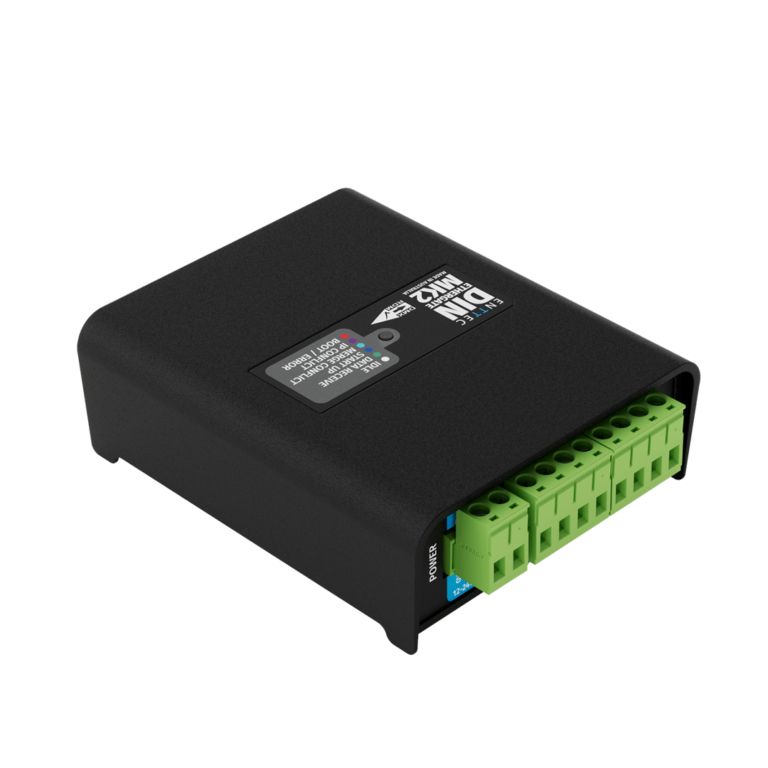
The Crestron DIN-SACN-DMX (sold by ENTTEC as model DIN Ethergate Mk2) is a cost-effective and reliable Ethernet to DMX convertor. It supports sACN, Art-Net, and ESP protocols, and integrates DMX and network controllable lighting devices and systems. As part of a Crestron architectural lighting system, it allows a 3-Series® or 4-Series™ control processor to communicate via sACN with any DMX lighting fixture or controller.The DIN-SACN-DMX's electrically insulated housing supports TS35 DIN and surface mounting for fast installation. In addition, pluggable terminal blocks with an inbuilt termination line make wiring simple. Key FeaturesConverts between DMX512A and sACN, Art-Net, and ESP protocolsEnables distribution of DMX over a Ethernet or Wi-Fi® networkEnables control of DMX lighting fixtures and systems by Crestron devicesSupports a single universe Ethernet to DMX node in output modeSupports a single universe DMX to Ethernet node in input modeSupports broadcast or unicast (unicast in input mode only)Supports HTP/LTP merging of up to 2 DMX sources (output mode only)Supports RDM over Art-NetEasy web browser-based setup and firmware updates4U 72 mm DIN rail mountablePoE or 12-24VDC powered (power supply not included)
Crestron NVX Videoübertragung über Netzwerk
Bei uns finden Sie das gesamte Portfolio der Crestron AV-over IP -Lösungen zur Übertragung von Videosignal und Audiosignal über Netzwerk.

The DM‑NVX‑384 is a compact DM NVX® AV-over-IP encoder/decoder designed to function as either a transmitter or receiver. Capable of handling a network AV installation of any size, the DM‑NVX‑384 includes features such as secure web-based control and management, a scaling HDMI output, video wall processing, an analog audio input or output, native AES67 transmit and receive capability, surround sound audio, support for copper and fiber-optic Ethernet connectivity, and USB 2.0 and KVM integration.2, 3, 4 HDMI® and USB-C® 4x1 Input Switching The DM‑NVX‑384 includes two HDMI inputs and two USB-C inputs that comprise a 4x1 input switcher. When used as a decoder mounted behind a typical conference room display device, the HDMI input provides a convenient way to connect to a Crestron AirMedia® presentation gateway, video-conferencing codec, or small form factor computer. The USB‑C inputs allow for a DisplayPort™ Alt Mode video connection to laptops that do not feature an HDMI connection. The USB-C inputs also pass USB 2.0 data back and forth from the connected host PC and other DM NVX or DM NUX endpoints. Switching between the four inputs can be performed automatically using auto-switching mode, programmatically via a control system, or through the web interface. Real-Time 4K60 Video Distribution Engineered for demanding conference room and classroom applications, DM NVX technology ensures real-time, full‑motion 4K60 video performance for the presentation of multimedia, videoconferencing, and live camera images. Interactive functions such as gameplay and using a mouse are fluid and natural. A DM NVX system also provides stability and reliability. Line‑synchronized outputs ensure perfect synchronization of content across multiple displays for applications such as digital signage and video walls. Variable Multicast TTL (Time To Live) enables traversing multiple network routers for optimal flexibility. Support for 5K Resolutions The DM‑NVX‑384 introduces support for 5K Ultra-Wide 5120 × 2160 and 5K Super-Wide 5120 × 1440 video resolutions, expanding the DM NVX product family's compatibility with the latest generation of computers, monitors, and displays. Pixel Perfect Processing Technology A DM NVX system incorporates Pixel Perfect Processing technology, which provides flawless video transport in all applications. Depending on the operating mode, the DM‑NVX‑384 can encode or decode a video signal to achieve imperceptible end-to-end latency of less than one frame. The image quality of the source is maintained across a 1‑Gigabit network at resolutions up to 5K Wide 4:4:4. Enterprise-Grade Security Using advanced security features and protocols such as 802.1X authentication, Active Directory® credential management, AES-128 content encryption, PKI authentication, TLS, SSH, and HTTPS, a DM NVX system delivers a true enterprise-grade network AV solution engineered to fulfill demanding IT policies. Encoder and Decoder Functionality The DM‑NVX‑384 is configurable to operate as either a network AV encoder or decoder: As an encoder, the DM‑NVX‑384 allows the HDMI or USB‑C signal of a laptop computer, camera, or other media source to be transmitted over the network to one or many decoders.1 As a decoder, the DM‑NVX‑384 receives the signal from a DM NVX encoder and feeds it to a display device via the HDMI output. The decoder can quickly and easily switch between multiple encoders on the network alongside a locally connected HDMI or USB-C source.1 The DM‑NVX‑384 provides a versatile and cost-effective solution for applications that require encoder and decoder operating modes in a single device. The operating mode can be reconfigured dynamically in less than 1 minute via a control system or web browser or can be changed by using the SETUP button. HDMI Output with 4K60 4:4:4 Scaler When the DM‑NVX‑384 is configured as a decoder, the HDMI output feeds the decoded signal to the HDMI input of a local display device, switcher, or other equipment. The built-in scaler ensures an optimal image, scaling the encoded source resolution up or down to match the native resolution of the display device. When the DM‑NVX‑384 is configured as an encoder, the HDMI output can be used to feed a local display, confidence monitor, or audio system.1, 5 Video Wall Processing A video wall composed of up to 64 individual displays can be configured using multiple DM NVX endpoints. Each endpoint provides fully adjustable zoom capability and bezel compensation to accommodate a range of video wall configurations and display types. One DM NVX endpoint is required per display, supporting configurations of up to eight wide by eight high. Text Overlay The ability to display dynamic or fixed text on screen provides a means to label the video source or to display special instructions, schedules, announcements, alerts, and other messaging. 7.1 Surround Sound Audio DM NVX technology supports the lossless transport of 7.1 surround sound audio signals, including Dolby® TrueHD, Dolby Atmos®, DTS HD®, DTS:X®, and uncompressed linear PCM. In decoder mode, the DM‑NVX‑384 can receive both multichannel and 2-channel downmix signals from a DM-NVX-363, DM-NVX-363C, DM‑NVX‑351, or DM‑NVX‑351C encoder, allowing either signal to be selected at the HDMI output while the 2-channel signal is automatically routed to the analog output. AES67 and DM NAX® Audio Embedding and De-embedding AES67 support via native support for Crestron DM NAX® Audio-over-IP technology allows the selected audio source to be transmitted as a 2-channel AES67 source while another AES67 2-channel audio stream is received from a Crestron DM NAX device or other AES67 capable device and combined with the video signal. In DM NVX encoder mode, the received AES67 audio stream can be output via the local HDMI output, primary AV stream, secondary audio stream, and analog audio output. In DM NVX decoder mode, the AES67 received audio stream can be combined with the video and then output via the HDMI output and analog audio output. Analog Audio Embedding or De-embedding An unbalanced stereo analog audio port is included, which can be configured as either an input or output. As an input, the port allows a stereo audio source to be connected and combined with the video signal from the HDMI input or the incoming network video stream. As an output, the port can provide a stereo line-level signal to feed a local sound system or soundbar. The output volume is adjustable via a control system or web browser.6 Breakaway Audio A DM NVX decoder can select and combine separate video and audio signals from two different inputs or even two different encoders. Combining signals from two separate encoders is limited to 2-channel stereo audio.7 Copper or Fiber Ethernet Connectivity The DM‑NVX‑384 includes two RJ-45 1000BASE-T ports (Ethernet ports 1 and 2) and one SFP port (Ethernet port 3). Any Ethernet port can be used to transport video over a Gigabit Ethernet network. When not used to transport network video, ports 1 and 2 can provide network connections for an AirMedia gateway, display device, or other local device. The ports can also be used to daisy-chain multiple endpoints feeding a single-source video wall or individual displays that show the same video image. Port 1 is also capable of receiving power from a POE++ compliant Ethernet switch or third-party IEEE 802.3bt compliant PSE (power sourcing equipment).2, 8 The SFP port enables connection to a fiber-optic network with the use of the appropriate Crestron SFP-1G Series transceiver module (sold separately). A selection of modules is offered to accommodate various multimode and single-mode fiber types.3 A DM NVX system can be deployed on an existing corporate or campus network or on a dedicated network. For information about network requirements and guidelines, refer to the DM NVX AV-over-IP System Design Guide. USB 2.0 and KVM Integration DM NVX technology supports the extension of USB signals, which can be switched and routed alongside the AV signal or separately via a control system. USB 2.0 TO HOST and TO DEVICE ports are provided on the DM‑NVX‑384, allowing a USB mouse, keyboard, or other peripheral device to be connected to a remote endpoint and routed to a computer or other host at the local endpoint. In addition to KVM switch functionality, various types of USB peripherals are supported, including whiteboards, touch screens, game controllers, cameras, mobile devices, headsets, and flash drives.9 USB 2.0 data transport can be configured for Layer 2 or Layer 3. Layer 2 supports USB signal extension in point-to-point and multipoint applications. USB signals can be routed from the TO DEVICE ports of up to seven remote DM NVX endpoints to the TO HOST port of a single local DM NVX endpoint. Layer 2 also supports Crestron USB-over-Ethernet devices (DM‑NUX‑L2 or DM‑NUX‑R2, sold separately), which can be used in locations that do not include DM NVX endpoints. USB signals can be routed between DM NVX and DM NUX devices under the management of a control system. USB 2.0 Layer 3 data transport supports USB signal extension in DM NVX point-to-point applications across VLANs. Device Control The DM‑NVX‑384 includes built-in COM (RS-232) and IR ports for control of the connected display, camera, or other devices by a control system. Additional control capability is provided by CEC (Consumer Electronics Control) over the HDMI connection, potentially eliminating the need for dedicated serial cables or IR emitters. The COM port and CEC over the HDMI output can also enable the display device to be turned on or off automatically without the use of a control system. Web-Based Setup Setup of the DM‑NVX‑384 is accomplished by using a web browser. Full control and monitoring of the device is enabled through integration with a control system or with a DM NVX Director® virtual switching appliance. Streamlined Management Using DM NVX Director® Virtual Switching Appliances Use of a DM NVX Director® virtual switching appliance (DM‑NVX‑DIR‑80, DM‑NVX‑DIR‑160, or DM‑NVX‑DIR‑ENT) streamlines the entire configuration and control process. A DM NVX Director appliance provides a central point of management and enables the creation of multiple virtual matrix switchers through one easy-to-use web-based portal. Crestron XiO Cloud® Service Support The DM‑NVX‑384 is compatible with the Crestron XiO Cloud® service, which is a platform for remotely provisioning, monitoring, and managing Crestron devices across an enterprise or an entire client base. The service enables installers and IT managers to deploy and manage thousands of devices simultaneously. Refer to crestron.com/xiocloud for more information. Low-Profile Installation The DM‑NVX‑384 mounts conveniently to a flat surface or rack rail, and fits easily behind a flat panel display, above a ceiling-mounted projector, beneath a tabletop, or inside a lectern, AV cart, or equipment cabinet. All connectors and LED indicators are positioned on the front and rear of the device, offering optimal access and visibility for a clean, serviceable installation. Power is provided using POE++ or the optional Crestron PW‑2420RU power pack (sold separately).8 Refer to the DM NVX feature page for additional design tools and reference documents. Key Features Two HDMI® and two USB-C® inputs 5K video over standard Gigabit Ethernet, configurable as an encoder or decoder1 Support for 5K Ultra-Wide (21:9) and Super-Wide (32:9) resolutions HDR10, HDR10+, and Dolby Vision® video support Real-time video performance over the network with Pixel Perfect Processing technology Enterprise-grade security including 802.1X, Active Directory® credential management, TLS, and AES-128 One HDMI output with 4K60 4:4:4 scaler Video wall processing Dynamic text overlay capability 7.1 surround sound audio support AES67 and analog audio embedding and de-embedding Copper or fiber Ethernet connectivity USB 2.0 and KVM signal extension and routing Device control via RS-232, IR, and CEC Automatic point-to-point connectivity Easy setup via built-in web interface Interoperability with a Crestron 3-Series® or later control system Streamlined management using DM NVX Director™ virtual switching appliances Crestron XiO Cloud™ service support Compact, surface- or rack-mountable design Powered via PoE++ or optional power pack (sold separately)

DM NVX® technology transports ultra high-definition 4K60 4:4:4 video over standard Gigabit Ethernet with no perceptible latency or loss of quality. Using standard network switches and CAT5e UTP wiring, a DM NVX system delivers a high-performance virtual matrix routing solution that is economically advantageous and infinitely scalable for any enterprise or campus-wide 4K content distribution application. Professional onboard scaling, HDR (High Dynamic Range) support, and HDCP 2.3 compliance ensure the ultimate in picture quality and compatibility for all of today’s varied media sources.1, 2 The DM-NVX-363C is an AV-over-IP encoder/decoder card that occupies one card slot in a DMF-CI-8 card chassis. The card is designed to function as either a transmitter or receiver in a high-density rack-mount installation. Capable of handling a network AV installation of any size, the DM‑NVX‑363C includes features such as secure web-based control and management, a scaling HDMI® output, video wall processing, an analog audio input or output, surround sound audio with downmixing, native Dante® and AES67 transmit and receive capability, USB 2.0 and KVM integration, and support for copper and fiber Ethernet connectivity.2, 3 Real-Time 4K60 Video Distribution Engineered for demanding conference room and classroom applications, DM NVX technology ensures real-time, full-motion 4K60 video performance for the presentation of multimedia, videoconferencing, and live camera images. Interactive functions such as gameplay and using a mouse are fluid and natural. A DM NVX system also provides stability and reliability. Line‑synchronized outputs ensure perfect synchronization of content across multiple displays for applications such as digital signage and video walls. Variable Multicast TTL (Time To Live) enables traversing multiple network routers for optimal flexibility. Pixel Perfect Processing Technology A DM NVX system incorporates Pixel Perfect Processing technology, which provides flawless video transport in all applications. Depending on the operating mode, the DM‑NVX‑363C can encode or decode a video signal to achieve imperceptible end-to-end latency of less than 1 frame. The image quality of the source is maintained across a 1-Gigabit network at any resolution up to 4K60 4:4:4. Enterprise-Grade Security Using advanced security features and protocols such as 802.1X authentication, Active Directory® credential management, AES-128 content encryption, PKI authentication, TLS, SSH, and HTTPS, a DM NVX system delivers a true enterprise-grade network AV solution engineered to fulfill demanding IT policies. Encoder or Decoder Functionality The DM‑NVX‑363C is configurable to operate as either a network AV encoder or decoder: As an encoder, the DM‑NVX‑363C allows the HDMI signal of the output of a switcher, computer, Crestron AirMedia® gateway, or other media source to be transmitted over the network to one or many decoders.1 As a decoder, the DM‑NVX‑363C receives the signal from a DM NVX encoder and feeds it to the input of a switcher or display device via the HDMI output. The decoder can quickly and easily switch between multiple encoders on the network alongside a locally connected HDMI source.1 The DM‑NVX‑363C provides a versatile and cost-effective solution for applications that require encoder and decoder operating modes in one card. The operating mode can be reconfigured dynamically in less than 1 minute via a control system or web browser or via the DMF‑CI‑8 front panel. NOTE: For compatibility with DM NVX Software, all DM NVX hardware endpoints need to use firmware version 7.1.5259.00069. DM NVX Software is not compatible with firmware version 7.1.5259.00084. HDMI® Input The DM‑NVX‑363C includes one HDMI input, which provides a convenient way to connect a source device to a DM NVX integrated system. HDMI Output with 4K60 4:4:4 Scaler When the DM‑NVX‑363C is configured as a decoder, the HDMI output feeds the decoded signal to the HDMI input of a local display device, switcher, or other equipment. The built-in scaler ensures an optimal image, scaling the encoded source resolution up or down to match the native resolution of the display device. When the DM‑NVX‑363C is configured as an encoder, the HDMI output can be used to feed a local display, confidence monitor, or audio system.1, 4 Video Wall Processing A video wall composed of up to 64 individual displays can be configured using multiple DM NVX endpoints. Each endpoint provides fully adjustable zoom capability and bezel compensation to accommodate a range of video wall configurations and display types. One DM NVX endpoint is required per display, supporting configurations of up to eight wide by eight high. Dynamic Text Overlay The DM-NVX-363C enables the display of dynamic text, providing a means to label the video source or to display special instructions, schedules, announcements, alerts, and other messaging. Image Preview Image preview provides still images (thumbnails) that show the current video being received by an input of a DM NVX encoder or displayed by an output of a DM NVX decoder. Still images are shown at one frame per second. Image preview supports the maximum resolution of the source and scales the image, while maintaining the aspect ratio. Images can be previewed in the DM NVX web interface and accessed remotely using a web browser. The images can also be previewed on a Crestron touch screen or third-party interface. Background Image for On-Screen Display When the DM-NVX-363C is configured as a decoder, an image can be uploaded to the device for use as a background image on a display whenever active video content is not being displayed. Supported image file types are .jpeg, .jpg, and .png. The supported maximum resolution of an image is 3840x2160 pixels. Up to 20 image files can be uploaded for a total storage capacity of up to 100 MB. Test Pattern Generator When the DM-NVX-363C is configured as an encoder, the built-in test pattern generator can be used during setup to ensure that video streaming is functional and can also be used as a tool for the adjustment, calibration, and alignment of displays, projectors, and video walls. The DM NVX encoder can send the test pattern to any routed DM NVX decoder. Fixed, Adaptive, or Variable Bit Rate In DM NVX encoder mode, the bit rate of a stream can be set to fixed, adaptive, or variable: A fixed bit rate, also referred to as Constant Bit Rate (CBR), is user specified and can be set to a value ranging from 200 Mbps to 950 Mbps.5 Adaptive bit rate (ABR) enables the encoder to automatically set a fixed bit rate based on the input resolution of the stream. For example, the adaptive bit rate for a common resolution such as 1920x1080p@60Hz (1080p60) would automatically be set to 400 Mbps. Adaptive bit rate makes better use of the available bandwidth than a user-specified fixed bit rate. Variable bit rate (VBR) enables the encoder to automatically vary the bit rate based on the content and input resolution of the stream. The bit rate can vary from less than 150 Mbps to a maximum of 750 Mbps. A variable bit rate results in the use of less bandwidth to produce the same image quality as a user-specified fixed bit rate or an adaptive bit rate. The web interface or a control system can be used to set a fixed bit rate or to enable adaptive or variable bit rate functionality. Analog Audio Embedding or De-embedding A balanced stereo analog audio port is included, which can be configured as either an input or output. As an input, the port allows a stereo audio source to be connected and combined with the video signal from the HDMI input or the incoming network video stream. As an output, the port can provide a stereo line-level signal to feed a local sound system or analog audio switcher. The output volume is adjustable via a control system or web browser. 7.1 Surround Sound Audio with Downmixing DM NVX technology supports the lossless transport of 7.1 surround sound audio signals, including Dolby® TrueHD, Dolby Atmos®, DTS HD®, DTS:X®, and uncompressed linear PCM6. The DM-NVX-363C can decode the incoming multichannel surround sound signal from the network or an HDMI input and then downmix that signal to stereo. The stereo downmix signal is automatically routed to the onboard analog output7, while the HDMI output can be configured to output either stereo or multichannel signals. As an encoder, the DM-NVX-363C distributes both stereo and multichannel signals simultaneously over the network, allowing either signal to be selected at any decoder on the network. NOTE: The DSP of the DM-NVX-363C is compatible with Dolby Atmos audio using True HD or Dolby Digital Plus audio formats. Dante® or AES67 Audio Embedding and De-embedding Dante and AES67 support enables the selected audio source to be transmitted as a 2-channel Dante or AES67 audio stream while another 2-channel Dante or AES67 audio stream is received from a Crestron DSP or other third-party device and combined with the video signal. In DM NVX encoder mode, the received Dante or AES67 audio stream can be output via the local HDMI output, primary AV stream, and analog audio output. In DM NVX decoder mode, the received Dante or AES67 audio stream can be combined with the video and then output via the HDMI output and analog audio output. NOTE: A Dante or AES67 stream that is received by a DM NVX endpoint cannot be transmitted from that endpoint. Breakaway Audio A DM NVX decoder can select and combine separate video and audio signals from two different inputs—even two different encoders. Combining signals from two separate encoders is limited to 2-channel stereo audio.8 Copper and Fiber Ethernet Connectivity The DM‑NVX‑363C includes two RJ-45 1000BASE-T ports (Ethernet ports 1 and 2), one RJ-45 100BASE-TX port (Ethernet port 3), and one SFP port (Ethernet port 4). The SFP port enables connection to a fiber-optic network with the use of the appropriate Crestron SFP-1G Series transceiver module (sold separately). A selection of modules is offered to accommodate various multimode and single-mode fiber types.3 Ethernet port 1, 2, or 4 can be used to transport video over a Gigabit Ethernet network. Ports 1 and 2 can also be used to provide network connections for an AirMedia gateway, display device, or other local device. In addition, the ports can be used to daisy-chain multiple endpoints feeding a single-source video wall or individual displays that show the same video image.2 An RJ-45 100BASE-TX port is included for connection to a dedicated audio network or for use as a convenience port. A DM NVX system can be deployed on an existing corporate or campus network or on a dedicated network. For information about network requirements and guidelines, refer to the DM NVX AV-over-IP System Design Guide, Doc. 7977, at https://www.crestron.com/nvx. Network Port Selection Network port selection enables network traffic to be managed and segregated based on traffic type. Internal VLANs are used to route different traffic types to specific external Ethernet ports, which can then be assigned to the various traffic types. AES67 or Dante audio can be separated from the primary video and control network resulting in a dedicated audio network. Automatic Point-to-Point Connectivity Point-to-point connectivity enables a DM NVX 4K60 4:4:4 encoder to be connected directly to a DM NVX 4K60 4:4:4 decoder to stream video, audio, and USB signals. Rather than being connected to a Gigabit Ethernet network, a 1000BASE-T Ethernet port of an encoder is connected directly to a 1000BASE-T port of a decoder. By default, point-to-point mode is enabled and can be disabled if desired. When point-to-point mode is enabled and a direct connection between an encoder and decoder is automatically detected, no additional configuration is required for the encoder or decoder to operate in point-to-point mode; however, the operating mode of a DM-NVX-363C device must be configured correctly. If the device is to function as an encoder, the operating mode of the device must be configured as an encoder. If the device is to function as a decoder, the operating mode must be configured as a decoder. In addition, a control system is required for CEC (Consumer Electronics Control). USB 2.0 and KVM Integration DM NVX technology supports the extension of USB signals, which can be switched and routed alongside the AV signal or separately via a control system. USB 2.0 HOST and DEVICE ports are provided on the DM‑NVX‑363C, allowing a USB mouse, keyboard, or other peripheral device to be connected to a remote endpoint and routed to a computer or other host at the local endpoint. In addition to KVM switch functionality, various types of USB peripherals are supported, including whiteboards, touch screens, game controllers, cameras, mobile devices, headsets, and flash drives.9 USB 2.0 data transport can be configured for Layer 2 or Layer 3. Layer 2 supports USB signal extension in point-to-point and multipoint applications. USB signals can be routed from the HOST port of up to seven remote DM NVX endpoints to the DEVICE port of a single local DM NVX endpoint. Layer 2 also supports Crestron USB over Ethernet Network extenders, which consist of the DM-NUX-L2, DM-NUX-R2, DM-NUX-L2-1G, DM-NUX-R2-1G, and legacy models (USB‑NX2‑LOCAL-1G, USB‑NX2‑REMOTE-1G, USB‑EXT‑DM‑LOCAL, and USB‑EXT‑DM‑REMOTE). The USB extenders can be used in locations that do not include DM NVX endpoints. USB signals can be routed between DM NVX endpoints and USB extenders under the management of a control system10. USB 2.0 Layer 3 data transport supports USB signal extension in DM NVX point-to-point applications across VLANs. DM NUX, USB NX2, and USB EXT DM devices do not support Layer 3. In addition to USB 2.0 HOST and DEVICE ports, the DM-NVX-363C includes a USB 2.0 HID port that can provide hot key functionality when enabled via the web interface or a control system. When the DM NVX device is operating as a receiver, the HID port can detect a series of hot key sequences on a keyboard and route USB traffic to the control system and then to selected source devices (for example, PCs). CEC Device Control The DM-NVX-363C provides a gateway for controlling devices via CEC over the HDMI connections. Under the management of a control system, the DM‑NVX‑363C can control the display and source devices, potentially eliminating the need for dedicated serial cables or IR emitters. CEC over the HDMI output can also enable the display device to be turned on or off automatically without the use of a control system. Web-Based Setup Setup of the DM‑NVX‑363C is accomplished by using a web browser. Full control and monitoring of the device is enabled through integration with a control system or with a DM NVX Director® virtual switching appliance. Streamlined Management Using DM NVX Director Virtual Switching Appliances Use of a DM NVX Director virtual switching appliance (DM‑NVX-DIR-80, DM-NVX-DIR-160, or DM-NVX‑DIR‑ENT) streamlines the entire configuration and control process. A DM NVX Director appliance provides a central point of management and enables the creation of multiple virtual matrix switchers through one easy-to-use web-based portal. High-Density, Card-Based Solution The DM-NVX-363-C is designed for installation into a DMF-CI-8 card chassis, providing a scalable high-density solution for applications requiring multiple encoders and decoders in one equipment rack. For additional design tools and reference documents, refer to the DM NVX web page at https://www.crestron.com/nvx. Key Features 4K60 4:4:4 video over standard Gigabit Ethernet HDR10, HDR10+, and Dolby Vision® video support Real-time video performance over the network Pixel Perfect Processing technology Enterprise-grade security including 802.1X, Active Directory® credential management, TLS, and AES-128 HDCP 2.3 compliant Configurable as an encoder or decoder One HDMI® input One HDMI output with 4K60 4:4:4 scaler Video wall processing Dynamic text overlay image preview Background image for on-screen display Test pattern generator Fixed, adaptive, or variable bit rate Analog audio embedding or de-embedding 7.1 surround sound audio with downmixing Dante® or AES67 audio embedding and de-embedding Breakaway audio USB 2.0 and KVM signal extension and routing Copper and fiber Ethernet connectivity Network port selection Automatic point-to-point connectivity CEC device control Easy setup via built-in web pages Interoperable with a Crestron 3-Series® or later control system Streamlined management using DM NVX Director® virtual switching appliances .AV Framework™ technology support XiO Cloud® service support Crestron Home® OS support API for full control of the DM-NVX-363C Designed for installation into a DMF-CI-8 chassis

DM NVX® technology transports ultra high definition 4K60 4:4:4 video over standard Gigabit Ethernet with no perceptible latency or loss of quality. Using standard network switches and CAT5e UTP wiring, a DM NVX system delivers a high-performance virtual matrix routing solution for any enterprise or campus-wide 4K content distribution application. Support for High Dynamic Range (HDR10) and HDCP 2.3 compliance ensures the ultimate in picture quality and compatibility for all of today’s varied media sources.1, 2 The DM-NVX-E760C includes a DM® input that provides interoperability with DM 8G+® output devices and DM® Essentials transmitters. Certified using HDBaseT® technology, the DM input is also compatible with third-party HDBaseT products. Real-Time 4K60 Video Distribution Engineered for demanding conference room and classroom applications, DM NVX technology ensures real time, full-motion 4K60 video performance for the presentation of multimedia, videoconferencing, and live camera images. Interactive functions such as gameplay and the use of a mouse are fluid and natural. A DM NVX system is engineered for stability and ultimate reliability. Line synchronized outputs ensure perfect synchronization of content across multiple displays for applications such as digital signage. Variable Multicast TTL (Time To Live) enables traversing multiple network routers for optimal flexibility. Pixel Perfect Processing Technology A DM NVX system incorporates Pixel Perfect Processing technology, which provides flawless video transport in all applications. The DM-NVX-E760C can encode a video signal to achieve imperceptible end-to-end latency of less than 1 frame. The image quality of the source is maintained across a 1-Gigabit network at any resolution up to 4K60 4:4:4. Enterprise-Grade Security The DM-NVX-E760C includes advanced security features and protocols. Using 802.1X authentication, Active Directory® credential management, AES-128 content encryption, PKI authentication, TLS, SSH, and HTTPS, a DM NVX system provides a true enterprise-grade network AV solution engineered to fulfill demanding IT policies. Encoder Functionality The DM-NVX-E760C is an encoder that is compatible with DM NVX products that can function as decoders. The DM-NVX-E760C enables AV signals from the DM input to be transmitted over the network to one or many decoders. Encoder functionality of the DM-NVX-E760C can be used in any DM NVX network AV design. NOTE: For compatibility with DM NVX Software, all DM NVX hardware endpoints need to use firmware version 7.1.5259.00069. DM NVX Software is not compatible with firmware version 7.1.5259.00084. Interoperability with DM 8G+ Output Devices and DM Essentials Transmitters The DM input of the DM-NVX-E760C can be connected to the DM 8G+ output of a DM switcher, transmitter, or other DM device. The DM input can also be connected to the DM port of a DM Essentials transmitter. NOTE: Only audio and video signals from the DM transmitter will be passed to the DM-NVX-E760C. USB and control signals will not be passed. Compatibility with DM 8G+ and DM Essentials 1-gang and 2-gang wall plate transmitters enables easy integration of a wall plate transmitter, providing a simple installation and system design solution. HDBaseT Certification Crestron DM 8G+ technology of the DM input is designed using HDBaseT Alliance specifications, ensuring interoperability with other HDBaseT certified products. The DM input of the DM-NVX-E760C can be connected directly to an HDBaseT compliant source. The DM-NVX-E760C provides the capability to bridge an HDBaseT system with AV over IP, resulting in a hybrid system design and a smooth migration path for existing DM or HDBaseT solutions. Investment protection is achieved for applications that require integration of AV over IP with existing HDBaseT systems or expansion of an existing room system for broader distribution. NOTE: The DM input will support Ethernet and control signals in a future release. Image Preview Image preview provides still images (thumbnails) that show the current video being received by the DM input of the DM-NVX-E760C. Still images are shown at 1 frame per second. Image preview supports the maximum resolution of the source and scales the image while maintaining the aspect ratio. Images can be previewed in the DM NVX web interface and accessed remotely by using a web browser. The images can also be previewed on a Crestron touch screen or third-party interface. Test Pattern Generator The built-in test pattern generator can be used during setup to ensure that video streaming is functional and can also be used as a tool for the adjustment, calibration, and alignment of displays, projectors, and video walls. The DM-NVX-E760C can send the test pattern to any routed DM NVX decoder. Fixed, Adaptive, or Variable Bit Rate In DM NVX encoder mode, the bit rate of a stream can be set to fixed, adaptive, or variable: A fixed bit rate, also referred to as Constant Bit Rate (CBR), is user specified and can be set to a value ranging from 200 Mbps to 950 Mbps.3 Adaptive bit rate (ABR) enables the encoder to automatically set a fixed bit rate based on the input resolution of the stream. For example, the adaptive bit rate for a common resolution such as 1920x1080p@60Hz (1080p60) would automatically be set to 400 Mbps. Adaptive bit rate makes better use of the available bandwidth than a user-specified fixed bit rate. Variable bit rate (VBR) enables the encoder to automatically vary the bit rate based on the content and input resolution of the stream. The bit rate can vary from less than 150 Mbps to a maximum of 750 Mbps. A variable bit rate results in the use of less bandwidth to produce the same image quality as a user-specified fixed bit rate or an adaptive bit rate. The web interface or a control system can be used to set a fixed bit rate or to enable adaptive or variable bit rate functionality. Analog Audio De-embedding The analog audio output provides a balanced or unbalanced stereo line level signal to feed a local sound system or sound bar. The output volume is adjustable using the web interface or a control system.4 7.1 Surround Sound Audio DM NVX technology supports the lossless transport of 7.1 surround sound audio signals, including Dolby® TrueHD, Dolby Atmos®, DTS HD®, DTS:X®, and uncompressed linear PCM. AES67 Audio Embedding and De-embedding AES67 support allows an HDMI® source to be transmitted as a 2-channel AES67 stream while another 2-channel AES67 audio stream is received from a Crestron DSP or other third-party device. The received AES67 audio stream can be output via the analog audio output. NOTE: An AES67 stream that is received by a DM NVX endpoint cannot be transmitted from that endpoint. Copper and Fiber Ethernet Connectivity The DM-NVX-E760C includes two RJ-45 1000BASE T Ethernet ports (Ethernet ports 1 and 2) and one SFP port (Ethernet port 3). The SFP port enables connection to a fiber-optic network with the use of the appropriate Crestron SFP-1G Series transceiver module (sold separately). A selection of modules is offered to accommodate various multimode and single-mode fiber types. Ethernet port 1, 2, or 3 can be used to transport video over a Gigabit Ethernet network. The remaining Ethernet ports can be used to provide connections to local network devices or to daisy-chain multiple endpoints. A DM NVX system can be deployed on an existing corporate or campus network or on a dedicated network. For information about network requirements and guidelines, refer to the DM NVX AV-over-IP System Design Guide, Doc. 7977. Network Port Selection Network port selection enables network traffic to be managed and segregated based on traffic type. Internal VLANs are used to route different traffic types to specific external Ethernet ports, which can then be assigned to the various traffic types. AES67 audio can be separated from the primary video and control network resulting in a dedicated audio network. Automatic Point-to-Point Connectivity Point-to-point connectivity enables the DM-NVX-E760C to be connected directly to a DM NVX 4K60 4:4:4 decoder to stream video and audio. Rather than being connected to an Ethernet switch, a 1000BASE-T Ethernet port of the DM-NVX-E760C is connected directly to a 1000BASE-T port of a decoder. By default, point-to-point mode automatically detects whether the DM-NVX-E760C is connected directly to a DM NVX 4K60 4:4:4 decoder or to a 1000BASE-T switch. When a direct connection between the DM-NVX-E760C and a decoder is detected, the devices operate in point-to-point mode without the need for additional configuration. The web interface or a control system can be used to disable point-to-point mode or to enable automatic detection of point-to-point connectivity. Web-Based Setup Setup of the DM-NVX-E760C is accomplished by using the built‑in web interface. Full control and monitoring of the device is enabled through integration with a control system or with a DM NVX Director® virtual switching appliance. Streamlined Management Using DM NVX Director Virtual Switching Appliances Use of a DM NVX Director virtual switching appliance (DM-NVX-DIR-80, DM-NVX-DIR-160, or DM-NVX-DIR-ENT) streamlines the entire configuration and control process. A DM NVX Director appliance provides a central point of management and enables the creation of multiple virtual matrix switchers through one easy-to-use web-based portal. High‑Density Card‑Based Solution The DM‑NVX‑E760C is designed for installation into a DMF‑CI‑8 card chassis, which provides a high‑density solution for applications requiring multiple encoders and decoders in one equipment rack. For additional design tools and reference documents, refer to the DM NVX web page at www.crestron.com/nvx. Key Features 4K60 4:4:4 video over standard Gigabit Ethernet HDR10 video support Real time video performance over the network Pixel Perfect Processing technology Enterprise-grade security including 802.1X, Active Directory® credential management, TLS, and AES-128 HDCP 2.3 compliance Encoder functionality for use with DM NVX® products that can function as decoders DM® input for interoperability with DM 8G+® output devices and DM® Essentials transmitters, including DM 8G+ and DM Essentials wall plate transmitters HDBaseT® certification Image preview Test pattern generator Adaptive bit rate Analog audio de-embedding 7.1 surround sound audio AES67 audio embedding and de-embedding Copper and fiber Ethernet connectivity Network port selection Automatic point-to-point connectivity Easy setup via built-in web pages Compatibility with Crestron® 3 Series® or later control systems Streamlined management using DM NVX Director® virtual switching appliances .AV Framework™ technology support XiO Cloud® service support Crestron Home™ OS support API for full control of the DM-NVX-E760C Designed for installation into a DMF-CI-8 chassis

Die DM NVX®- Technologie überträgt ultrahochauflösende 4K60-Videos im 4:4:4-Format über Standard-Gigabit-Ethernet ohne spürbare Latenz oder Qualitätsverlust. Mithilfe von Standard-Netzwerk-Switches und CAT5e-UTP-Verkabelung bietet ein DM NVX-System eine leistungsstarke virtuelle Matrix-Routing-Lösung für unternehmens- oder campusweite 4K-Content-Distributionsanwendungen. Die Unterstützung von HDR (High Dynamic Range) und HDCP 2.3 gewährleistet höchste Bildqualität und Kompatibilität mit allen gängigen Medienquellen. 1, 2 Der DM-NVX-D30C ist ein AV-over-IP-Decoder, der einen Steckplatz eines DMF-CI-8- Kartengehäuses belegt. Die Karte ist als Empfänger in einer hochdichten Rackmontage konzipiert. Mit sicherer webbasierter Steuerung und Verwaltung, einem HDMI®-Ausgang, einem analogen Audioausgang, AES67-Sende- und Empfangsfunktion sowie Kupfer-Ethernet-Konnektivität bietet der DM-NVX-D30C eine Decoderlösung für eine DM-NVX-Netzwerk-AV-Installation jeder Größe. 2 Echtzeit-Videoverteilung in 4K60: Die für anspruchsvolle Anwendungen in Konferenzräumen und Klassenzimmern entwickelte DM NVX-Technologie gewährleistet Echtzeit-Full-Motion-Videoleistung in 4K60 für die Präsentation von Multimedia-Inhalten, Videokonferenzen und Live-Kamerabildern. Interaktive Funktionen wie Gameplay und die Verwendung einer Maus sind flüssig und natürlich. Ein DM NVX-System ist auf Stabilität und höchste Zuverlässigkeit ausgelegt. Zeilensynchronisierte Ausgänge gewährleisten eine perfekte Synchronisierung von Inhalten über mehrere Displays hinweg für Anwendungen wie Digital Signage. Variables Multicast TTL (Time To Live) ermöglicht die Durchquerung mehrerer Netzwerkrouter für optimale Flexibilität. Pixel Perfect Processing-Technologie Ein DM NVX-System enthält die Pixel Perfect Processing-Technologie, die eine einwandfreie Videoübertragung in allen Anwendungen gewährleistet. Der DM-NVX-D30C kann ein Videosignal dekodieren und eine nicht wahrnehmbare End-to-End-Latenz von weniger als 1 Frame erreichen. Die Bildqualität der Quelle bleibt über ein 1-Gigabit-Netzwerk bei jeder Auflösung bis zu 4K60 4:4:4 erhalten. Sicherheit auf Unternehmensniveau Mit erweiterten Sicherheitsfunktionen und Protokollen wie 802.1X-Authentifizierung, Active Directory®-Anmeldeinformationsverwaltung, AES-128-Inhaltsverschlüsselung, PKI-Authentifizierung, TLS, SSH und HTTPS bietet ein DM NVX-System eine echte Netzwerk-AV-Lösung auf Unternehmensniveau, die anspruchsvolle IT-Richtlinien erfüllt. Decoder-Funktionalität: Die DM-NVX-D30C ist eine einfache Decoderkarte, die ein Signal von einem DM NVX-Encoder empfängt und über den HDMI-Ausgang an ein lokales Anzeigegerät weiterleitet. Die DM-NVX-D30C kann schnell und einfach zwischen mehreren Encodern im Netzwerk umschalten. Die DM-NVX-D30C ist mit DM NVX-Produkten kompatibel, die als Encoder fungieren können, und kann in jedem DM NVX-Netzwerk-AV-Design verwendet werden. HINWEISE: Der HDMI-Ausgang unterstützt keine Videoskalierung. Aus Kompatibilitätsgründen mit der DM NVX-Software müssen alle DM NVX-Hardwareendpunkte die Firmware-Version 7.1.5259.00069 verwenden. Die DM NVX-Software ist nicht mit der Firmware-Version 7.1.5259.00084 kompatibel. Bildvorschau Die Bildvorschau bietet Standbilder (Miniaturansichten), die das aktuelle Video zeigen, das von einem Ausgang eines DM NVX-Decoders angezeigt wird. Standbilder werden mit einem Bild pro Sekunde angezeigt. Die Bildvorschau unterstützt die maximale Auflösung der Quelle und skaliert das Bild unter Beibehaltung des Seitenverhältnisses. Bilder können in der DM NVX-Weboberfläche in der Vorschau angezeigt und per Fernzugriff über einen Webbrowser aufgerufen werden. Die Bilder können auch auf einem Crestron-Touchscreen oder einer Schnittstelle eines Drittanbieters in der Vorschau angezeigt werden. Hintergrundbild für die Bildschirmanzeige Ein Bild kann auf das DM-NVX-D30C hochgeladen werden, um es als Hintergrundbild auf einem Display zu verwenden, wenn kein aktiver Videoinhalt angezeigt wird. Unterstützte Bilddateitypen sind .jpeg, .jpg und .png. Die unterstützte maximale Auflösung eines Bildes ist 3840 x 2160 Pixel. Bis zu 20 Bilddateien können hochgeladen werden, bei einer Gesamtspeicherkapazität von bis zu 100 MB. Analoges Audio-De-Embedding Der analoge Audioausgang bietet ein Stereo-Line-Level-Signal zur Versorgung eines lokalen Soundsystems oder einer Soundbar. Die Ausgabelautstärke lässt sich über ein Steuerungssystem oder einen Webbrowser einstellen. 3 7.1 Surround Sound Audio Die DM NVX-Technologie unterstützt die verlustfreie Übertragung von 7.1 Surround Sound-Audiosignalen, einschließlich Dolby® TrueHD, Dolby Atmos®, DTS HD®, DTS:X® und unkomprimiertem linearem PCM. AES67 Audio Embedding und De-Embedding Durch die AES67-Unterstützung kann die ausgewählte Audioquelle als 2-Kanal-AES67-Audiostream übertragen werden, während ein anderer 2-Kanal-AES67-Audiostream von einem Crestron DSP oder einem anderen Drittanbietergerät empfangen und mit dem Videosignal kombiniert wird. Der empfangene AES67-Audiostream kann mit dem Video kombiniert und dann über den HDMI-Ausgang und den analogen Audioausgang ausgegeben werden. HINWEIS: Ein von einem DM NVX-Endpunkt empfangener AES67-Audiostream kann von diesem Endpunkt nicht übertragen werden. Kupfer-Ethernet-Konnektivität: Der DM-NVX-D30C verfügt über einen RJ-45 1000BASE-T Ethernet-Anschluss. 2 Informationen zu Netzwerkanforderungen und Richtlinien finden Sie im DM NVX AV-over-IP System Design Guide , Dok. 7977. Automatische Punkt-zu-Punkt-Konnektivität: Punkt-zu-Punkt-Konnektivität ermöglicht den direkten Anschluss des DM-NVX-D30C an einen DM NVX 4K60 4:4:4 Encoder zum Streamen von Video und Audio. Anstatt an einen Ethernet-Switch angeschlossen zu sein, wird der 1000BASE-T Ethernet-Anschluss des Decoders direkt mit einem 1000BASE-T-Anschluss eines Encoders verbunden. Standardmäßig erkennt der Punkt-zu-Punkt-Modus automatisch, ob der DM-NVX-D30C direkt an einen DM angeschlossen ist. NVX 4K60 4:4:4-Encoder oder an einen 1000BASE-T-Switch. Wenn eine direkte Verbindung zwischen dem DM-NVX-D30C und einem Encoder erkannt wird, arbeiten die Geräte im Punkt-zu-Punkt-Modus, ohne dass eine zusätzliche Konfiguration erforderlich ist. Für CEC (Consumer Electronics Control) ist jedoch ein Steuerungssystem erforderlich. CEC-Gerätesteuerung Unter der Verwaltung eines Steuerungssystems kann das DM-NVX-D30C das Anzeigegerät per CEC über die HDMI-Verbindung steuern, wodurch dedizierte serielle Kabel oder IR-Emitter möglicherweise überflüssig werden. CEC über den HDMI-Ausgang kann auch das automatische Ein- oder Ausschalten des Anzeigegeräts ohne Verwendung eines Steuerungssystems ermöglichen. Webbasierte Einrichtung Die Einrichtung des DM-NVX-D30C erfolgt über einen Webbrowser. Die vollständige Steuerung und Überwachung der Karte wird durch Integration mit einem Steuerungssystem oder mit einem virtuellen Switching-Gerät DM NVX Director® ermöglicht. Optimierte Verwaltung durch virtuelle Switching-Geräte von DM NVX Director Für kleine bis mittelgroße Anwendungen kann ein Netzwerk aus DM NVX-Endpunkten mithilfe eines Steuerungssystems konfiguriert und gesteuert werden. Bei größeren unternehmens- und campusweiten Signalrouting-Anwendungen verbessert und rationalisiert das Hinzufügen eines virtuellen Switching-Geräts von DM NVX Director ( DM-NVX-DIR-80 , DM-NVX-DIR-160 oder DM-NVX-DIR-ENT ) den gesamten Konfigurations- und Steuerungsprozess. Ein DM NVX Director-Gerät bietet einen zentralen Verwaltungspunkt und ermöglicht die Erstellung mehrerer virtueller Kreuzschienen über ein einfach zu verwendendes webbasiertes Portal. Kartenbasierte Lösung mit hoher Dichte Das DM-NVX-D30C ist für den Einbau in ein DMF-CI-8- Kartengehäuse vorgesehen und bietet eine Lösung mit hoher Dichte für Anwendungen, die mehrere Encoder und Decoder in einem Geräterack erfordern. Weitere Designtools und Referenzdokumente finden Sie auf der DM NVX-Webseite unter www.crestron.com/nvx . Hauptmerkmale 4K60 4:4:4-Video über Standard-Gigabit-Ethernet HDR10-, HDR10+- und Dolby Vision®-Videounterstützung Echtzeit-Videoleistung über das Netzwerk Pixel Perfect Processing-Technologie Sicherheit auf Unternehmensniveau, einschließlich 802.1X, Active Directory®-Anmeldeinformationsverwaltung, TLS und AES-128 HDCP 2.3-kompatibel Decoder-Funktionalität zur Verwendung mit DM NVX®-Produkten, die als Encoder fungieren können Ein HDMI®-Ausgang Bildvorschau Hintergrundbild für die Bildschirmanzeige Analoges Audio-De-Embedding 7.1 Surround-Sound AES67-Audio-Embedding und -De-Embedding Kupfer-Ethernet-Konnektivität Automatische Punkt-zu-Punkt-Konnektivität CEC-Gerätesteuerung Einfache Einrichtung über integrierte Webseiten Kompatibilität mit Crestron® 3‑Series® oder neueren Steuerungssystemen Optimierte Verwaltung mit virtuellen Switching-Geräten DM NVX Director® Unterstützung der .AV Framework™-Technologie XiO Cloud®-Service-Support Crestron Home® OS-Unterstützung API für die vollständige Steuerung des DM-NVX-D30C Konzipiert für den Einbau in ein DMF‑CI‑8-Chassis

The DM-NVX-E20-2G is an AV-over-IP wall plate encoder designed to transmit video with resolutions up to 4K60 4:2:0 over standard Gigabit Ethernet. Featuring secure web-based control and management, an HDMI® input, an analog audio input, AES67 transmit and receive capability, and copper Ethernet connectivity with PoE support, the DM‑NVX-E20-2G provides an encoder solution that offers price and performance optimization in a DM NVX® network AV installation of any size.1, 2 The DM-NVX-E20-2G is available in two models: DM-NVX-E20-2G-W-T (white textured) and DM-NVX-E20-2G-B-T (black textured) . Real-Time 4K60 Video Performance Engineered for demanding conference room and classroom applications, the DM-NVX-E20-2G ensures real‑time, full‑motion 4K60 video performance for the presentation of multimedia, videoconferencing, and live camera images. Interactive functions such as gameplay and the use of a mouse are fluid and natural. A DM NVX system is engineered for stability and ultimate reliability. Line‑synchronized outputs ensure perfect synchronization of content across multiple displays for applications such as digital signage. Variable Multicast TTL (Time To Live) enables traversing multiple network routers for optimal flexibility. Enterprise-Grade Security Using advanced security features and protocols such as 802.1X authentication, Active Directory® credential management, AES‑128 content encryption, PKI authentication, TLS, SSH, and HTTPS, a DM NVX system delivers a true enterprise‑grade network AV solution engineered to fulfill demanding IT policies. Encoder Functionality The DM-NVX-E20-2G encoder provides one HDMI input that enables a laptop computer, camera, or other media source to be connected via an HDMI cable and then transmitted over the network to one or many decoders.1 Compatible with the DM-NVX-D20, DM-NVX-D200, and other DM NVX products that can function as decoders, the DM-NVX-E20-2G can be used in any DM NVX network AV design. NOTE: If the DM-NVX-E20-2G is used with the DM-NVX-D10, the resolution of the DM-NVX-E20-2G must be configured so that it does not exceed the maximum resolution supported by the DM‑NVX-D10. It is recommended that the DM-NVX-E20-2G not be used with the DM-NVX-D10 in order to maintain the higher resolutions supported by the DM-NVX-E20-2G. Fixed or Adaptive Bit Rate The bit rate of a stream can be set to a fixed or adaptive bit rate. A fixed bit rate, also referred to as Constant Bit Rate (CBR), is user specified and can be set to a value ranging from 200 Mbps to 950 Mbps.3 Adaptive bit rate (ABR) enables the encoder to automatically set a fixed bit rate based on the input resolution of the stream. For example, the adaptive bit rate for a common resolution such as 1920x1080p@60Hz (1080p60) would automatically be set to 400 Mbps. Adaptive bit rate makes better use of the available bandwidth than a user-specified fixed bit rate. The web interface or a control system can be used to set a fixed bit rate or to enable adaptive bit rate functionality. Analog Audio Embedding The unbalanced stereo line-level audio input enables a stereo audio source to be connected and combined with the HDMI input. 7.1 Surround Sound Audio DM NVX technology supports the lossless transport of 7.1 surround sound audio signals, including Dolby® TrueHD, Dolby Atmos®, DTS HD®, DTS:X®, and uncompressed linear PCM. AES67 Audio Embedding and De-embedding AES67 support enables the selected audio source to be transmitted as a 2-channel AES67 audio stream while another 2‑channel AES67 audio stream is received from a Crestron DSP or other third-party device. The AES67 audio stream that is received can be output via the primary AV stream. NOTE: An AES67 audio stream that is received by a DM NVX endpoint cannot be transmitted from that endpoint. Copper Ethernet Connectivity The DM-NVX-E20-2G includes one RJ-45 1000BASE‑T Ethernet port.2 The port is PoE compliant, enabling the device to be powered via a PoE Ethernet switch.4 For information about network requirements and guidelines, refer to the DM NVX AV-over-IP System Design Guide. Automatic Point-to-Point Connectivity Point-to-point connectivity enables the DM-NVX-E20-2G to be connected directly to a DM-NVX-D20 or DM-NVX-D200 in order to stream video and audio. Rather than being connected to an Ethernet switch, the 1000BASE-T Ethernet port of the DM-NVX-E20-2G is connected directly to the 1000BASE-T port of the decoder. By default, point-to-point mode automatically detects whether the DM-NVX-E20-2G is connected directly to a decoder or to a 1000BASE-T switch. When a direct connection between the DM-NVX-E20-2G and a decoder is detected, the devices operate in point-to-point mode without the need for additional configuration. The web interface or a control system can be used to disable point-to-point mode or to enable automatic detection of point-to-point connectivity. Device Control via CEC Under the management of a control system, the DM-NVX-E20-2G can control a source device via CEC (Consumer Elecronics Control) over the HDMI input, potentially eliminating the need for dedicated control cables. Web-Based Setup Setup of the DM-NVX-E20-2G is accomplished by using a web browser. Full control and monitoring of the device is enabled through integration with a control system or with a DM NVX Director® virtual switching appliance. Streamlined Management Using DM NVX Director Virtual Switching Appliances Use of a DM NVX Director virtual switching appliance (DM-NVX-DIR-80, DM-NVX-DIR-160, or DM-NVX-DIR-ENT) streamlines the entire configuration and control process. A DM NVX Director appliance provides a central point of management and enables the creation of multiple virtual matrix switchers through one easy‑to‑use web‑based portal. Two-Gang Wall Plate Design The DM-NVX-E20-2G is designed to mount into a 2-gang U.S. electrical box or plaster ring (not included). Power is provided via PoE or the optional PW-2407WUL power pack (sold separately).4 For additional information about DM NVX technology and the DM NVX product family, refer to the DM NVX web page at www.crestron.com/nvx. Key Features Support of video resolutions up to 4K60 4:2:0 over standard Gigabit Ethernet, 4K30 4:4:4 included Real-time video performance over the network Enterprise‑grade security including 802.1X, Active Directory® credential management, TLS, and AES‑128 HDCP 2.3 compliance Encoder functionality for use with the DM-NVX-D20, DM‑NVX-D200, or other DM NVX® products that can function as decoders One HDMI® input Fixed or adaptive bit rate Analog audio embedding 7.1 surround sound audio AES67 audio embedding and de-embedding Copper Ethernet connectivity with PoE support Automatic point-to-point connectivity with the DM-NVX-D20 or DM-NVX-D200 Device control via CEC Easy setup using built-in web pages Compatibility with Crestron® 3-Series® or later control systems Streamlined management using DM NVX Director® virtual switching appliances .AV Framework™ technology support XiO Cloud® service support Crestron Home® OS support API for full control of the DM-NVX-E20-2G Two-gang wall plate design, white finish FP-G2-DM Series decorator style faceplate required (sold separately) Powered via PoE or optional power pack (sold separately)

The Crestron DM-NVX-DIR-160 is an enterprise-grade network appliance that facilitates configuration, control, and management of a large-scale AV network using DM NVX® encoder and decoder endpoints. The DM-NVX-DIR-160 virtually emulates the functionality of a traditional hardware-based DM® matrix switcher, routing high-quality 4K streaming AV signals throughout a room, building, or campus. The DM-NVX-DIR-160 supports a maximum of 160 DM NVX endpoints. Multiple DM NVX Director® network appliances can be deployed to handle corporate enterprise, university, government, military, medical, transportation, sports, entertainment, hospitality, gaming, and retail applications. Simple and Flexible Configuration The DM-NVX-DIR-160 automatically discovers up to 160 DM NVX endpoints on the network and enables each endpoint to be assigned as a logical input or output within a domain. Up to 20 domains are supported. For larger systems, multiple DM-NVX-DIR-160 network appliances can be used. Alternatively, the DM-NVX-DIR-ENT, which supports 240 domains and includes additional enterprise features, can also be used. Easy Web-Based Setup and Control The DM-NVX-DIR-160 provides an intuitive web-based user interface to facilitate system configuration, signal routing, and diagnostics of the complete AV network. Each domain and endpoint, as well as the inputs and outputs of each endpoint, can be designated with a user-friendly name. Navigating the entire system is easy using the search box to quickly find domains, endpoints, inputs, and outputs by name or address. A system overview screen is also provided, showing the video and audio signal status for every input and output in a graphical layout that is easy to view and navigate. Interdomain Routing Video inputs can be routed to video outputs within a single domain. In addition, support of interdomain routing enables video inputs within a domain to be routed to video outputs of one or more other domains. Routing control of AV signals is accomplished by using the web interface or control system programming. Multicast Address Control A custom multicast range can optionally be assigned for DM NVX encoder and decoder endpoints within a domain. The custom multicast range is determined by the assignment of a starting multicast address, the number of multicast addresses assigned to each DM NVX endpoint, and the number of DM NVX endpoints assigned to a domain. Multicast address control is accomplished by using the web interface. Credential Management of DM NVX Endpoints Username and password credentials can be changed simultaneously for all DM NVX encoder and decoder endpoints within a domain. Alternatively, the username and password can be changed for only particular DM NVX endpoints within a domain. Username and password credential management is accomplished by using the web interface. Multiple Control System Support The DM-NVX-DIR-160 supports Crestron 3-Series® or later control systems. A single control system, referred to as the Global Domain control system, can be assigned to all domains simultaneously. In addition, support of multiple control systems enables the Global Domain control system or another control system, referred to as a Domain control system, to be assigned to each domain on an individual basis. The Domain control system that is assigned on an individual basis must be different for each domain. Assignment of multiple control systems is accomplished by using the web interface or control system programming. Key Features Network AV system configuration, management, and signal routing Compatible with DM NVX® encoders and decoders Support of 160 endpoints and 20 domains Fully scalable for a network of any size Intuitive web-based graphical user interface Full programmable control of virtual matrices and physical endpoints Automatic endpoint device discovery Interdomain routing Multicast address control Credential management of DM NVX endpoints Custom naming and search tools Easy diagnostics and signal status display XML device map file import and export Built-in logging Multiple control system support Four 1000BASE-T RJ-45 ports 1 RU 19-inch rack mountable Universal 100-240V internal power supply

The DM‑NVX‑384C is a DM NVX® AV-over-IP encoder/decoder card that occupies one card slot in a DMF‑CI‑8 card chassis. The card is designed to function as either a transmitter or receiver in a high-density rack-mount installation. Capable of handling a network AV installation of any size, the DM‑NVX‑384C includes features such as secure web-based control and management, a scaling HDMI output, video wall processing, an analog audio input or output, native AES67 transmit and receive capability, surround sound audio, support for copper and fiber-optic Ethernet connectivity, and USB 2.0 and KVM integration.2, 3, 4 HDMI® and USB-C® 4x1 Input Switching The DM‑NVX‑384C includes two HDMI inputs and two USB-C inputs that comprise a 4x1 input switcher. When used as a decoder mounted behind a typical conference room display device, the HDMI input provides a convenient way to connect to a Crestron AirMedia® presentation gateway, video-conferencing codec, or small form factor computer. The USB‑C inputs allow for a DisplayPort™ Alt Mode video connection to laptops that do not feature an HDMI connection. The USB-C inputs also pass USB 2.0 data back and forth from the connected host PC and other DM NVX or DM NUX endpoints. Switching between the four inputs can be performed automatically using auto-switching mode, programmatically via a control system, or through the web interface. Real-Time 4K60 Video Distribution Engineered for demanding conference room and classroom applications, DM NVX technology ensures real-time, full‑motion 4K60 video performance for the presentation of multimedia, videoconferencing, and live camera images. Interactive functions such as gameplay and using a mouse are fluid and natural. A DM NVX system also provides stability and reliability. Line‑synchronized outputs ensure perfect synchronization of content across multiple displays for applications such as digital signage and video walls. Variable Multicast TTL (Time To Live) enables traversing multiple network routers for optimal flexibility. Support for 5K Resolutions The DM‑NVX‑384C introduces support for 5K Ultra-Wide 5120 × 2160 and 5K Super-Wide 5120 × 1440 video resolutions, expanding the DM NVX product family's compatibility with the latest generation of computers, monitors, and displays. Pixel Perfect Processing Technology A DM NVX system incorporates Pixel Perfect Processing technology, which provides flawless video transport in all applications. Depending on the operating mode, the DM‑NVX‑384C can encode or decode a video signal to achieve imperceptible end-to-end latency of less than one frame. The image quality of the source is maintained across a 1‑Gigabit network at resolutions up to 5K Ultra-Wide 4:4:4. Enterprise-Grade Security Using advanced security features and protocols such as 802.1X authentication, Active Directory® credential management, AES-128 content encryption, PKI authentication, TLS, SSH, and HTTPS, a DM NVX system delivers a true enterprise-grade network AV solution engineered to fulfill demanding IT policies. Encoder and Decoder Functionality The DM‑NVX‑384C is configurable to operate as either a network AV encoder or decoder: As an encoder, the DM‑NVX‑384C allows the HDMI or USB‑C signal of a laptop computer, camera, or other media source to be transmitted over the network to one or many decoders.1 As a decoder, the DM‑NVX‑384C receives the signal from a DM NVX encoder and feeds it to a display device via the HDMI output. The decoder can quickly and easily switch between multiple encoders on the network alongside a locally connected HDMI or USB-C source.1 The DM‑NVX‑384C provides a versatile and cost-effective solution for applications that require encoder and decoder operating modes in a single device. The operating mode can be reconfigured dynamically in less than 1 minute via a control system or web browser. HDMI Output with 5K Scaler When the DM‑NVX‑384C is configured as a decoder, the HDMI output feeds the decoded signal to the HDMI input of a local display device, switcher, or other equipment. The built-in scaler ensures an optimal image, scaling the encoded source resolution up or down to match the native resolution of the display device. When the DM‑NVX‑384C is configured as an encoder, the HDMI output can be used to feed a local display, confidence monitor, or audio system.1, 5 Video Wall Processing A video wall composed of up to 64 individual displays can be configured using multiple DM NVX endpoints. Each endpoint provides fully adjustable zoom capability and bezel compensation to accommodate a range of video wall configurations and display types. One DM NVX endpoint is required per display, supporting configurations of up to eight wide by eight high. Text Overlay The ability to display dynamic or fixed text on screen provides a means to label the video source or to display special instructions, schedules, announcements, alerts, and other messaging. 7.1 Surround Sound Audio DM NVX technology supports the lossless transport of 7.1 surround sound audio signals, including Dolby® TrueHD, Dolby Atmos®, DTS HD®, DTS:X®, and uncompressed linear PCM. In decoder mode, the DM‑NVX‑384C can receive both multichannel and 2-channel downmix signals from a DM-NVX-363, DM-NVX-363C, DM‑NVX‑351, or DM‑NVX‑351C encoder, allowing either signal to be selected at the HDMI output while the 2-channel signal is automatically routed to the analog output. AES67 and DM NAX® Audio Embedding and De-embedding AES67 support via native support for Crestron DM NAX® Audio-over-IP technology allows the selected audio source to be transmitted as a 2-channel AES67 source while another AES67 2-channel audio stream is received from a Crestron DM NAX device or other AES67 capable device and combined with the video signal. In DM NVX encoder mode, the received AES67 audio stream can be output via the local HDMI output, primary AV stream, secondary audio stream, and analog audio output. In DM NVX decoder mode, the AES67 received audio stream can be combined with the video and then output via the HDMI output and analog audio output. Analog Audio Embedding or De-embedding An unbalanced stereo analog audio port is included, which can be configured as either an input or output. As an input, the port allows a stereo audio source to be connected and combined with the video signal from the HDMI input or the incoming network video stream. As an output, the port can provide a stereo line-level signal to feed a local sound system or soundbar. The output volume is adjustable via a control system or web browser.6 Breakaway Audio A DM NVX decoder can select and combine separate video and audio signals from two different inputs or even two different encoders. Combining signals from two separate encoders is limited to 2-channel stereo audio.7 Copper or Fiber Ethernet Connectivity The DM‑NVX‑384C includes two RJ-45 1000BASE-T ports (Ethernet ports 1 and 2) and one SFP port (Ethernet port 3). Any Ethernet port can be used to transport video over a Gigabit Ethernet network. When not used to transport network video, ports 1 and 2 can provide network connections for an AirMedia gateway, display device, or other local device. The ports can also be used to daisy-chain multiple endpoints feeding a single-source video wall or individual displays that show the same video image.2 The SFP port enables connection to a fiber-optic network with the use of the appropriate Crestron SFP-1G Series transceiver module (sold separately). A selection of modules is offered to accommodate various multimode and single-mode fiber types.3 A DM NVX system can be deployed on an existing corporate or campus network or on a dedicated network. For information about network requirements and guidelines, refer to the DM NVX AV-over-IP System Design Guide. USB 2.0 and KVM Integration DM NVX technology supports the extension of USB signals, which can be switched and routed alongside the AV signal or separately via a control system. USB 2.0 TO HOST and TO DEVICE ports are provided on the DM‑NVX‑384C, allowing a USB mouse, keyboard, or other peripheral device to be connected to a remote endpoint and routed to a computer or other host at the local endpoint. In addition to KVM switch functionality, various types of USB peripherals are supported, including whiteboards, touch screens, game controllers, cameras, mobile devices, headsets, and flash drives.8 USB 2.0 data transport can be configured for Layer 2 or Layer 3. Layer 2 supports USB signal extension in point-to-point and multipoint applications. USB signals can be routed from the TO DEVICE ports of up to seven remote DM NVX endpoints to the TO HOST port of a single local DM NVX endpoint. Layer 2 also supports Crestron USB-over-Ethernet devices (DM‑NUX‑L2 or DM‑NUX‑R2, sold separately), which can be used in locations that do not include DM NVX endpoints. USB signals can be routed between DM NVX and DM NUX devices under the management of a control system. USB 2.0 Layer 3 data transport supports USB signal extension in DM NVX point-to-point applications across VLANs. Web-Based Setup Setup of the DM‑NVX‑384C is accomplished by using a web browser. Full control and monitoring of the device is enabled through integration with a control system or with a DM NVX Director® virtual switching appliance. Streamlined Management Using DM NVX Director® Virtual Switching Appliances Use of a DM NVX Director® virtual switching appliance (DM‑NVX‑DIR‑80, DM‑NVX‑DIR‑160, or DM‑NVX‑DIR‑ENT) streamlines the entire configuration and control process. A DM NVX Director appliance provides a central point of management and enables the creation of multiple virtual matrix switchers through one easy-to-use web-based portal. Crestron XiO Cloud® Service Support The DM‑NVX‑384C is compatible with the Crestron XiO Cloud® service, which is a platform for remotely provisioning, monitoring, and managing Crestron devices across an enterprise or an entire client base. The service enables installers and IT managers to deploy and manage thousands of devices simultaneously. Refer to crestron.com/xiocloud for more information. High-Density, Card-Based Solution The DM‑NVX‑384C is designed for installation into a DMF‑CI‑8 card chassis, providing a scalable high-density solution for applications requiring multiple encoders and decoders in one equipment rack. Refer to the DM NVX feature page for additional design tools and reference documents. Key Features Two HDMI® and two USB-C® inputs 4K60 4:4:4 video over standard Gigabit Ethernet, configurable as an encoder or decoder1 Support for 5K Ultra-Wide (21:9) and Super-Wide (32:9) resolutions HDR10, HDR10+, and Dolby Vision® video support Real-time video performance over the network with Pixel Perfect Processing technology Enterprise-grade security including 802.1X, Active Directory® credential management, TLS, and AES-128 One HDMI output with 5K scaler Video wall processing Dynamic text overlay capability 7.1 surround sound audio support AES67 and analog audio embedding and de-embedding Copper or fiber Ethernet connectivity USB 2.0 and KVM signal extension and routing Device control via CEC Automatic point-to-point connectivity Easy setup via built-in web interface Interoperability with a Crestron 3-Series® or later control system Streamlined management using DM NVX Director™ virtual switching appliances Crestron XiO Cloud™ service support Designed for installation into a DMF‑CI‑8 card chassis

DM NVX® technology transports ultra high‑definition 4K60 4:4:4 video over standard Gigabit Ethernet with no perceptible latency or loss of quality. Using standard network switches and CAT5e UTP wiring, a DM NVX system delivers a high‑performance virtual matrix routing solution for any enterprise or campus‑wide 4K content distribution application. Support for HDR (High Dynamic Range) and HDCP 2.3 compliance ensures the ultimate in picture quality and compatibility for all of today’s varied media sources.1, 2 The Crestron® DM‑NVX‑E30C is an AV over IP encoder that occupies one slot of a DMF‑CI‑8 card chassis. The card is designed to function as a transmitter in a high‑density rack‑mount installation. Featuring secure web‑based control and management, an HDMI® input, an analog audio output, AES67 transmit and receive capability, and copper Ethernet connectivity, the DM‑NVX‑E30C offers an encoder solution for a DM NVX network AV installation of any size.2 Real‑Time 4K60 Video Distribution Engineered for demanding conference room and classroom applications, DM NVX technology ensures real‑time, full‑motion 4K60 video performance for the presentation of multimedia, videoconferencing, and live camera images. Interactive functions such as gameplay and the use of a mouse are fluid and natural. A DM NVX system is engineered for stability and ultimate reliability. Line‑synchronized outputs ensure perfect synchronization of content across multiple displays for applications such as digital signage. Variable Multicast TTL (Time To Live) enables traversing multiple network routers for optimal flexibility. Pixel Perfect Processing Technology A DM NVX system incorporates Pixel Perfect Processing technology, which provides flawless video transport in all applications. The DM‑NVX‑E30C can encode a video signal to achieve imperceptible end‑to‑end latency of less than 1 frame. The image quality of the source is maintained across a 1‑Gigabit network at any resolution up to 4K60 4:4:4. Enterprise‑Grade Security Using advanced security features and protocols such as 802.1X authentication, Active Directory® credential management, AES‑128 content encryption, PKI authentication, TLS, SSH, and HTTPS, a DM NVX system delivers a true enterprise‑grade network AV solution engineered to fulfill demanding IT policies. Encoder Functionality The DM‑NVX‑E30C is a basic encoder card with one HDMI input that allows a laptop computer, camera, or other media source to be connected via an HDMI cable and then transmitted over the network to one or many decoders.1 Compatible with DM NVX products that can function as decoders, the DM‑NVX‑E30C can be used in any DM NVX network AV design. NOTE: For compatibility with DM NVX Software, all DM NVX hardware endpoints need to use firmware version 7.1.5259.00069. DM NVX Software is not compatible with firmware version 7.1.5259.00084. Image Preview Image preview provides still images (thumbnails) that show the current video being received by an input of a DM NVX encoder. Still images are shown at one frame per second. Image preview supports the maximum resolution of the source and scales the image, while maintaining the aspect ratio. Images can be previewed in the DM NVX web interface and accessed remotely using a web browser. The images can also be previewed on a Crestron touch screen or third-party interface. Test Pattern Generator The built-in test pattern generator can be used during setup to ensure that video streaming is functional and can also be used as a tool for the adjustment, calibration, and alignment of displays, projectors, and video walls. The DM NVX encoder can send the test pattern to any routed DM NVX decoder. Fixed, Adaptive, or Variable Bit Rate In DM NVX encoder mode, the bit rate of a stream can be set to fixed, adaptive, or variable: A fixed bit rate, also referred to as Constant Bit Rate (CBR), is user specified and can be set to a value ranging from 200 Mbps to 950 Mbps.3 Adaptive bit rate (ABR) enables the encoder to automatically set a fixed bit rate based on the input resolution of the stream. For example, the adaptive bit rate for a common resolution such as 1920x1080p@60Hz (1080p60) would automatically be set to 400 Mbps. Adaptive bit rate makes better use of the available bandwidth than a user-specified fixed bit rate. Variable bit rate (VBR) enables the encoder to automatically vary the bit rate based on the content and input resolution of the stream. The bit rate can vary from less than 150 Mbps to a maximum of 750 Mbps. A variable bit rate results in the use of less bandwidth to produce the same image quality as a user-specified fixed bit rate or an adaptive bit rate. The web interface or a control system can be used to set a fixed bit rate or to enable adaptive or variable bit rate functionality. Analog Audio De-embedding The analog audio output provides a stereo line‑level signal to feed a local sound system or sound bar. The output volume is adjustable via a control system or web browser.4 7.1 Surround Sound Audio DM NVX technology supports the lossless transport of 7.1 surround sound audio signals, including Dolby® TrueHD, Dolby Atmos®, DTS HD®, DTS:X®, and uncompressed linear PCM. AES67 Audio Embedding and De-Embedding AES67 support enables the HDMI source to be transmitted as a 2-channel AES67 audio stream while another 2‑channel AES67 audio stream is received from a Crestron DSP or other third-party device. The received AES67 audio stream can be output via the analog audio output. NOTE: An AES67 audio stream that is received by a DM NVX endpoint cannot be transmitted from that endpoint. Copper Ethernet Connectivity The DM‑NVX‑E30C includes one RJ-45 1000BASE‑T Ethernet port.2 For information about network requirements and guidelines, refer to the DM NVX AV-over-IP System Design Guide, Doc. 7977. Automatic Point-to-Point Connectivity Point-to-point connectivity enables the DM-NVX-E30C to be connected directly to a DM NVX 4K60 4:4:4 decoder to stream video and audio. Rather than being connected to an Ethernet switch, the 1000BASE-T Ethernet port of the encoder is connected directly to a 1000BASE-T port of a decoder. By default, point-to-point mode automatically detects whether the DM-NVX-E30C is connected directly to a DM NVX 4K60 4:4:4 decoder or to a 1000BASE-T switch. When a direct connection between the DM-NVX-E30C and a decoder is detected, the devices operate in point-to-point mode without the need for additional configuration; however, a control system is required for CEC (Consumer Electronics Control). CEC Device Control Under the management of a control system, the DM‑NVX‑E30C can control a source device via CEC (Consumer Electronics Control) over the HDMI connection, potentially eliminating the need for dedicated serial cables or IR emitters. Web‑Based Setup Setup of the DM‑NVX‑E30C is accomplished by using a web browser. Full control and monitoring of the card is enabled through integration with a control system or with a DM NVX Director® virtual switching appliance. Streamlined Management Using DM NVX Director Virtual Switching Appliances For applications that are small to moderate in size, a network of DM NVX endpoints can be configured and controlled with the use of a control system. For larger enterprise and campus‑wide signal routing applications, adding a DM NVX Director virtual switching appliance (DM-NVX-DIR-80, DM-NVX-DIR-160, or DM-NVX-DIR-ENT) enhances and streamlines the entire configuration and control process. A DM NVX Director appliance provides a central point of management and enables the creation of multiple virtual matrix switchers through one easy‑to‑use web‑based portal. High‑Density Card‑Based Solution The DM‑NVX‑E30C is designed for installation into a DMF‑CI‑8 card chassis, which provides a high‑density solution for applications requiring multiple encoders and decoders in one equipment rack. For additional design tools and reference documents, refer to the DM NVX web page at www.crestron.com/nvx. Key Features 4K60 4:4:4 video over standard Gigabit Ethernet HDR10, HDR10+, and Dolby Vision®video support Real‑time video performance over the network Pixel Perfect Processing technology Enterprise‑grade security including 802.1X, Active Directory® credential management, TLS, and AES‑128 HDCP 2.3 compliant Encoder functionality for use with DM NVX® products that can function as decoders One HDMI® input Image preview Test pattern generator Fixed, adaptive, or variable bit rate Analog audio de-embedding 7.1 surround sound audio AES67 audio embedding and de-embedding Copper Ethernet connectivity Automatic point-to-point connectivity CEC device control Easy setup via built‑in web pages Compatibility with Crestron® 3‑Series® or later control systems Streamlined management using DM NVX Director® virtual switching appliances .AV Framework™ technology support XiO Cloud® service support Crestron Home™ OS support API for full control of the DM-NVX-E30C Designed for installation into a DMF‑CI‑8 chassis

The Crestron DM-NVX-DIR-ENT is an enterprise-grade network appliance that facilitates configuration, control, and management of a large-scale AV network using DM NVX® encoder and decoder endpoints. The DM-NVX-DIR-ENT virtually emulates the functionality of a traditional hardware-based DM® matrix switcher, routing high-quality 4K streaming AV signals throughout a room, building, or campus. The DM-NVX-DIR-ENT supports a maximum of 1000 DM NVX endpoints. Multiple DM NVX Director® network appliances can be deployed to handle corporate enterprise, university, government, military, medical, transportation, sports, entertainment, hospitality, gaming, and retail applications. Simple and Flexible Configuration The DM-NVX-DIR-ENT automatically discovers up to 1000 DM NVX endpoints on the network and enables each endpoint to be assigned as a logical input or output within a domain. Up to 240 domains are supported. For larger systems, multiple DM-NVX-DIR-ENT network appliances can be used. Easy Web-Based Setup and Control The DM-NVX-DIR-ENT provides an intuitive web-based user interface to facilitate system configuration, signal routing, and diagnostics of the complete AV network. Each domain and endpoint, as well as the inputs and outputs of each endpoint, can be designated with a user-friendly name. Navigating the entire system is easy using the search box to quickly find domains, endpoints, inputs, and outputs by name or address. A system overview screen is also provided, showing the video and audio signal status for every input and output in a graphical layout that is easy to view and navigate. Interdomain Routing Video inputs can be routed to video outputs within a single domain. In addition, support of interdomain routing enables video inputs within a domain to be routed to video outputs of one or more other domains. Routing control of AV signals is accomplished by using the web interface or control system programming. Multicast Address Control A custom multicast range can optionally be assigned for DM NVX encoder and decoder endpoints within a domain. The custom multicast range is determined by the assignment of a starting multicast address, the number of multicast addresses assigned to each DM NVX endpoint, and the number of DM NVX endpoints assigned to a domain. Multicast address control is accomplished by using the web interface. Credential Management of DM NVX Endpoints Username and password credentials can be changed simultaneously for all DM NVX encoder and decoder endpoints within a domain. Alternatively, the username and password can be changed for only particular DM NVX endpoints within a domain. Username and password credential management is accomplished by using the web interface. Copper or Fiber Ethernet Connectivity The DM-NVX-DIR-ENT includes six 1000BASE-T RJ-45 ports and six 10GBASE-X SFP+ ports. Four of the 10GBASE-X SFP+ ports are 1000BASE-T compatible. Connection to a 1000BASE-T or 10GBASE-X fiber-optic network is facilitated by inserting an appropriate SFP or SFP+ transceiver module (Crestron SFP-1G or SFP-10G series, sold separately) into an SFP+ port. A selection of modules is offered to accommodate various multimode and single-mode fiber types. NOTE: Ports 7 and 8 support 10GBASE-X only and are compatible with SFP-10G SFP+ transceivers only. Redundant Power Supplies Onboard dual redundant power supplies provide enhanced reliability for demanding applications. In the unlikely event of an individual power supply fault, the DM-NVX-DIR-ENT will continue to operate unhindered on only one functioning power supply. A modular, hot-swappable design allows either power supply to be replaced in seconds from the rear panel without powering down or rebooting the system. The DM-NVX-DIR-ENT ships complete with both power supply modules installed. Multiple Control System Support The DM-NVX-DIR-ENT supports Crestron 3-Series® or later control systems. A single control system, referred to as the Global Domain control system, can be assigned to all domains simultaneously. In addition, support of multiple control systems enables the Global Domain control system or another control system, referred to as a Domain control system, to be assigned to each domain on an individual basis. The Domain control system that is assigned on an individual basis must be different for each domain. Assignment of multiple control systems is accomplished by using the web interface or control system programming. Key Features Network AV system configuration, management, and signal routing Compatible with DM NVX® encoders and decoders Support of 1000 endpoints and 240 domains Fully scalable for a network of any size Intuitive web-based graphical user interface Full programmable control of virtual matrices and physical endpoints Automatic endpoint device discovery Interdomain routing Multicast address control Credential management of DM NVX endpoints Custom naming and search tools Easy diagnostics and signal status display XML device map file import and export Built-in logging Six 1000BASE-T RJ-45 ports Six 10GBASE-X SFP+ ports (four are 1000BASE-T compatible) Fiber-optic connectivity via SFP or SFP+ transceivers (sold separately) 1 RU 19-inch rack mountable Onboard 100-240V hot-swappable redundant power supplies

The DM-NVX-E20-2G is an AV-over-IP wall plate encoder designed to transmit video with resolutions up to 4K60 4:2:0 over standard Gigabit Ethernet. Featuring secure web-based control and management, an HDMI® input, an analog audio input, AES67 transmit and receive capability, and copper Ethernet connectivity with PoE support, the DM‑NVX-E20-2G provides an encoder solution that offers price and performance optimization in a DM NVX® network AV installation of any size.1, 2 The DM-NVX-E20-2G is available in two models: DM-NVX-E20-2G-B-T (black textured) and DM-NVX-E20-2G-W-T (white textured). Real-Time 4K60 Video Performance Engineered for demanding conference room and classroom applications, the DM-NVX-E20-2G ensures real‑time, full‑motion 4K60 video performance for the presentation of multimedia, videoconferencing, and live camera images. Interactive functions such as gameplay and the use of a mouse are fluid and natural. A DM NVX system is engineered for stability and ultimate reliability. Line‑synchronized outputs ensure perfect synchronization of content across multiple displays for applications such as digital signage. Variable Multicast TTL (Time To Live) enables traversing multiple network routers for optimal flexibility. Enterprise-Grade Security Using advanced security features and protocols such as 802.1X authentication, Active Directory® credential management, AES‑128 content encryption, PKI authentication, TLS, SSH, and HTTPS, a DM NVX system delivers a true enterprise‑grade network AV solution engineered to fulfill demanding IT policies. Encoder Functionality The DM-NVX-E20-2G encoder provides one HDMI input that enables a laptop computer, camera, or other media source to be connected via an HDMI cable and then transmitted over the network to one or many decoders.1 Compatible with the DM-NVX-D20, DM-NVX-D200, and other DM NVX products that can function as decoders, the DM-NVX-E20-2G can be used in any DM NVX network AV design. NOTE: If the DM-NVX-E20-2G is used with the DM-NVX-D10, the resolution of the DM-NVX-E20-2G must be configured so that it does not exceed the maximum resolution supported by the DM‑NVX-D10. It is recommended that the DM-NVX-E20-2G not be used with the DM-NVX-D10 in order to maintain the higher resolutions supported by the DM-NVX-E20-2G. Fixed or Adaptive Bit Rate The bit rate of a stream can be set to a fixed or adaptive bit rate. A fixed bit rate, also referred to as Constant Bit Rate (CBR), is user specified and can be set to a value ranging from 200 Mbps to 950 Mbps.3 Adaptive bit rate (ABR) enables the encoder to automatically set a fixed bit rate based on the input resolution of the stream. For example, the adaptive bit rate for a common resolution such as 1920x1080p@60Hz (1080p60) would automatically be set to 400 Mbps. Adaptive bit rate makes better use of the available bandwidth than a user-specified fixed bit rate. The web interface or a control system can be used to set a fixed bit rate or to enable adaptive bit rate functionality. Analog Audio Embedding The unbalanced stereo line-level audio input enables a stereo audio source to be connected and combined with the HDMI input. 7.1 Surround Sound Audio DM NVX technology supports the lossless transport of 7.1 surround sound audio signals, including Dolby® TrueHD, Dolby Atmos®, DTS HD®, DTS:X®, and uncompressed linear PCM. AES67 Audio Embedding and De-embedding AES67 support enables the selected audio source to be transmitted as a 2-channel AES67 audio stream while another 2‑channel AES67 audio stream is received from a Crestron DSP or other third-party device. The AES67 audio stream that is received can be output via the primary AV stream. NOTE: An AES67 audio stream that is received by a DM NVX endpoint cannot be transmitted from that endpoint. Copper Ethernet Connectivity The DM-NVX-E20-2G includes one RJ-45 1000BASE‑T Ethernet port.2 The port is PoE compliant, enabling the device to be powered via a PoE Ethernet switch.4 For information about network requirements and guidelines, refer to the DM NVX AV-over-IP System Design Guide. Automatic Point-to-Point Connectivity Point-to-point connectivity enables the DM-NVX-E20-2G to be connected directly to a DM-NVX-D20 or DM-NVX-D200 in order to stream video and audio. Rather than being connected to an Ethernet switch, the 1000BASE-T Ethernet port of the DM-NVX-E20-2G is connected directly to the 1000BASE-T port of the decoder. By default, point-to-point mode automatically detects whether the DM-NVX-E20-2G is connected directly to a decoder or to a 1000BASE-T switch. When a direct connection between the DM-NVX-E20-2G and a decoder is detected, the devices operate in point-to-point mode without the need for additional configuration. The web interface or a control system can be used to disable point-to-point mode or to enable automatic detection of point-to-point connectivity. Device Control via CEC Under the management of a control system, the DM-NVX-E20-2G can control a source device via CEC (Consumer Elecronics Control) over the HDMI input, potentially eliminating the need for dedicated control cables. Web-Based Setup Setup of the DM-NVX-E20-2G is accomplished by using a web browser. Full control and monitoring of the device is enabled through integration with a control system or with a DM NVX Director® virtual switching appliance. Streamlined Management Using DM NVX Director Virtual Switching Appliances Use of a DM NVX Director virtual switching appliance (DM-NVX-DIR-80, DM-NVX-DIR-160, or DM-NVX-DIR-ENT) streamlines the entire configuration and control process. A DM NVX Director appliance provides a central point of management and enables the creation of multiple virtual matrix switchers through one easy‑to‑use web‑based portal. Two-Gang Wall Plate Design The DM-NVX-E20-2G is designed to mount into a 2-gang U.S. electrical box or plaster ring (not included). Power is provided via PoE or the optional PW-2407WUL power pack (sold separately).4 For additional information about DM NVX technology and the DM NVX product family, refer to the DM NVX web page at www.crestron.com/nvx. Key Features Support of video resolutions up to 4K60 4:2:0 over standard Gigabit Ethernet, 4K30 4:4:4 included Real-time video performance over the network Enterprise‑grade security including 802.1X, Active Directory® credential management, TLS, and AES‑128 HDCP 2.3 compliance Encoder functionality for use with the DM-NVX-D20, DM‑NVX-D200, or other DM NVX® products that can function as decoders One HDMI® input Fixed or adaptive bit rate Analog audio embedding 7.1 surround sound audio AES67 audio embedding and de-embedding Copper Ethernet connectivity with PoE support Automatic point-to-point connectivity with the DM-NVX-D20 or DM-NVX-D200 Device control via CEC Easy setup using built-in web pages Compatibility with Crestron® 3-Series® or later control systems Streamlined management using DM NVX Director® virtual switching appliances .AV Framework™ technology support XiO Cloud® service support Crestron Home® OS support API for full control of the DM-NVX-E20-2G Two-gang wall plate design, black finish FP-G2-DM Series decorator style faceplate required (sold separately) Powered via PoE or optional power pack (sold separately)

DM NVX® technology transports ultra high definition 4K60 4:4:4 video over standard Gigabit Ethernet with no perceptible latency or loss of quality. Using standard network switches and CAT5e UTP wiring, a DM NVX system delivers a high-performance virtual matrix routing solution for any enterprise or campus-wide 4K content distribution application. Support for High Dynamic Range (HDR10) and HDCP 2.3 compliance ensures the ultimate in picture quality and compatibility for all of today’s varied media sources.1, 2 The DM-NVX-E760 is a compact AV-over-IP encoder designed to function as a transmitter. The DM-NVX-E760 includes a DM® input that provides interoperability with DM 8G+® output devices and DM® Essentials transmitters. Certified using HDBaseT® technology, the DM input is also compatible with third-party HDBaseT products. Real-Time 4K60 Video Distribution Engineered for demanding conference room and classroom applications, DM NVX technology ensures real time, full-motion 4K60 video performance for the presentation of multimedia, videoconferencing, and live camera images. Interactive functions such as gameplay and the use of a mouse are fluid and natural. A DM NVX system is engineered for stability and ultimate reliability. Line synchronized outputs ensure perfect synchronization of content across multiple displays for applications such as digital signage. Variable Multicast TTL (Time To Live) enables traversing multiple network routers for optimal flexibility. Pixel Perfect Processing Technology A DM NVX system incorporates Pixel Perfect Processing technology, which provides flawless video transport in all applications. The DM-NVX-E760 can encode a video signal to achieve imperceptible end-to-end latency of less than 1 frame. The image quality of the source is maintained across a 1-Gigabit network at any resolution up to 4K60 4:4:4. Enterprise-Grade Security The DM-NVX-E760 includes advanced security features and protocols. Using 802.1X authentication, Active Directory® credential management, AES-128 content encryption, PKI authentication, TLS, SSH, and HTTPS, a DM NVX system provides a true enterprise-grade network AV solution engineered to fulfill demanding IT policies. Encoder Functionality The DM-NVX-E760 is an encoder that is compatible with DM NVX products that can function as decoders. The DM-NVX-E760 enables AV signals from the DM input to be transmitted over the network to one or many decoders. Encoder functionality of the DM-NVX-E760 can be used in any DM NVX network AV design. NOTE: For compatibility with DM NVX Software, all DM NVX hardware endpoints need to use firmware version 7.1.5259.00069. DM NVX Software is not compatible with firmware version 7.1.5259.00084. Interoperability with DM 8G+ Output Devices and DM Essentials Transmitters The DM input of the DM-NVX-E760 can be connected to the DM 8G+ output of a DM switcher, transmitter, or other DM device. The DM input can also be connected to the DM port of a DM Essentials transmitter. NOTE: Only audio and video signals from the DM transmitter will be passed to the DM-NVX-E760. USB and control signals will not be passed. Compatibility with DM 8G+ and DM Essentials 1-gang and 2-gang wall plate transmitters enables easy integration of a wall plate transmitter, providing a simple installation and system design solution. HDBaseT Certification Crestron DM 8G+ technology of the DM input is designed using HDBaseT Alliance specifications, ensuring interoperability with other HDBaseT certified products. The DM input of the DM-NVX-E760 can be connected directly to an HDBaseT compliant source. The DM-NVX-E760 provides the capability to bridge an HDBaseT system with AV over IP, resulting in a hybrid system design and a smooth migration path for existing DM or HDBaseT solutions. Investment protection is achieved for applications that require integration of AV over IP with existing HDBaseT systems or expansion of an existing room system for broader distribution. NOTE: The DM input will support Ethernet and control signals in a future release. Image Preview Image preview provides still images (thumbnails) that show the current video being received by the DM input of the DM-NVX-E760. Still images are shown at 1 frame per second. Image preview supports the maximum resolution of the source and scales the image while maintaining the aspect ratio. Images can be previewed in the DM NVX web interface and accessed remotely by using a web browser. The images can also be previewed on a Crestron touch screen or third-party interface. Test Pattern Generator The built-in test pattern generator can be used during setup to ensure that video streaming is functional and can also be used as a tool for the adjustment, calibration, and alignment of displays, projectors, and video walls. The DM-NVX-E760 can send the test pattern to any routed DM NVX decoder. Fixed, Adaptive, or Variable Bit Rate In DM NVX encoder mode, the bit rate of a stream can be set to fixed, adaptive, or variable: A fixed bit rate, also referred to as Constant Bit Rate (CBR), is user specified and can be set to a value ranging from 200 Mbps to 950 Mbps.3 Adaptive bit rate (ABR) enables the encoder to automatically set a fixed bit rate based on the input resolution of the stream. For example, the adaptive bit rate for a common resolution such as 1920x1080p@60Hz (1080p60) would automatically be set to 400 Mbps. Adaptive bit rate makes better use of the available bandwidth than a user-specified fixed bit rate. Variable bit rate (VBR) enables the encoder to automatically vary the bit rate based on the content and input resolution of the stream. The bit rate can vary from less than 150 Mbps to a maximum of 750 Mbps. A variable bit rate results in the use of less bandwidth to produce the same image quality as a user-specified fixed bit rate or an adaptive bit rate. The web interface or a control system can be used to set a fixed bit rate or to enable adaptive or variable bit rate functionality. Analog Audio De-embedding The analog audio output provides a balanced or unbalanced stereo line level signal to feed a local sound system or sound bar. The output volume is adjustable using the web interface or a control system.4 7.1 Surround Sound Audio DM NVX technology supports the lossless transport of 7.1 surround sound audio signals, including Dolby® TrueHD, Dolby Atmos®, DTS HD®, DTS:X®, and uncompressed linear PCM. AES67 Audio Embedding and De-embedding AES67 support enables an HDBaseT source to be transmitted as a 2-channel AES67 audio stream while another 2-channel AES67 audio stream is received from a Crestron DSP or other third-party device. The received AES67 audio stream can be output via the analog audio output. NOTE: An AES67 audio stream that is received by a DM NVX endpoint cannot be transmitted from that endpoint. Copper and Fiber Ethernet Connectivity The DM-NVX-E760 includes two RJ-45 1000BASE T Ethernet ports (Ethernet ports 1 and 2) and one SFP port (Ethernet port 3). The SFP port enables connection to a fiber-optic network with the use of the appropriate Crestron SFP-1G Series transceiver module (sold separately). A selection of modules is offered to accommodate various multimode and single-mode fiber types. Ethernet port 1, 2, or 3 can be used to transport video over a Gigabit Ethernet network. The remaining Ethernet ports can be used to provide connections to local network devices or to daisy-chain multiple endpoints. Ethernet port 1 is PoE++ and UPOE compliant and can be powered from PoE++ power sourcing equipment such as the Crestron DM-PSU-ULTRA-MIDSPAN (sold separately), a PoE++ or UPOE compliant Ethernet switch, or third-party compliant PSE. A DM NVX system can be deployed on an existing corporate or campus network or on a dedicated network. For information about network requirements and guidelines, refer to the DM NVX AV-over-IP System Design Guide, Doc. 7977. Network Port Selection Network port selection enables network traffic to be managed and segregated based on traffic type. Internal VLANs are used to route different traffic types to specific external Ethernet ports, which can then be assigned to the various traffic types. AES67 audio can be separated from the primary video and control network resulting in a dedicated audio network. Automatic Point-to-Point Connectivity Point-to-point connectivity enables the DM-NVX-E760 to be connected directly to a DM NVX 4K60 4:4:4 decoder to stream video and audio. Rather than being connected to an Ethernet switch, a 1000BASE-T Ethernet port of the DM-NVX-E760 is connected directly to a 1000BASE-T port of a decoder. By default, point-to-point mode automatically detects whether the DM-NVX-E760 is connected directly to a DM NVX 4K60 4:4:4 decoder or to a 1000BASE-T switch. When a direct connection between the DM-NVX-E760 and a decoder is detected, the devices operate in point-to-point mode without the need for additional configuration. The web interface or a control system can be used to disable point-to-point mode or to enable automatic detection of point-to-point connectivity. Web-Based Setup Setup of the DM-NVX-E760 is accomplished by using the built‑in web interface. Full control and monitoring of the device is enabled through integration with a control system or with a DM NVX Director® virtual switching appliance. Streamlined Management Using DM NVX Director Virtual Switching Appliances Use of a DM NVX Director virtual switching appliance (DM-NVX-DIR-80, DM-NVX-DIR-160, or DM-NVX-DIR-ENT) streamlines the entire configuration and control process. A DM NVX Director appliance provides a central point of management and enables the creation of multiple virtual matrix switchers through one easy-to-use web-based portal. Low-Profile Installation The DM-NVX-E760 mounts conveniently to a flat surface or rack rail and fits easily beneath a tabletop or inside a lectern, AV cart, or equipment cabinet. All connectors and LED indicators are positioned on the front and rear of the device, offering optimal access and visibility for a clean, serviceable installation. Power is provided via PoE++, UPOE, or the included PW-2420RU power pack. For additional design tools and reference documents, refer to the DM NVX web page at www.crestron.com/nvx. Key Features 4K60 4:4:4 video over standard Gigabit Ethernet HDR10 video support Real time video performance over the network Pixel Perfect Processing technology Enterprise-grade security including 802.1X, Active Directory® credential management, TLS, and AES-128 HDCP 2.3 compliance Encoder functionality for use with DM NVX® products that can function as decoders DM® input for interoperability with DM 8G+® output devices and DM® Essentials transmitters, including DM 8G+ and DM Essentials wall plate transmitters HDBaseT® certification Image preview Test pattern generator Fixed, adaptive, or variable bit rate Analog audio de-embedding 7.1 surround sound audio AES67 audio embedding and de-embedding Copper and fiber Ethernet connectivity Network port selection Automatic point-to-point connectivity Easy setup via built-in web pages Compatibility with Crestron® 3 Series® or later control systems Streamlined management using DM NVX Director® virtual switching appliances .AV Framework™ technology support XiO Cloud® service support Crestron Home® OS support API for full control of the DM-NVX-E760 Compact surface-mountable design Powered via PoE++, UPOE, or the included power pack

The Crestron DM-NVX-DIR-80 is an enterprise-grade network appliance that facilitates configuration, control, and management of a large-scale AV network using DM NVX® encoder and decoder endpoints, The DM-NVX-DIR-80 virtually emulates the functionality of a traditional hardware-based DM® matrix switcher, routing high-quality 4K streaming AV signals throughout a room, building, or campus. The DM-NVX-DIR-80 supports a maximum of 80 DM NVX endpoints. Multiple DM NVX Director® network appliances can be deployed to handle corporate enterprise, university, governmental, military, medical, transportation, sports, entertainment, hospitality, gaming, and retail applications. Simple and Flexible Configuration The DM-NVX-DIR-80 automatically discovers up to 80 DM NVX endpoints on the network, and enables each endpoint to be assigned as a logical input or output within a single domain. The DM-NVX-DIR-80 routes inputs of DM NVX endpoints to outputs of DM NVX endpoints within the domain. Each DM-NVX-DIR-80 network appliance in a system functions as a separate domain. NOTE: For information about DM NVX Director network appliances that support multiple domains, refer to the DM-NVX-DIR-160 and DM-NVX-DIR-ENT product pages. Easy Web-Based Setup and Control The DM-NVX-DIR-80 provides an intuitive web-based user interface to facilitate system configuration, signal routing, and diagnostics of the complete AV network. Each domain and endpoint, as well as the inputs and outputs of each endpoint, can be designated with a user-friendly name. Navigating the entire system is easy using the search box to quickly find domains, endpoints, inputs, and outputs by name or address. A system overview screen is also provided, showing the video and audio signal status for every input and output in a graphical layout that’s easy to view and navigate. Multicast Address Control A custom multicast range can optionally be assigned for DM NVX encoder and decoder endpoints within a domain. The custom multicast range is determined by the assignment of a starting multicast address, the number of multicast addresses assigned to each DM NVX endpoint, and the number of DM NVX endpoints assigned to a domain. Multicast address control is accomplished by using the web interface. Credential Management of DM NVX Endpoints Username and password credentials can be changed simultaneously for all DM NVX encoder and decoder endpoints within a domain. Alternatively, the username and password can be changed for only particular DM NVX endpoints within a domain. Username and password credential management is accomplished by using the web interface. Key Features Network AV system configuration, management, and signal routing Compatible with DM NVX® encoders and decoders Support of 80 endpoints in a single domain Fully scalable for a network of any size Intuitive web-based graphical user interface Full programmable control of the virtual matrices and physical endpoints Automatic endpoint device discovery Multicast address control Credential management of DM NVX endpoints Custom naming and search tools Easy diagnostics and signal status display XML device map file import and export Built-in logging Four 1000BASE-T RJ-45 ports 1 RU 19-inch rack-mountable Universal 100-240V internal power supply

The DM-NVX-E20 is a compact AV-over-IP encoder designed to transmit video with resolutions up to 4K60 4:2:0 over standard Gigabit Ethernet. Featuring secure web‑based control and management, an HDMI® input, an analog audio output, AES67 transmit and receive capability, and copper Ethernet connectivity with PoE support, the DM-NVX-E20 provides an encoder solution that offers price and performance optimization in a DM NVX network AV installation of any size.1, 2 Real-Time 4K60 Video Performance Engineered for demanding conference room and classroom applications, the DM-NVX-E20 ensures real‑time, full‑motion 4K60 video performance for the presentation of multimedia, videoconferencing, and live camera images. Interactive functions such as gameplay and the use of a mouse are fluid and natural. A DM NVX system is engineered for stability and ultimate reliability. Line‑synchronized outputs ensure perfect synchronization of content across multiple displays for applications such as digital signage. Variable Multicast TTL (Time To Live) enables traversing multiple network routers for optimal flexibility. Enterprise-Grade Security Using advanced security features and protocols such as 802.1X authentication, Active Directory® credential management, AES‑128 content encryption, PKI authentication, TLS, SSH, and HTTPS, a DM NVX system delivers a true enterprise‑grade network AV solution engineered to fulfill demanding IT policies. Encoder Functionality The DM-NVX-E20 encoder provides one HDMI input that enables a laptop computer, camera, or other media source to be connected via an HDMI cable and then transmitted over the network to one or many decoders.1 Compatible with the DM-NVX-D20, DM-NVX-D200, and other DM NVX products that can function as decoders, the DM-NVX-E20 can be used in any DM NVX network AV design. NOTE: If the DM-NVX-E20 is used with the DM-NVX-D10, the resolution of the DM-NVX-E20 must be configured so that it does not exceed the maximum resolution supported by the DM-NVX-D10. It is recommended that the DM-NVX-E20 not be used with the DM-NVX-D10 in order to maintain the higher resolutions supported by the DM-NVX-E20. Fixed or Adaptive Bit Rate The bit rate of a stream can be set to a fixed or adaptive bit rate. A fixed bit rate, also referred to as Constant Bit Rate (CBR), is user specified and can be set to a value ranging from 200 Mbps to 950 Mbps.3 Adaptive bit rate (ABR) enables the encoder to automatically set a fixed bit rate based on the input resolution of the stream. For example, the adaptive bit rate for a common resolution such as 1920x1080p@60Hz (1080p60) would automatically be set to 400 Mbps. Adaptive bit rate makes better use of the available bandwidth than a user-specified fixed bit rate. The web interface or a control system can be used to set a fixed bit rate or to enable adaptive bit rate functionality. Analog Audio De-embedding The analog audio output provides a stereo line‑level signal to feed a local sound system or sound bar. The output volume can be adjusted by using the web interface or a control system.4 7.1 Surround Sound Audio DM NVX technology supports the lossless transport of 7.1 surround sound audio signals, including Dolby® TrueHD, Dolby Atmos®, DTS HD®, DTS:X®, and uncompressed linear PCM. AES67 Audio Embedding and De-embedding AES67 support enables the selected audio source to be transmitted as a 2-channel AES67 audio stream while another 2‑channel AES67 audio stream is received from a Crestron DSP or other third-party device. The AES67 audio stream that is received can be output via the analog audio output. NOTE: An AES67 audio stream that is received by a DM NVX endpoint cannot be transmitted from that endpoint. Copper Ethernet Connectivity The DM-NVX-E20 includes one RJ-45 1000BASE‑T Ethernet port.2 The port is PoE compliant, enabling the device to be powered via a PoE Ethernet switch.5 For information about network requirements and guidelines, refer to the DM NVX AV-over-IP System Design Guide. Automatic Point-to-Point Connectivity Point-to-point connectivity enables the DM-NVX-E20 to be connected directly to a DM-NVX-D20 or DM-NVX-D200 in order to stream video and audio. Rather than being connected to an Ethernet switch, the 1000BASE-T Ethernet port of the DM-NVX-E20 is connected directly to the 1000BASE-T port of the decoder. By default, point-to-point mode automatically detects whether the DM-NVX-E20 is connected directly to a decoder or to a 1000BASE-T switch. When a direct connection between the DM-NVX-E20 and the decoder is detected, the devices operate in point-to-point mode without the need for additional configuration. The web interface or a control system can be used to disable point-to-point mode or to enable automatic detection of point-to-point connectivity. Device Control via RS-232, IR, and CEC The DM-NVX-E20 includes built‑in COM (RS‑232) and IR ports for control of source devices under the management of a control system. Additional control capability is provided by CEC (Consumer Electronics Control) over the HDMI connection. Under the management of a control system, the DM-NVX-E20 can control a source device via CEC, potentially eliminating the need for dedicated serial cables or IR emitters. Web‑Based Setup Setup of the DM-NVX-E20 is accomplished by using a web browser. Full control and monitoring of the device is enabled through integration with a control system or with a DM NVX Director® virtual switching appliance. Streamlined Management Using DM NVX Director Virtual Switching Appliances Use of a DM NVX Director virtual switching appliance (DM-NVX-DIR-80, DM-NVX-DIR-160, or DM-NVX-DIR-ENT) streamlines the entire configuration and control process. A DM NVX Director appliance provides a central point of management and enables the creation of multiple virtual matrix switchers through one easy‑to‑use web‑based portal. Compact, Surface-Mountable Design The DM-NVX-E20 mounts conveniently to a flat surface or rack rail and fits easily beneath a tabletop or inside a lectern, AV cart, or equipment cabinet. All connectors and LED indicators are positioned on the front and rear of the device, offering optimal access and visibility for a clean, serviceable installation. Power is provided via PoE or an optional power pack (sold separately).5 For additional information about DM NVX technology and the DM NVX product family, refer to the DM NVX web page at www.crestron.com/nvx Key Features Support of video resolutions up to 4K60 4:2:0 over standard Gigabit Ethernet, 4K30 4:4:4 included Real-time video performance over the network Enterprise‑grade security including 802.1X, Active Directory® credential management, TLS, and AES‑128 HDCP 2.3 compliance Encoder functionality for use with the DM-NVX-D20, DM-NVX-D200, or other DM NVX® products that can function as decoders One HDMI® input Fixed or adaptive bit rate Analog audio de-embedding 7.1 surround sound audio AES67 audio embedding and de-embedding Copper Ethernet connectivity with PoE support Automatic point-to-point connectivity with the DM-NVX-D20 or DM-NVX-D200 Device control via RS-232, IR, and CEC Easy setup using built-in web pages Compatibility with Crestron® 3-Series® or later control systems Streamlined management using DM NVX Director® virtual switching appliances .AV Framework™ technology support XiO Cloud® service support Crestron Home® OS support API for full control of the DM-NVX-E20 Compact, surface-mountable design Powered via PoE or optional power pack (sold separately)

DM NVX® technology transports ultra high-definition 4K60 4:4:4 video over standard Gigabit Ethernet with no perceptible latency or loss of quality. Using standard network switches and CAT5e UTP wiring, a DM NVX system delivers a high-performance virtual matrix routing solution that is economically advantageous and infinitely scalable for any enterprise or campus-wide 4K content distribution application. Professional onboard scaling, HDR (High Dynamic Range) support, and HDCP 2.3 compliance ensure the ultimate in picture quality and compatibility for all of today’s varied media sources.1, 2 The DM-NVX-360C is an AV-over-IP encoder/decoder card that occupies one card slot in a DMF-CI-8 card chassis. The card is designed to function as either a transmitter or receiver in a high-density rack-mount installation. Capable of handling a network AV installation of any size, the DM‑NVX‑360C includes features such as secure web-based control and management, a scaling HDMI® output, video wall processing, an analog audio input or output, native AES67 transmit and receive capability, USB 2.0 and KVM integration, and support for copper and fiber Ethernet connectivity.2, 3 Real-Time 4K60 Video Distribution Engineered for demanding conference room and classroom applications, DM NVX technology ensures real-time, full-motion 4K60 video performance for the presentation of multimedia, videoconferencing, and live camera images. Interactive functions such as gameplay and using a mouse are fluid and natural. A DM NVX system also provides stability and reliability. Line‑synchronized outputs ensure perfect synchronization of content across multiple displays for applications such as digital signage and video walls. Variable Multicast TTL (Time To Live) enables traversing multiple network routers for optimal flexibility. Pixel Perfect Processing Technology A DM NVX system incorporates Pixel Perfect Processing technology, which provides flawless video transport in all applications. Depending on the operating mode, the DM‑NVX‑360C can encode or decode a video signal to achieve imperceptible end-to-end latency of less than 1 frame. The image quality of the source is maintained across a 1-Gigabit network at any resolution up to 4K60 4:4:4. Enterprise-Grade Security Using advanced security features and protocols such as 802.1X authentication, Active Directory® credential management, AES-128 content encryption, PKI authentication, TLS, SSH, and HTTPS, a DM NVX system delivers a true enterprise-grade network AV solution engineered to fulfill demanding IT policies. Encoder or Decoder Functionality The DM‑NVX‑360C is configurable to operate as either a network AV encoder or decoder: As an encoder, the DM‑NVX‑360C allows the HDMI signal of the output of a switcher, computer, Crestron AirMedia® gateway, or other media source to be transmitted over the network to one or many decoders.1 As a decoder, the DM‑NVX‑360C receives the signal from a DM NVX encoder and feeds it to the input of a switcher or display device via the HDMI output. The decoder can quickly and easily switch between multiple encoders on the network alongside a locally connected HDMI source.1 The DM‑NVX‑360C provides a versatile and cost-effective solution for applications that require encoder and decoder operating modes in one card. The operating mode can be reconfigured dynamically in less than 1 minute via a control system or web browser or via the DMF‑CI‑8 front panel. NOTE: For compatibility with DM NVX Software, all DM NVX hardware endpoints need to use firmware version 7.1.5259.00069. DM NVX Software is not compatible with firmware version 7.1.5259.00084. HDMI® Input The DM‑NVX‑360C includes one HDMI input, which provides a convenient way to connect a source device to a DM NVX integrated system. HDMI Output with 4K60 4:4:4 Scaler When the DM‑NVX‑360C is configured as a decoder, the HDMI output feeds the decoded signal to the HDMI input of a local display device, switcher, or other equipment. The built-in scaler ensures an optimal image, scaling the encoded source resolution up or down to match the native resolution of the display device. When the DM‑NVX‑360C is configured as an encoder, the HDMI output can be used to feed a local display, confidence monitor, or audio system.1, 4 Video Wall Processing A video wall composed of up to 64 individual displays can be configured using multiple DM NVX endpoints. Each endpoint provides fully adjustable zoom capability and bezel compensation to accommodate a range of video wall configurations and display types. One DM NVX endpoint is required per display, supporting configurations of up to eight wide by eight high. Dynamic Text Overlay The DM-NVX-360C enables the display of dynamic text, providing a means to label the video source or to display special instructions, schedules, announcements, alerts, and other messaging. Image Preview Image preview provides still images (thumbnails) that show the current video being received by an input of a DM NVX encoder or displayed by an output of a DM NVX decoder. Still images are shown at one frame per second. Image preview supports the maximum resolution of the source and scales the image while maintaining the aspect ratio. Images can be previewed in the DM NVX web interface and accessed remotely using a web browser. The images can also be previewed on a Crestron touch screen or third-party interface. Background Image for On-Screen Display When the DM-NVX-360C is configured as a decoder, an image can be uploaded to the device for use as a background image on a display whenever active video content is not being displayed. Supported image file types are .jpeg, .jpg, and .png. The supported maximum resolution of an image is 3840x2160 pixels. Up to 20 image files can be uploaded for a total storage capacity of up to 100 MB. Test Pattern Generator When the DM-NVX-360C is configured as an encoder, the built-in test pattern generator can be used during setup to ensure that video streaming is functional and can also be used as a tool for the adjustment, calibration, and alignment of displays, projectors, and video walls. The DM NVX encoder can send the test pattern to any routed DM NVX decoder. Fixed, Adaptive, or Variable Bit Rate n DM NVX encoder mode, the bit rate of a stream can be set to fixed, adaptive, or variable: A fixed bit rate, also referred to as Constant Bit Rate (CBR), is user specified and can be set to a value ranging from 200 Mbps to 950 Mbps.5 Adaptive bit rate (ABR) enables the encoder to automatically set a fixed bit rate based on the input resolution of the stream. For example, the adaptive bit rate for a common resolution such as 1920x1080p@60Hz (1080p60) would automatically be set to 400 Mbps. Adaptive bit rate makes better use of the available bandwidth than a user-specified fixed bit rate. Variable bit rate (VBR) enables the encoder to automatically vary the bit rate based on the content and input resolution of the stream. The bit rate can vary from less than 150 Mbps to a maximum of 750 Mbps. A variable bit rate results in the use of less bandwidth to produce the same image quality as a user-specified fixed bit rate or an adaptive bit rate. The web interface or a control system can be used to set a fixed bit rate or to enable adaptive or variable bit rate functionality. Analog Audio Embedding or De-embedding A balanced stereo analog audio port is included, which can be configured as either an input or output. As an input, the port allows a stereo audio source to be connected and combined with the video signal from the HDMI input or the incoming network video stream. As an output, the port can provide a stereo line-level signal to feed a local sound system or analog audio switcher. The output volume is adjustable via a control system or web browser. 7.1 Surround Sound Audio DM NVX technology supports the lossless transport of 7.1 surround sound audio signals, including Dolby® TrueHD, Dolby Atmos®, DTS HD®, DTS:X®, and uncompressed linear PCM. In decoder mode, the DM‑NVX‑360C can receive both multichannel and 2-channel downmix signals from a DM-NVX-363, DM-NVX-363C, DM-NVX-351, or DM-NVX-351C encoder, allowing either signal to be selected at the HDMI output while the 2-channel signal is automatically routed to the analog output.6 AES67 Audio Embedding and De-embedding AES67 support enables the selected audio source to be transmitted as a 2-channel AES67 audio stream while another AES67 2-channel audio stream is received from a Crestron DSP or other third-party device and combined with the video signal. In DM NVX encoder mode, the received AES67 audio stream can be output via the local HDMI output, primary AV stream, and analog audio output. In DM NVX decoder mode, the received AES67 audio stream can be combined with the video and then output via the HDMI output and analog audio output. NOTE: An AES67 audio stream that is received by a DM NVX endpoint cannot be transmitted from that endpoint. Breakaway Audio A DM NVX decoder can select and combine separate video and audio signals from two different inputs—even two different encoders. Combining signals from two separate encoders is limited to 2-channel stereo audio.7 Copper and Fiber Ethernet Connectivity The DM‑NVX‑360C includes two RJ-45 1000BASE-T ports (Ethernet ports 1 and 2), one RJ-45 100BASE-TX port (Ethernet port 3), and one SFP port (Ethernet port 4). The SFP port enables connection to a fiber-optic network with the use of the appropriate Crestron SFP-1G Series transceiver module (sold separately). A selection of modules is offered to accommodate various multimode and single-mode fiber types.3 Ethernet port 1, 2, or 4 can be used to transport video over a Gigabit Ethernet network. Ports 1 and 2 can also be used to provide network connections for an AirMedia gateway, display device, or other local device. In addition, the ports can be used to daisy-chain multiple endpoints feeding a single-source video wall or individual displays that show the same video image.2 An RJ-45 100BASE-TX port is included for connection to a dedicated audio network or for use as a convenience port. A DM NVX system can be deployed on an existing corporate or campus network or on a dedicated network. For information about network requirements and guidelines, refer to the DM NVX AV-over-IP System Design Guide, Doc. 7977, at https://www.crestron.com/nvx. Network Port Selection Network port selection enables network traffic to be managed and segregated based on traffic type. Internal VLANs are used to route different traffic types to specific external Ethernet ports, which can be assigned to the various traffic types. AES67 audio can be separated from the primary video and control network resulting in a dedicated audio network. Automatic Point-to-Point Connectivity Point-to-point connectivity enables a DM NVX 4K60 4:4:4 encoder to be connected directly to a DM NVX 4K60 4:4:4 decoder to stream video, audio, and USB signals. Rather than being connected to a Gigabit Ethernet network, a 1000BASE-T Ethernet port of an encoder is connected directly to a 1000BASE-T port of a decoder. By default, point-to-point mode is enabled and can be disabled if desired. When point-to-point mode is enabled and a direct connection between an encoder and decoder is automatically detected, no additional configuration is required for the encoder or decoder to operate in point-to-point mode; however, the operating mode of a DM-NVX-360C device must be configured correctly. If the device is to function as an encoder, the operating mode of the device must be configured as an encoder. If the device is to function as a decoder, the operating mode must be configured as a decoder. In addition, a control system is required for CEC (Consumer Electronics Control). USB 2.0 and KVM Integration DM NVX technology supports the extension of USB signals, which can be switched and routed alongside the AV signal or separately via a control system. USB 2.0 HOST and DEVICE ports are provided on the DM‑NVX‑360C, allowing a USB mouse, keyboard, or other peripheral device to be connected to a remote endpoint and routed to a computer or other host at the local endpoint. In addition to KVM switch functionality, various types of USB peripherals are supported, including whiteboards, touch screens, game controllers, cameras, mobile devices, headsets, and flash drives.8 USB 2.0 data transport can be configured for Layer 2 or Layer 3. Layer 2 supports USB signal extension in point-to-point and multipoint applications. USB signals can be routed from the HOST port of up to seven remote DM NVX endpoints to the DEVICE port of a single local DM NVX endpoint. Layer 2 also supports Crestron USB over Ethernet Network extenders, which consist of the DM-NUX-L2, DM-NUX-R2, DM-NUX-L2-1G, DM-NUX-R2-1G, and legacy models (USB‑NX2‑LOCAL-1G, USB‑NX2‑REMOTE-1G, USB‑EXT‑DM‑LOCAL, and USB‑EXT‑DM‑REMOTE). The USB extenders can be used in locations that do not include DM NVX endpoints. USB signals can be routed between DM NVX endpoints and USB extenders under the management of a control system.9 USB 2.0 Layer 3 data transport supports USB signal extension in DM NVX point-to-point applications across VLANs. DM NUX, USB NX2, and USB EXT DM devices do not support Layer 3. In addition to USB 2.0 HOST and DEVICE ports, the DM-NVX-360C includes a USB 2.0 HID port that can provide hot key functionality when enabled via the web interface or a control system. When the DM NVX device is operating as a receiver, the HID port can detect a series of hot key sequences on a keyboard and route USB traffic to the control system and then to selected source devices (for example, PCs). CEC Device Control The DM-NVX-360C provides a gateway for controlling devices via CEC over the HDMI connections. Under the management of a control system, the DM‑NVX‑360C can control the display and source devices, potentially eliminating the need for dedicated serial cables or IR emitters. CEC over the HDMI output can also enable the display device to be turned on or off automatically without the use of a control system. Web-Based Setup Setup of the DM‑NVX‑360C is accomplished by using a web browser. Full control and monitoring of the device is enabled through integration with a control system or with a DM NVX Director® virtual switching appliance. Streamlined Management Using DM NVX Director Virtual Switching Appliances Use of a DM NVX Director virtual switching appliance (DM‑NVX-DIR-80, DM-NVX-DIR-160, or DM-NVX‑DIR‑ENT) streamlines the entire configuration and control process. A DM NVX Director appliance provides a central point of management and enables the creation of multiple virtual matrix switchers through one easy-to-use web-based portal. High-Density, Card-Based Solution The DM-NVX-360C is designed for installation into a DMF-CI-8 card chassis, providing a scalable high-density solution for applications requiring multiple encoders and decoders in one equipment rack. For additional design tools and reference documents, refer to the DM NVX web page at https://www.crestron.com/nvx. Key Features 4K60 4:4:4 video over standard Gigabit Ethernet HDR10, HDR10+, and Dolby Vision® video support Real-time video performance over the network Pixel Perfect Processing technology Enterprise-grade security including 802.1X, Active Directory® credential management, TLS, and AES-128 HDCP 2.3 compliant Configurable as an encoder or decoder One HDMI® input One HDMI output with 4K60 4:4:4 scaler Video wall processing Dynamic text overlay Image preview Background image for on-screen display Test pattern generator Fixed, adaptive, or variable bit rate Analog audio embedding or de-embedding 7.1 surround sound audio AES67 audio embedding and de-embedding Breakaway audio USB 2.0 and KVM signal extension and routing Copper and fiber Ethernet connectivity Network port selection Automatic point-to-point connectivity CEC device control Easy setup via built-in web pages Interoperable with a Crestron 3-Series® or later control system Streamlined management using DM NVX Director® virtual switching appliances .AV Framework™ technology support XiO Cloud® service support Crestron Home™ OS support API for full control of the DM-NVX-360 Designed for installation into a DMF-CI-8 chassis

DM NVX® technology transports ultra high-definition 4K60 4:4:4 video over standard Gigabit Ethernet with no perceptible latency or loss of quality. Using standard network switches and CAT5e UTP wiring, a DM NVX system delivers a high-performance virtual matrix routing solution that is economically advantageous and infinitely scalable for any enterprise or campus-wide 4K content distribution application. Professional onboard scaling, HDR (High Dynamic Range) support, and HDCP 2.3 compliance ensure the ultimate in picture quality and compatibility for all of today’s varied media sources.1, 2 The DM-NVX-363 is a compact AV-over-IP encoder/decoder designed to function as either a transmitter or receiver. Capable of handling a network AV installation of any size, the DM‑NVX‑363 includes features such as secure web-based control and management, a scaling HDMI® output, video wall processing, an analog audio input or output, surround sound audio with downmixing, native Dante® and AES67 transmit and receive capability, USB 2.0 and KVM integration, and support for copper and fiber Ethernet connectivity.2, 3 Real-Time 4K60 Video Distribution Engineered for demanding conference room and classroom applications, DM NVX technology ensures real-time, full-motion 4K60 video performance for the presentation of multimedia, videoconferencing, and live camera images. Interactive functions such as gameplay and using a mouse are fluid and natural. A DM NVX system also provides stability and reliability. Line‑synchronized outputs ensure perfect synchronization of content across multiple displays for applications such as digital signage and video walls. Variable Multicast TTL (Time To Live) enables traversing multiple network routers for optimal flexibility. Pixel Perfect Processing Technology A DM NVX system incorporates Pixel Perfect Processing technology, which provides flawless video transport in all applications. Depending on the operating mode, the DM‑NVX‑363 can encode or decode a video signal to achieve imperceptible end-to-end latency of less than 1 frame. The image quality of the source is maintained across a 1-Gigabit network at any resolution up to 4K60 4:4:4. Enterprise-Grade Security Using advanced security features and protocols such as 802.1X authentication, Active Directory® credential management, AES-128 content encryption, PKI authentication, TLS, SSH, and HTTPS, a DM NVX system delivers a true enterprise-grade network AV solution engineered to fulfill demanding IT policies. Encoder or Decoder Functionality The DM‑NVX‑363 is configurable to operate as either a network AV encoder or decoder: As an encoder, the DM‑NVX‑363 allows the HDMI signal of a laptop computer, camera, or other media source to be transmitted over the network to one or many decoders.1 As a decoder, the DM‑NVX‑363 receives the signal from a DM NVX encoder and feeds it to a display device via the HDMI output. The decoder can quickly and easily switch between multiple encoders on the network alongside a locally connected HDMI source.1 The DM‑NVX‑363 provides a versatile and cost-effective solution for applications that require encoder and decoder operating modes in a single device. The operating mode can be reconfigured dynamically in less than 1 minute via a control system or web browser or can be changed by using the onboard Setup button. NOTE: For compatibility with DM NVX Software, all DM NVX hardware endpoints need to use firmware version 7.1.5259.00069. DM NVX Software is not compatible with firmware version 7.1.5259.00084. HDMI® Input The DM‑NVX‑363 includes one HDMI input. When the DM‑NVX-363 is used as a decoder mounted behind a typical conference room display device, the HDMI input provides a convenient way to connect to a Crestron AirMedia® presentation gateway, videoconferencing codec, or small form factor computer.1 HDMI Output with 4K60 4:4:4 Scaler When the DM‑NVX‑363 is configured as a decoder, the HDMI output feeds the decoded signal to the HDMI input of a local display device or other equipment. The built-in scaler ensures an optimal image, scaling the encoded source resolution up or down to match the native resolution of the display device. When the DM‑NVX‑363 is configured as an encoder, the HDMI output can be used to feed a local display, confidence monitor, or audio system.1, 4 Video Wall Processing A video wall composed of up to 64 individual displays can be configured using multiple DM NVX endpoints. Each endpoint provides fully adjustable zoom capability and bezel compensation to accommodate a range of video wall configurations and display types. One DM NVX endpoint is required per display, supporting configurations of up to eight wide by eight high. Dynamic Text Overlay The DM-NVX-363 enables the display of dynamic text, providing a means to label the video source or to display special instructions, schedules, announcements, alerts, and other messaging. Image Preview Image preview provides still images (thumbnails) that show the current video being received by an input of a DM NVX encoder or displayed by an output of a DM NVX decoder. Still images are shown at one frame per second. Image preview supports the maximum resolution of the source and scales the image while maintaining the aspect ratio. Images can be previewed in the DM NVX web interface and accessed remotely using a web browser. The images can also be previewed on a Crestron touch screen or third-party interface. Background Image for On-Screen Display When the DM-NVX-363 is configured as a decoder, an image can be uploaded to the device for use as a background image on a display whenever active video content is not being displayed. Supported image file types are .jpeg, .jpg, and .png. The supported maximum resolution of an image is 3840x2160 pixels. Up to 20 image files can be uploaded for a total storage capacity of up to 100 MB. Test Pattern Generator When the DM-NVX-363 is configured as an encoder, the built-in test pattern generator can be used during setup to ensure that video streaming is functional and can also be used as a tool for the adjustment, calibration, and alignment of displays, projectors, and video walls. The DM NVX encoder can send the test pattern to any routed DM NVX decoder. Fixed, Adaptive, or Variable Bit Rate In DM NVX encoder mode, the bit rate of a stream can be set to fixed, adaptive, or variable: A fixed bit rate, also referred to as Constant Bit Rate (CBR), is user specified and can be set to a value ranging from 200 Mbps to 950 Mbps.5 Adaptive bit rate (ABR) enables the encoder to automatically set a fixed bit rate based on the input resolution of the stream. For example, the adaptive bit rate for a common resolution such as 1920x1080p@60Hz (1080p60) would automatically be set to 400 Mbps. Adaptive bit rate makes better use of the available bandwidth than a user-specified fixed bit rate. Variable bit rate (VBR) enables the encoder to automatically vary the bit rate based on the content and input resolution of the stream. The bit rate can vary from less than 150 Mbps to a maximum of 750 Mbps. A variable bit rate results in the use of less bandwidth to produce the same image quality as a user-specified fixed bit rate or an adaptive bit rate. The web interface or a control system can be used to set a fixed bit rate or to enable adaptive or variable bit rate functionality. Analog Audio Embedding or De-embedding A balanced stereo analog audio port is included, which can be configured as either an input or output. As an input, the port allows a stereo audio source to be connected and combined with the video signal from the HDMI input or the incoming network video stream. As an output, the port can provide a stereo line-level signal to feed a local sound system or soundbar. The output volume is adjustable via a control system or web browser. 7.1 Surround Sound Audio with Downmixing DM NVX technology supports the lossless transport of 7.1 surround sound audio signals, including Dolby® TrueHD, Dolby Atmos®, DTS HD®, DTS:X®, and uncompressed linear PCM6. The DM-NVX-363 can decode the incoming multichannel surround sound signal from the network or an HDMI input and then downmix that signal to stereo. The stereo downmix signal is automatically routed to the onboard analog output7, while the HDMI output can be configured to output either stereo or multichannel signals. As an encoder, the DM-NVX-363 distributes both stereo and multichannel signals simultaneously over the network, allowing either signal to be selected at any decoder on the network. NOTE: The DSP of the DM-NVX-363 is compatible with Dolby Atmos audio using True HD or Dolby Digital Plus audio formats. Dante® or AES67 Audio Embedding and De-embedding Dante and AES67 support allows the selected audio source to be transmitted as a 2-channel Dante or AES67 audio stream while another 2-channel Dante or AES67 audio stream is received from a Crestron DSP or other third-party device and combined with the video signal. In DM NVX encoder mode, the received Dante or AES67 audio stream can be output via the local HDMI output, primary AV stream, and analog audio output. In DM NVX decoder mode, the received Dante or AES67 audio stream can be combined with the video and then output via the HDMI output and analog audio output. NOTE: A Dante or AES67 audio stream that is received by a DM NVX endpoint cannot be transmitted from that endpoint. Breakaway Audio A DM NVX decoder can select and combine separate video and audio signals from two different inputs—even two different encoders. Combining signals from two separate encoders is limited to 2-channel stereo audio.8 Copper and Fiber Ethernet Connectivity The DM‑NVX‑363 includes two RJ-45 1000BASE-T ports (Ethernet ports 1 and 2), one RJ-45 100BASE-TX port (Ethernet port 3), and one SFP port (Ethernet port 4). The SFP port enables connection to a fiber-optic network with the use of the appropriate Crestron SFP-1G Series transceiver module (sold separately). A selection of modules is offered to accommodate various multimode and single-mode fiber types.3 Ethernet port 1, 2, or 4 can be used to transport video over a Gigabit Ethernet network. Ports 1 and 2 can also be used to provide network connections for an AirMedia gateway, display device, or other local device. In addition, the ports can be used to daisy-chain multiple endpoints feeding a single-source video wall or individual displays that show the same video image. Port 1 is also capable of receiving power from a Crestron power injector (DM-PSU-ULTRA-MIDSPAN), POE+ compliant Ethernet switch, or third-party IEEE 802.3at compliant PSE (power sourcing equipment).2, 9 An RJ-45 100BASE-TX port is included for connection to a dedicated audio network or for use as a convenience port. A DM NVX system can be deployed on an existing corporate or campus network or on a dedicated network. For information about network requirements and guidelines, refer to the DM NVX AV-over-IP System Design Guide, Doc. 7977, at https://www.crestron.com/nvx. Network Port Selection Network port selection enables network traffic to be managed and segregated based on traffic type. Internal VLANs are used to route different traffic types to specific external Ethernet ports, which can be assigned to the various traffic types. AES67 or Dante audio can be separated from the primary video and control network resulting in a dedicated audio network. Automatic Point-to-Point Connectivity Point-to-point connectivity enables a DM NVX 4K60 4:4:4 encoder to be connected directly to a DM NVX 4K60 4:4:4 decoder to stream video, audio, and USB signals. Rather than being connected to a Gigabit Ethernet network, a 1000BASE-T Ethernet port of an encoder is connected directly to a 1000BASE-T port of a decoder. By default, point-to-point mode is enabled and can be disabled if desired. When point-to-point mode is enabled and a direct connection between an encoder and decoder is automatically detected, no additional configuration is required for the encoder or decoder to operate in point-to-point mode; however, the operating mode of a DM-NVX-363 device must be configured correctly. If the device is to function as an encoder, the operating mode of the device must be configured as an encoder. If the device is to function as a decoder, the operating mode must be configured as a decoder. In addition, a control system is required for CEC (Consumer Electronics Control), IR, and RS-232 control. USB 2.0 and KVM Integration DM NVX technology supports the extension of USB signals, which can be switched and routed alongside the AV signal or separately via a control system. USB 2.0 HOST and DEVICE ports are provided on the DM‑NVX‑363, allowing a USB mouse, keyboard, or other peripheral device to be connected to a remote endpoint and routed to a computer or other host at the local endpoint. In addition to KVM switch functionality, various types of USB peripherals are supported, including whiteboards, touch screens, game controllers, cameras, mobile devices, headsets, and flash drives.10 USB 2.0 data transport can be configured for Layer 2 or Layer 3. Layer 2 supports USB signal extension in point-to-point and multipoint applications. USB signals can be routed from the HOST port of up to seven remote DM NVX endpoints to the DEVICE port of a single local DM NVX endpoint. Layer 2 also supports Crestron USB over Ethernet Network extenders, which consist of the DM-NUX-L2, DM-NUX-R2, DM-NUX-L2-1G, DM-NUX-R2-1G, and legacy models (USB‑NX2‑LOCAL-1G, USB‑NX2‑REMOTE-1G, USB‑EXT‑DM‑LOCAL, and USB‑EXT‑DM‑REMOTE). The USB extenders can be used in locations that do not include DM NVX endpoints. USB signals can be routed between DM NVX endpoints and USB extenders under the management of a control system11. USB 2.0 Layer 3 data transport supports USB signal extension in DM NVX point-to-point applications across VLANs. DM NUX, USB NX2, and USB EXT DM devices do not support Layer 3. In addition to USB 2.0 HOST and DEVICE ports, the DM-NVX-363 includes a USB 2.0 HID port that can provide hot key functionality when enabled via the web interface or a control system. When the DM NVX device is operating as a receiver, the HID port can detect a series of hot key sequences on a keyboard and route USB traffic to the control system and then to selected source devices (for example, PCs). Device Control The DM-NVX-363 includes built-in COM (RS-232) and IR ports for control of the connected display, camera, or other devices under the management of a control system. Additional control capability is provided by CEC over the HDMI connections. Under the management of a control system, the DM‑NVX‑363 can control the display and source devices, potentially eliminating the need for dedicated serial cables or IR emitters. The COM port, IR port, and CEC over the HDMI output can also enable the display device to be turned on or off automatically without the use of a control system. Web-Based Setup Setup of the DM‑NVX‑363 is accomplished by using a web browser. Full control and monitoring of the device is enabled through integration with a control system or with a DM NVX Director® virtual switching appliance. Streamlined Management Using DM NVX Director Virtual Switching Appliances Use of a DM NVX Director virtual switching appliance (DM‑NVX-DIR-80, DM-NVX-DIR-160, or DM-NVX‑DIR‑ENT) streamlines the entire configuration and control process. A DM NVX Director appliance provides a central point of management and enables the creation of multiple virtual matrix switchers through one easy-to-use web-based portal. Low-Profile Installation The DM‑NVX‑363 mounts conveniently onto a flat surface or rack rail, and fits easily behind a flat panel display, above a ceiling-mounted projector, beneath a tabletop, or inside a lectern, AV cart, or equipment cabinet. All connectors and LED indicators are positioned on the front and rear of the device, offering optimal access and visibility for a clean, serviceable installation. Power is provided using POE+ or the optional Crestron PW-2412WU power pack (sold separately).9 For additional design tools and reference documents, refer to the DM NVX web page at https://www.crestron.com/nvx. Key Features 4K60 4:4:4 video over standard Gigabit Ethernet HDR10, HDR10+, and Dolby Vision® video support Real-time video performance over the network Pixel Perfect Processing technology Enterprise-grade security including 802.1X, Active Directory® credential management, TLS, and AES-128 HDCP 2.3 compliant Configurable as an encoder or decoder One HDMI® input One HDMI output with 4K60 4:4:4 scaler Video wall processing Dynamic text overlay Image preview Background image for on-screen display Test pattern generator Fixed, adaptive, or variable bit rate Analog audio embedding or de-embedding 7.1 surround sound audio with downmixing Dante® or AES67 audio embedding and de-embedding Breakaway audio USB 2.0 and KVM signal extension and routing Copper and fiber Ethernet connectivity Network port selection Automatic point-to-point connectivity Device control via RS-232, IR, and CEC Easy setup via built-in web pages Interoperable with a Crestron 3-Series® or later control system Streamlined management using DM NVX Director® virtual switching appliances .AV Framework™ technology support XiO Cloud® service support Crestron Home® OS support API for ful control of the DM-NVX-363 Compact, surface-mountable design Powered via POE+ or optional power pack (sold separately)

DM NVX® technology transports ultra high-definition 4K60 4:4:4 video over standard Gigabit Ethernet with no perceptible latency or loss of quality. Using standard network switches and CAT5e UTP wiring, a DM NVX system delivers a high-performance virtual matrix routing solution that is economically advantageous and infinitely scalable for any enterprise or campus-wide 4K content distribution application. Professional onboard scaling, HDR (High Dynamic Range) support, and HDCP 2.3 compliance ensure the ultimate in picture quality and compatibility for all of today’s varied media sources.1, 2 The DM-NVX-360 is a compact AV-over-IP encoder/decoder designed to function as either a transmitter or receiver. Capable of handling a network AV installation of any size, the DM‑NVX‑360 includes features such as secure web-based control and management, a scaling HDMI® output, video wall processing, an analog audio input or output, native AES67 transmit and receive capability, USB 2.0 and KVM integration, and support for copper and fiber Ethernet connectivity.2, 3 Real-Time 4K60 Video Distribution Engineered for demanding conference room and classroom applications, DM NVX technology ensures real-time, full-motion 4K60 video performance for the presentation of multimedia, videoconferencing, and live camera images. Interactive functions such as gameplay and using a mouse are fluid and natural. A DM NVX system also provides stability and reliability. Line‑synchronized outputs ensure perfect synchronization of content across multiple displays for applications such as digital signage and video walls. Variable Multicast TTL (Time To Live) enables traversing multiple network routers for optimal flexibility. Pixel Perfect Processing Technology A DM NVX system incorporates Pixel Perfect Processing technology, which provides flawless video transport in all applications. Depending on the operating mode, the DM‑NVX‑360 can encode or decode a video signal to achieve imperceptible end-to-end latency of less than 1 frame. The image quality of the source is maintained across a 1-Gigabit network at any resolution up to 4K60 4:4:4. Enterprise-Grade Security Using advanced security features and protocols such as 802.1X authentication, Active Directory® credential management, AES-128 content encryption, PKI authentication, TLS, SSH, and HTTPS, a DM NVX system delivers a true enterprise-grade network AV solution engineered to fulfill demanding IT policies. Encoder or Decoder Functionality The DM‑NVX‑360 is configurable to operate as either a network AV encoder or decoder: As an encoder, the DM‑NVX‑360 allows the HDMI signal of a laptop computer, camera, or other media source to be transmitted over the network to one or many decoders.1 As a decoder, the DM‑NVX‑360 receives the signal from a DM NVX encoder and feeds it to a display device via the HDMI output. The decoder can quickly and easily switch between multiple encoders on the network alongside a locally connected HDMI source.1 The DM‑NVX‑360 provides a versatile and cost-effective solution for applications that require encoder and decoder operating modes in a single device. The operating mode can be reconfigured dynamically in less than 1 minute via a control system or web browser or can be changed by using the onboard Setup button. NOTE: For compatibility with DM NVX Software, all DM NVX hardware endpoints need to use firmware version 7.1.5259.00069. DM NVX Software is not compatible with firmware version 7.1.5259.00084. HDMI® Input The DM‑NVX‑360 includes one HDMI input. When the DM‑NVX-360 is used as a decoder mounted behind a typical conference room display device, the HDMI input provides a convenient way to connect to a Crestron AirMedia® presentation gateway, videoconferencing codec, or small form factor computer.1 HDMI Output with 4K60 4:4:4 Scaler When the DM‑NVX‑360 is configured as a decoder, the HDMI output feeds the decoded signal to the HDMI input of a local display device or other equipment. The built-in scaler ensures an optimal image, scaling the encoded source resolution up or down to match the native resolution of the display device. When the DM‑NVX‑360 is configured as an encoder, the HDMI output can be used to feed a local display, confidence monitor, or audio system.1, 4 Video Wall Processing A video wall composed of up to 64 individual displays can be configured using multiple DM NVX endpoints. Each endpoint provides fully adjustable zoom capability and bezel compensation to accommodate a range of video wall configurations and display types. One DM NVX endpoint is required per display, supporting configurations of up to eight wide by eight high. Dynamic Text Overlay The DM-NVX-360 enables the display of dynamic text, providing a means to label the video source or to display special instructions, schedules, announcements, alerts, and other messaging. Image Preview Image preview provides still images (thumbnails) that show the current video being received by an input of a DM NVX encoder or displayed by an output of a DM NVX decoder. Still images are shown at one frame per second. Image preview supports the maximum resolution of the source and scales the image while maintaining the aspect ratio. Images can be previewed in the DM NVX web interface and accessed remotely using a web browser. The images can also be previewed on a Crestron touch screen or third-party interface. Background Image for On-Screen Display When the DM-NVX-360 is configured as a decoder, an image can be uploaded to the device for use as a background image on a display whenever active video content is not being displayed. Supported image file types are .jpeg, .jpg, and .png. The supported maximum resolution of an image is 3840x2160 pixels. Up to 20 image files can be uploaded for a total storage capacity of up to 100 MB. Test Pattern Generator When the DM-NVX-360 is configured as an encoder, the built-in test pattern generator can be used during setup to ensure that video streaming is functional and can also be used as a tool for the adjustment, calibration, and alignment of displays, projectors, and video walls. The DM NVX encoder can send the test pattern to any routed DM NVX decoder. Fixed, Adaptive, or Variable Bit Rate In DM NVX encoder mode, the bit rate of a stream can be set to fixed, adaptive, or variable: A fixed bit rate, also referred to as Constant Bit Rate (CBR), is user specified and can be set to a value ranging from 200 Mbps to 950 Mbps.5 Adaptive bit rate (ABR) enables the encoder to automatically set a fixed bit rate based on the input resolution of the stream. For example, the adaptive bit rate for a common resolution such as 1920x1080p@60Hz (1080p60) would automatically be set to 400 Mbps. Adaptive bit rate makes better use of the available bandwidth than a user-specified fixed bit rate. Variable bit rate (VBR) enables the encoder to automatically vary the bit rate based on the content and input resolution of the stream. The bit rate can vary from less than 150 Mbps to a maximum of 750 Mbps. A variable bit rate results in the use of less bandwidth to produce the same image quality as a user-specified fixed bit rate or an adaptive bit rate. The web interface or a control system can be used to set a fixed bit rate or to enable adaptive or variable bit rate functionality. Analog Audio Embedding or De-embedding A balanced stereo analog audio port is included, which can be configured as either an input or output. As an input, the port allows a stereo audio source to be connected and combined with the video signal from the HDMI input or the incoming network video stream. As an output, the port can provide a stereo line-level signal to feed a local sound system or analog audio switcher. The output volume is adjustable via a control system or web browser.6 7.1 Surround Sound Audio DM NVX technology supports the lossless transport of 7.1 surround sound audio signals, including Dolby® TrueHD, Dolby Atmos®, DTS HD®, DTS:X®, and uncompressed linear PCM. In decoder mode, the DM‑NVX‑360 can receive both multichannel and 2-channel downmix signals from a DM-NVX-363, DM-NVX-363C, DM-NVX-351, or DM-NVX-351C encoder, allowing either signal to be selected at the HDMI output while the 2-channel signal is automatically routed to the analog output.6 AES67 Audio Embedding and De-embedding AES67 support enables the selected audio source to be transmitted as a 2-channel AES67 audio stream while another 2-channel AES67 audio stream is received from a Crestron DSP or other third-party device and combined with the video signal. In DM NVX encoder mode, the received AES67 audio stream can be output via the local HDMI output, primary AV stream, and analog audio output. In DM NVX decoder mode, the received AES67 audio stream can be combined with the video and then output via the HDMI output and analog audio output. NOTE: An AES67 audio stream that is received by a DM NVX endpoint cannot be transmitted from that endpoint. Breakaway Audio A DM NVX decoder can select and combine separate video and audio signals from two different inputs—even two different encoders. Combining signals from two separate encoders is limited to 2-channel stereo audio.7 Copper and Fiber Ethernet Connectivity The DM‑NVX‑360 includes two RJ-45 1000BASE-T ports (Ethernet ports 1 and 2), one RJ-45 100BASE-TX port (Ethernet port 3), and one SFP port (Ethernet port 4). The SFP port enables connection to a fiber-optic network with the use of the appropriate Crestron SFP-1G Series transceiver module (sold separately). A selection of modules is offered to accommodate various multimode and single-mode fiber types.3 Ethernet port 1, 2, or 4 can be used to transport video over a Gigabit Ethernet network. Ports 1 and 2 can also be used to provide network connections for an AirMedia gateway, display device, or other local device. In addition, the ports can be used to daisy-chain multiple endpoints feeding a single-source video wall or individual displays that show the same video image. Port 1 is also capable of receiving power from a Crestron power injector (DM-PSU-ULTRA-MIDSPAN), POE+ compliant Ethernet switch, or third-party IEEE 802.3at compliant PSE (power sourcing equipment).2, 8 An RJ-45 100BASE-TX port is included for connection to a dedicated audio network or for use as a convenience port. A DM NVX system can be deployed on an existing corporate or campus network or on a dedicated network. For information about network requirements and guidelines, refer to the DM NVX AV-over-IP System Design Guide, Doc. 7977, at https://www.crestron.com/nvx. Network Port Selection Network port selection enables network traffic to be managed and segregated based on traffic type. Internal VLANs are used to route different traffic types to specific external Ethernet ports, which can then be assigned to the various traffic types. AES67 audio can be separated from the primary video and control network resulting in a dedicated audio network. Automatic Point-to-Point Connectivity Point-to-point connectivity enables a DM NVX 4K60 4:4:4 encoder to be connected directly to a DM NVX 4K60 4:4:4 decoder to stream video, audio, and USB signals. Rather than being connected to a Gigabit Ethernet network, a 1000BASE-T Ethernet port of an encoder is connected directly to a 1000BASE-T port of a decoder. By default, point-to-point mode is enabled and can be disabled if desired. When point-to-point mode is enabled and a direct connection between an encoder and decoder is automatically detected, no additional configuration is required for the encoder or decoder to operate in point-to-point mode; however, the operating mode of a DM-NVX-360 device must be configured correctly. If the device is to function as an encoder, the operating mode of the device must be configured as an encoder. If the device is to function as a decoder, the operating mode must be configured as a decoder. In addition, a control system is required for CEC (Consumer Electronics Control), RS-232, and IR control. USB 2.0 and KVM Integration DM NVX technology supports the extension of USB signals, which can be switched and routed alongside the AV signal or separately via a control system. USB 2.0 HOST and DEVICE ports are provided on the DM‑NVX‑360, allowing a USB mouse, keyboard, or other peripheral device to be connected to a remote endpoint and routed to a computer or other host at the local endpoint. In addition to KVM switch functionality, various types of USB peripherals are supported, including whiteboards, touch screens, game controllers, cameras, mobile devices, headsets, and flash drives.9 USB 2.0 data transport can be configured for Layer 2 or Layer 3. Layer 2 supports USB signal extension in point-to-point and multipoint applications. USB signals can be routed from the HOST port of up to seven remote DM NVX endpoints to the DEVICE port of a single local DM NVX endpoint. Layer 2 also supports Crestron USB over Ethernet Network extenders, which consist of the DM-NUX-L2, DM-NUX-R2, DM-NUX-L2-1G, DM-NUX-R2-1G, and legacy models (USB‑NX2‑LOCAL-1G, USB‑NX2‑REMOTE-1G, USB‑EXT‑DM‑LOCAL, and USB‑EXT‑DM‑REMOTE). The USB extenders can be used in locations that do not include DM NVX endpoints. USB signals can be routed between DM NVX endpoints and USB extenders under the management of a control system.10 USB 2.0 Layer 3 data transport supports USB signal extension in DM NVX point-to-point applications across VLANs. DM NUX, USB NX2, and USB EXT DM devices do not support Layer 3. In addition to USB 2.0 HOST and DEVICE ports, the DM-NVX-360 includes a USB 2.0 HID port that can provide hot key functionality when enabled via the web interface or a control system. When the DM NVX device is operating as a receiver, the HID port can detect a series of hot key sequences on a keyboard and route USB traffic to the control system and then to selected source devices (for example, PCs). Device Control The DM-NVX-360 includes built-in COM (RS-232) and IR ports for control of the connected display, camera, or other devices under the management of a control system. Additional control capability is provided by CEC over the HDMI connections. Under the management of a control system, the DM‑NVX‑360 can control the display and source devices, potentially eliminating the need for dedicated serial cables or IR emitters. The COM port, IR port, and CEC over the HDMI output can also enable the display device to be turned on or off automatically without the use of a control system. Web-Based Setup Setup of the DM‑NVX‑360 is accomplished by using a web browser. Full control and monitoring of the device is enabled through integration with a control system or with a DM NVX Director® virtual switching appliance. Streamlined Management Using DM NVX Director Virtual Switching Appliances Use of a DM NVX Director virtual switching appliance (DM-NVX-DIR-80, DM-NVX-DIR-160, or DM-NVX‑DIR‑ENT) streamlines the entire configuration and control process. A DM NVX Director appliance provides a central point of management and enables the creation of multiple virtual matrix switchers through one easy-to-use web-based portal. Low-Profile Installation The DM‑NVX‑360 mounts conveniently onto a flat surface or rack rail, and fits easily behind a flat panel display, above a ceiling-mounted projector, beneath a tabletop, or inside a lectern, AV cart, or equipment cabinet. All connectors and LED indicators are positioned on the front and rear of the device, offering optimal access and visibility for a clean, serviceable installation. Power is provided using POE+ or the optional Crestron PW-2412WU power pack (sold separately).8 For additional design tools and reference documents, refer to the DM NVX web page at https://www.crestron.com/nvx. Key Features 4K60 4:4:4 video over standard Gigabit Ethernet HDR10, HDR10+, and Dolby Vision® video support Real-time video performance over the network Pixel Perfect Processing technology Enterprise-grade security including 802.1X, Active Directory® credential management, TLS, and AES-128 HDCP 2.3 compliant Configurable as an encoder or decoder One HDMI® input One HDMI output with 4K60 4:4:4 scaler Video wall processing Dynamic text overlay Image preview Background image for on-screen display Test pattern generator Fixed, adaptive, or variable bit rate Analog audio embedding or de-embedding 7.1 surround sound audio AES67 audio embedding and de-embedding Breakaway audio USB 2.0 and KVM signal extension and routing Copper and fiber Ethernet connectivity Network port selection Automatic point-to-point connectivity Device control via RS-232, IR, and CEC Easy setup via built-in web pages Interoperable with a Crestron 3-Series® or later control system Streamlined management using DM NVX Director® virtual switching appliances .AV Framework™ technology support XiO Cloud® service support Crestron Home® OS support API for full control of the DM-NVX-360 Compact, surface-mountable design Powered via POE+ or optional power pack (sold separately)

The DM-NVX-D20 is a compact AV-over-IP decoder designed to receive video with resolutions up to 4K60 4:2:0 over standard Gigabit Ethernet. Featuring secure web‑based control and management, an HDMI® output, an analog audio output, AES67 transmit and receive capability, and copper Ethernet connectivity with PoE support, the DM-NVX-D20 provides a decoder solution that offers price and performance optimization in a DM NVX network AV installation of any size.1, 2Real-Time 4K60 Video PerformanceEngineered for demanding conference room and classroom applications, the DM-NVX-D20 ensures real‑time, full‑motion 4K60 video performance for the presentation of multimedia, videoconferencing, and live camera images. Interactive functions such as gameplay and the use of a mouse are fluid and natural.A DM NVX system is engineered for stability and ultimate reliability. Line‑synchronized outputs ensure perfect synchronization of content across multiple displays for applications such as digital signage. Variable Multicast TTL (Time To Live) enables traversing multiple network routers for optimal flexibility.Enterprise-Grade SecurityUsing advanced security features and protocols such as 802.1X authentication, Active Directory® credential management, AES‑128 content encryption, PKI authentication, TLS, SSH, and HTTPS, a DM NVX system delivers a true enterprise‑grade network AV solution engineered to fulfill demanding IT policies.Decoder FunctionalityThe DM-NVX-D20 provides decoder functionality designed for use with the DM-NVX-E20 or DM-NVX-E10 encoder. The DM-NVX-D20 supports resolutions up to 4K60 4:2:0 including 4K30 4:4:4. The DM-NVX-D20 receives a signal from the DM-NVX-E20 or DM-NVX-E10 and feeds it to a local display device via the HDMI output.NOTE: In addition to the DM-NVX-E20 or DM-NVX-E10, the DM-NVX-D20 is also interoperable with other DM NVX products that can function as encoders. If the DM-NVX-D20 is used with a DM NVX encoder other than the DM-NVX-E20 or DM-NVX-E10, the stream type of the encoder must be configured to interoperate with the DM-NVX-D20. The resolution of the encoder must also be configured so that it does not exceed the maximum resolution of the DM-NVX-D20. Configuration of the encoder is accomplished by using the web interface or a control system.It is recommended that the DM-NVX-D20 not be used with 4K60 4:4:4 encoders (for example, the DM-NVX-36x[C] Series) in order to maintain the higher resolutions supported by the 4K60 4:4:4 encoders.NOTE: The HDMI output does not support video scaling.Analog Audio De-embeddingThe analog audio output provides a stereo line‑level signal to feed a local sound system or sound bar. The output volume can be adjusted by using the web interface or a control system.37.1 Surround Sound AudioDM NVX technology supports the lossless transport of 7.1 surround sound audio signals, including Dolby® TrueHD, Dolby Atmos®, DTS HD®, DTS:X®, and uncompressed linear PCM.AES67 Audio Embedding and De-embeddingAES67 support enables the selected audio source to be transmitted as a 2-channel AES67 audio stream while another 2‑channel AES67 audio stream is received from a Crestron DSP or other third-party device. The AES67 audio stream that is received can be combined with the video signal and then output via the HDMI output and analog audio output.NOTE: An AES67 audio stream that is received by a DM NVX endpoint cannot be transmitted from that endpoint.Copper Ethernet ConnectivityThe DM-NVX-D20 includes one RJ-45 1000BASE‑T Ethernet port.2 The port is PoE compliant, enabling the device to be powered via a PoE Ethernet switch.4 For information about network requirements and guidelines, refer to the DM NVX AV-over-IP System Design Guide.Automatic Point-to-Point Connectivity with the DM-NVX-E20 or DM-NVX-E10Point-to-point connectivity enables the DM-NVX-D20 to be connected directly to a DM-NVX-E20 or DM-NVX-E10 to stream video and audio. Rather than being connected to an Ethernet switch, the 1000BASE-T Ethernet port of the DM-NVX-D20 is connected directly to the 1000BASE-T port of the encoder. By default, point-to-point mode automatically detects whether a DM-NVX-D20 is connected directly to the encoder or to a 1000BASE-T switch. When a direct connection between the DM-NVX-D20 and the encoder is detected, the devices operate in point-to-point mode without the need for additional configuration. The web interface or a control system can be used to disable point-to-point mode or to enable automatic detection of point-to-point connectivity.Device Control via RS-232, IR, and CECThe DM-NVX-D20 includes built‑in COM (RS‑232) and IR ports for control of devices under the management of a control system. Additional control capability is provided by CEC (Consumer Electronics Control) over the HDMI connection. Under the management of a control system, the DM-NVX-D20 can control the display device via CEC, potentially eliminating the need for dedicated serial cables or IR emitters.The COM port, IR port, and CEC over the HDMI output can also enable the display device to be turned on or off automatically without the use of a control system.Web‑Based SetupSetup of the DM-NVX-D20 is accomplished by using a web browser. Full control and monitoring of the device is enabled through integration with a control system or with a DM NVX Director® virtual switching appliance.Streamlined Management Using DM NVX Director Virtual Switching AppliancesUse of a DM NVX Director virtual switching appliance (DM-NVX-DIR-80, DM-NVX-DIR-160, or DM-NVX-DIR-ENT) streamlines the entire configuration and control process. A DM NVX Director appliance provides a central point of management and enables the creation of multiple virtual matrix switchers through one easy‑to‑use web‑based portal.Compact, Surface-Mountable DesignThe DM-NVX-D20 mounts conveniently to a flat surface or rack rail and fits easily behind a flat panel display, above a ceiling‑mounted projector, or inside an AV cart or equipment cabinet. All connectors and LED indicators are positioned on the front and rear of the device, offering optimal access and visibility for a clean, serviceable installation. Power is provided via PoE or an optional power pack (sold separately).4For additional information about DM NVX technology and the DM NVX product family, refer to the DM NVX web page at www.crestron.com/nvx Key FeaturesSupport of video resolutions up to 4K60 4:2:0 over standard Gigabit Ethernet, 4K30 4:4:4 includedReal-time video performance over the networkEnterprise‑grade security including 802.1X, Active Directory® credential management, TLS, and AES‑128HDCP 2.3 complianceDecoder functionality designed for use with the DM-NVX-E20 or DM-NVX-E10 and support for other DM NVX® products that can function as encodersOne HDMI® outputAnalog audio de-embedding7.1 surround sound audioAES67 audio embedding and de-embeddingCopper Ethernet connectivity with PoE supportAutomatic point-to-point connectivity with the DM-NVX-E20 or DM-NVX-E10Device control via RS-232, IR, and CECEasy setup using built-in web pagesCompatibility with Crestron® 3-Series® or later control systemsStreamlined management using DM NVX Director® virtual switching appliances.AV Framework™ technology supportXiO Cloud® service supportCrestron Home® OS supportAPI for full control of the DM-NVX-D20Compact, surface-mountable designPowered via PoE or optional power pack (sold separately)

DM NVX® technology transports ultra high‑definition 4K60 4:4:4 video over standard Gigabit Ethernet with no perceptible latency or loss of quality. Using standard network switches and CAT5e UTP wiring, a DM NVX system delivers a high‑performance virtual matrix routing solution for any enterprise or campus‑wide 4K content distribution application. Support for HDR (High Dynamic Range) and HDCP 2.3 compliance ensures the ultimate in picture quality and compatibility for all of today’s varied media sources.1, 2The Crestron DM-NVX-E30 is a compact AV over IP encoder designed to function as a transmitter. Featuring secure web‑based control and management, an HDMI® input, an analog audio output, AES67 transmit and receive capability, and copper Ethernet connectivity with PoE+ support, the DM-NVX-E30 offers an encoder solution for a DM NVX network AV installation of any size.2Real‑Time 4K60 Video DistributionEngineered for demanding conference room and classroom applications, DM NVX technology ensures real‑time, full‑motion 4K60 video performance for the presentation of multimedia, videoconferencing, and live camera images. Interactive functions such as gameplay and the use of a mouse are fluid and natural.A DM NVX system is engineered for stability and ultimate reliability. Line‑synchronized outputs ensure perfect synchronization of content across multiple displays for applications such as digital signage. Variable Multicast TTL (Time To Live) enables traversing multiple network routers for optimal flexibility.Pixel Perfect Processing TechnologyA DM NVX system incorporates Pixel Perfect Processing technology, which provides flawless video transport in all applications. The DM-NVX-E30 can encode a video signal to achieve imperceptible end‑to‑end latency of less than 1 frame. The image quality of the source is maintained across a 1‑Gigabit network at any resolution up to 4K60 4:4:4.Enterprise‑Grade SecurityUsing advanced security features and protocols such as 802.1X authentication, Active Directory® credential management, AES‑128 content encryption, PKI authentication, TLS, SSH, and HTTPS, a DM NVX system delivers a true enterprise‑grade network AV solution engineered to fulfill demanding IT policies.Encoder FunctionalityThe DM-NVX-E30 is a basic encoder with one HDMI input that allows a laptop computer, camera, or other media source to be connected via an HDMI cable and then transmitted over the network to one or many decoders.1 Compatible with DM NVX products that can function as decoders, the DM-NVX-E30 can be used in any DM NVX network AV design.NOTE: For compatibility with DM NVX Software, all DM NVX hardware endpoints need to use firmware version 7.1.5259.00069. DM NVX Software is not compatible with firmware version 7.1.5259.00084.Image PreviewImage preview provides still images (thumbnails) that show the current video being received by an input of a DM NVX encoder. Still images are shown at one frame per second. Image preview supports the maximum resolution of the source and scales the image, while maintaining the aspect ratio. Images can be previewed in the DM NVX web interface and accessed remotely using a web browser. The images can also be previewed on a Crestron touch screen or third-party interface.Test Pattern GeneratorThe built-in test pattern generator can be used during setup to ensure that video streaming is functional and can also be used as a tool for the adjustment, calibration, and alignment of displays, projectors, and video walls. The DM NVX encoder can send the test pattern to any routed DM NVX decoder.Adaptive Bit RateAdaptive bit rate can be enabled or disabled using the web interface or a control system. Adaptive bit rate enables the encoder to automatically set the bit rate required for the input resolution of the stream; for example, the adaptive bit rate for a common resolution such as 1920x1080p@60Hz (1080p60) is automatically set to 400 Mbps. Adaptive bit rate makes better use of the available bandwidth.Fixed, Adaptive, or Variable Bit RateIn DM NVX encoder mode, the bit rate of a stream can be set to fixed, adaptive, or variable:A fixed bit rate, also referred to as Constant Bit Rate (CBR), is user specified and can be set to a value ranging from 200 Mbps to 950 Mbps.3Adaptive bit rate (ABR) enables the encoder to automatically set a fixed bit rate based on the input resolution of the stream. For example, the adaptive bit rate for a common resolution such as 1920x1080p@60Hz (1080p60) would automatically be set to 400 Mbps. Adaptive bit rate makes better use of the available bandwidth than a user-specified fixed bit rate.Variable bit rate (VBR) enables the encoder to automatically vary the bit rate based on the content and input resolution of the stream. The bit rate can vary from less than 150 Mbps to a maximum of 750 Mbps. A variable bit rate results in the use of less bandwidth to produce the same image quality as a user-specified fixed bit rate or an adaptive bit rate.The web interface or a control system can be used to set a fixed bit rate or to enable adaptive or variable bit rate functionality.Analog Audio De-embeddingThe analog audio output provides a stereo line‑level signal to feed a local sound system or sound bar. The output volume is adjustable via a control system or web browser.47.1 Surround Sound AudioDM NVX technology supports the lossless transport of 7.1 surround sound audio signals, including Dolby® TrueHD, Dolby Atmos®, DTS HD®, DTS:X®, and uncompressed linear PCM.AES67 Audio Embedding and De-EmbeddingAES67 support enables the HDMI source to be transmitted as a 2-channel AES67 audio stream while another 2‑channel AES67 audio stream is received from a Crestron DSP or other third-party device. The received AES67 audio stream can be output via the analog audio output.NOTE: An AES67 audio stream that is received by a DM NVX endpoint cannot be transmitted from that endpoint.Copper Ethernet ConnectivityThe DM-NVX-E30 includes one RJ-45 1000BASE‑T Ethernet port.2 The port is PoE+ compliant, allowing the device to be powered via a PoE+ Ethernet switch.5 For information about network requirements and guidelines, refer to the DM NVX AV-over-IP System Design Guide, Doc. 7977.Automatic Point-to-Point ConnectivityPoint-to-point connectivity enables the DM-NVX-E30 to be connected directly to a DM NVX 4K60 4:4:4 decoder to stream video and audio. Rather than being connected to an Ethernet switch, the 1000BASE-T Ethernet port of the encoder is connected directly to a 1000BASE-T port of a decoder.By default, point-to-point mode automatically detects whether the DM-NVX-E30 is connected directly to a DM NVX 4K60 4:4:4 decoder or to a 1000BASE-T switch. When a direct connection between the DM-NVX-E30 and a decoder is detected, the devices operate in point-to-point mode without the need for additional configuration; however, a control system is required for CEC (Consumer Electronics Control), RS-232, and IR control.Device ControlThe DM-NVX-E30 includes built‑in COM (RS‑232) and IR ports for control of source devices under the management of a control system. Additional control capability is provided by CEC over the HDMI connection. Under the management of a control system, the DM-NVX-E30 can control a source device via CEC, potentially eliminating the need for dedicated serial cables or IR emitters.Web‑Based SetupSetup of the DM-NVX-E30 is accomplished by using a web browser. Full control and monitoring of the device is enabled through integration with a control system or with a DM NVX Director® virtual switching appliance.Streamlined Management Using DM NVX Director Virtual Switching AppliancesFor applications that are small to moderate in size, a network of DM NVX endpoints can be configured and controlled with the use of a control system. For larger enterprise and campus‑wide signal routing applications, adding a DM NVX Director virtual switching appliance (DM-NVX-DIR-80, DM-NVX-DIR-160, or DM-NVX-DIR-ENT) enhances and streamlines the entire configuration and control process. A DM NVX Director appliance provides a central point of management and enables the creation of multiple virtual matrix switchers through one easy‑to‑use web‑based portal.Low‑Profile InstallationThe DM-NVX-E30 mounts conveniently to a flat surface or rack rail and fits easily beneath a tabletop or inside a lectern, AV cart, or equipment cabinet. All connectors and LED indicators are positioned on the front and rear of the device, offering optimal access and visibility for a clean, serviceable installation. Power is provided via PoE+ or an optional power pack (sold separately).5For additional design tools and reference documents, refer to the DM NVX web page at www.crestron.com/nvx. Key Features4K60 4:4:4 video over standard Gigabit EthernetHDR10, HDR10+, and Dolby Vision® video supportReal‑time video performance over the networkPixel Perfect Processing technologyEnterprise‑grade security including 802.1X, Active Directory® credential management, TLS, and AES‑128HDCP 2.3 compliantEncoder functionality for use with DM NVX® products that can function as decodersOne HDMI® inputImage previewTest pattern generatorFixed, adaptive, or variable bit rateAnalog audio de-embedding7.1 surround sound audioAES67 audio embedding and de-embeddingCopper Ethernet connectivity with PoE+ supportAutomatic point-to-point connectivityDevice control via RS‑232, IR, and CECEasy setup via built‑in web pagesCompatibility with Crestron® 3‑Series® or later control systemsStreamlined management using DM NVX Director® virtual switching appliances.AV Framework™ technology supportXiO Cloud® service supportCrestron Home® OS supportAPI for full control of the DM-NVX-E30Compact, surface‑mountable designPowered via PoE+ or optional power pack (sold separately)

DM NVX® technology transports ultra high‑definition 4K60 4:4:4 video over standard Gigabit Ethernet with no perceptible latency or loss of quality. Using standard network switches and CAT5e UTP wiring, a DM NVX system delivers a high‑performance virtual matrix routing solution for any enterprise or campus‑wide 4K content distribution application. Support for HDR (High Dynamic Range) and HDCP 2.3 compliance ensures the ultimate in picture quality and compatibility for all of today’s varied media sources.1, 2The Crestron® DM-NVX-D30 is a compact AV over IP decoder designed to function as a receiver. Featuring secure web‑based control and management, an HDMI® output, an analog audio output, AES67 transmit and receive capability, and copper Ethernet connectivity with PoE+ support, the DM-NVX-D30 offers a decoder solution for a DM NVX network AV installation of any size.2Real‑Time 4K60 Video DistributionEngineered for demanding conference room and classroom applications, DM NVX technology ensures real‑time, full‑motion 4K60 video performance for the presentation of multimedia, videoconferencing, and live camera images. Interactive functions such as gameplay and the use of a mouse are fluid and natural.A DM NVX system is engineered for stability and ultimate reliability. Line‑synchronized outputs ensure perfect synchronization of content across multiple displays for applications such as digital signage. Variable Multicast TTL (Time To Live) enables traversing multiple network routers for optimal flexibility.Pixel Perfect Processing TechnologyA DM NVX system incorporates Pixel Perfect Processing technology, which provides flawless video transport in all applications. The DM-NVX-D30 can decode a video signal to achieve imperceptible end‑to‑end latency of less than 1 frame. The image quality of the source is maintained across a 1‑Gigabit network at any resolution up to 4K60 4:4:4.Enterprise‑Grade SecurityUsing advanced security features and protocols such as 802.1X authentication, Active Directory® credential management, AES‑128 content encryption, PKI authentication, TLS, SSH, and HTTPS, a DM NVX system delivers a true enterprise‑grade network AV solution engineered to fulfill demanding IT policies.Decoder FunctionalityThe DM-NVX-D30 is a basic decoder that receives a signal from a DM NVX encoder and feeds it to a local display device via the HDMI output. The DM-NVX-D30 can quickly and easily switch among multiple encoders on the network. Compatible with DM NVX products that can function as encoders, the DM-NVX-D30 can be used in any DM NVX network AV design.NOTES:The HDMI output does not support video scaling.For compatibility with DM NVX Software, all DM NVX hardware endpoints need to use firmware version 7.1.5259.00069. DM NVX Software is not compatible with firmware version 7.1.5259.00084.Image PreviewImage preview provides still images (thumbnails) that show the current video being displayed by an output of a DM NVX decoder. Still images are shown at one frame per second. Image preview supports the maximum resolution of the source and scales the image while maintaining the aspect ratio. Images can be previewed in the DM NVX web interface and accessed remotely using a web browser. The images can also be previewed on a Crestron touch screen or third-party interface.Background Image for On-Screen DisplayAn image can be uploaded to the device for use as a background image on a display whenever active video content is not being displayed. Supported image file types are .jpeg, .jpg, and .png. The supported maximum resolution of an image is 3840x2160 pixels. Up to 20 image files can be uploaded for a total storage capacity of up to 100 MB.Analog Audio De-embeddingThe analog audio output provides a stereo line‑level signal to feed a local sound system or sound bar. The output volume is adjustable via a control system or web browser.37.1 Surround Sound AudioDM NVX technology supports the lossless transport of 7.1 surround sound audio signals, including Dolby® TrueHD, Dolby Atmos®, DTS HD®, DTS:X®, and uncompressed linear PCM.AES67 Audio Embedding and De-embeddingAES67 support enables the selected audio source to be transmitted as a 2-channel AES67 audio stream while another 2‑channel AES67 audio stream is received from a Crestron DSP or other third-party device and combined with the video signal. The received AES67 audio stream can be combined with the video and then output via the HDMI output and analog audio output.NOTE: An AES67 audio stream that is received by a DM NVX endpoint cannot be transmitted from that endpoint.Copper Ethernet ConnectivityThe DM-NVX-D30 includes one RJ-45 1000BASE‑T Ethernet port.2 The port is PoE+ compliant, allowing the device to be powered via a PoE+ Ethernet switch.4 For information about network requirements and guidelines, refer to the DM NVX AV-over-IP System Design Guide, Doc. 7977.Automatic Point-to-Point ConnectivityPoint-to-point connectivity enables the DM-NVX-D30 to be connected directly to a DM NVX 4K60 4:4:4 encoder to stream video and audio. Rather than being connected to an Ethernet switch, the 1000BASE-T Ethernet port of the decoder is connected directly to a 1000BASE-T port of an encoder.By default, point-to-point mode automatically detects whether the DM-NVX-D30 is connected directly to a DM NVX 4K60 4:4:4 encoder or to a 1000BASE-T switch. When a direct connection between the DM-NVX-D30 and an encoder is detected, the devices operate in point-to-point mode without the need for additional configuration; however, a control system is required for CEC (Consumer Electronics Control), RS-232, and IR control.Device ControlThe DM-NVX-D30 includes built‑in COM (RS‑232) and IR ports for control of display devices under the management of a control system. Additional control capability is provided by CEC over the HDMI connection. Under the management of a control system, the DM-NVX-D30 can control the display device via CEC, potentially eliminating the need for dedicated serial cables or IR emitters.The COM port, IR port, and CEC over the HDMI output can also enable the display device to be turned on or off automatically without the use of a control system.Web‑Based SetupSetup of the DM-NVX-D30 is accomplished by using a web browser. Full control and monitoring of the device is enabled through integration with a control system or with a DM NVX Director® virtual switching appliance.Streamlined Management Using DM NVX Director Virtual Switching AppliancesFor applications that are small to moderate in size, a network of DM NVX endpoints can be configured and controlled with the use of a control system. For larger enterprise and campus‑wide signal routing applications, adding a DM NVX Director virtual switching appliance (DM-NVX-DIR-80, DM-NVX-DIR-160, or DM-NVX-DIR-ENT) enhances and streamlines the entire configuration and control process. A DM NVX Director appliance provides a central point of management and enables the creation of multiple virtual matrix switchers through one easy‑to‑use web‑based portal.Low‑Profile InstallationThe DM-NVX-D30 mounts conveniently to a flat surface or rack rail and fits easily behind a flat panel display, above a ceiling‑mounted projector, or inside an AV cart or equipment cabinet. All connectors and LED indicators are positioned on the front and rear of the device, offering optimal access and visibility for a clean, serviceable installation. Power is provided via PoE+ or an optional power pack (sold separately).4For additional design tools and reference documents, refer to the DM NVX web page at www.crestron.com/nvx. Key Features4K60 4:4:4 video over standard Gigabit EthernetHDR10, HDR10+, and Dolby Vision® video supportReal‑time video performance over the networkPixel Perfect Processing technologyEnterprise‑grade security including 802.1X, Active Directory® credential management, TLS, and AES‑128HDCP 2.3 compliantDecoder functionality for use with DM NVX® products that can function as encodersOne HDMI® outputImage previewBackground image for on-screen displayAnalog audio de-embedding7.1 surround sound audioAES67 audio embedding and de-embeddingCopper Ethernet connectivity with PoE+ supportAutomatic point-to-point connectivityDevice control via RS‑232, IR, and CECEasy setup via built‑in web pagesCompatibility with Crestron® 3‑Series® or later control systemsStreamlined management using DM NVX Director® virtual switching appliances.AV Framework™ technology supportXiO Cloud® service supportCrestron Home® OS supportAPI for full control of the DM-NVX-D30Compact, surface‑mountable designPowered via PoE+ or optional power pack (sold separately)

The DM-NVX-D200 is a compact AV-over-IP decoder designed to receive video with resolutions up to 4K60 4:2:0 over standard Gigabit Ethernet. Featuring secure web‑based control and management, an HDMI® output with 4K60 video scaler, an analog audio output, AES67 transmit and receive capability, and copper Ethernet connectivity with PoE+ support, the DM-NVX-D200 provides a decoder solution that offers price and performance optimization in a DM NVX® network AV installation of any size.1, 2Real-Time 4K60 Video PerformanceEngineered for demanding conference room and classroom applications, the DM-NVX-D200 ensures real‑time, full‑motion 4K60 video performance for the presentation of multimedia, videoconferencing, and live camera images. Interactive functions such as gameplay and the use of a mouse are fluid and natural.A DM NVX system is engineered for stability and ultimate reliability. Line‑synchronized outputs ensure perfect synchronization of content across multiple displays for applications such as digital signage. Variable Multicast TTL (Time To Live) enables traversing multiple network routers for optimal flexibility.Enterprise-Grade SecurityUsing advanced security features and protocols such as 802.1X authentication, Active Directory® credential management, AES‑128 content encryption, PKI authentication, TLS, SSH, and HTTPS, a DM NVX system delivers a true enterprise‑grade network AV solution engineered to fulfill demanding IT policies.Decoder Functionality with 4K60 4:2:0 ScalerThe DM-NVX-D200 provides decoder functionality designed for use with the DM-NVX-E20 or DM-NVX-E10 encoder. The DM-NVX-D200 supports resolutions up to 4K60 4:2:0 including 4K30 4:4:4. The DM-NVX-D200 receives a signal from the DM-NVX-E20 or DM-NVX-E10 and feeds it to a local display device via the HDMI output. The built‑in scaler ensures an optimal image, scaling the encoded source resolution up or down to match the native resolution of the display device.NOTE: In addition to the DM-NVX-E20 or DM-NVX-E10, the DM-NVX-D200 is also interoperable with other DM NVX products that can function as encoders. If the DM-NVX-D200 is used with a DM NVX encoder other than the DM-NVX-E20 or DM-NVX-E10, the stream type of the encoder must be configured to interoperate with the DM-NVX-D200. The resolution of the encoder must also be configured so that it does not exceed the maximum resolution of the DM-NVX-D200. Configuration of the encoder is accomplished by using the web interface or a control system.It is recommended that the DM-NVX-D200 not be used with 4K60 4:4:4 encoders (for example, the DM-NVX-36x[C] Series) in order to maintain the higher resolutions supported by the 4K60 4:4:4 encoders.Video Wall ProcessingA video wall composed of up to 64 individual displays can be configured using multiple DM NVX endpoints. Each endpoint provides fully adjustable zoom capability and bezel compensation to accommodate a range of video wall configurations and display types. One DM NVX endpoint is required per display, supporting configurations of up to 8 wide by 8 high.Analog Audio De-embeddingThe analog audio output provides a stereo line‑level signal to feed a local sound system or sound bar. The output volume can be adjusted by using the web interface or a control system.37.1 Surround Sound AudioDM NVX technology supports the lossless transport of 7.1 surround sound audio signals, including Dolby® TrueHD, Dolby Atmos®, DTS HD®, DTS:X®, and uncompressed linear PCM.AES67 Audio Embedding and De-embeddingAES67 support enables the selected audio source to be transmitted as a 2-channel AES67 audio stream while another 2‑channel AES67 audio stream is received from a Crestron DSP or other third-party device. The AES67 audio stream that is received can be combined with the video signal and then output via the HDMI output and analog audio output.NOTE: An AES67 audio stream that is received by a DM NVX endpoint cannot be transmitted from that endpoint.Copper Ethernet ConnectivityThe DM-NVX-D200 includes one RJ-45 1000BASE‑T Ethernet port.2 The port is PoE+ compliant, enabling the device to be powered via a PoE+ Ethernet switch.4 For information about network requirements and guidelines, refer to the DM NVX AV-over-IP System Design Guide.Automatic Point-to-Point Connectivity with the DM-NVX-E20 or DM-NVX-E10Point-to-point connectivity enables the DM-NVX-D200 to be connected directly to a DM-NVX-E20 or DM-NVX-E10 to stream video and audio. Rather than being connected to an Ethernet switch, the 1000BASE-T Ethernet port of the DM-NVX-D200 is connected directly to the 1000BASE-T port of the encoder. By default, point-to-point mode automatically detects whether a DM-NVX-D200 is connected directly to the encoder or to a 1000BASE-T switch. When a direct connection between the DM-NVX-D200 and the encoder is detected, the devices operate in point-to-point mode without the need for additional configuration. The web interface or a control system can be used to disable point-to-point mode or to enable automatic detection of point-to-point connectivity.Device Control via RS-232, IR, and CECThe DM-NVX-D200 includes built‑in COM (RS‑232) and IR ports for control of devices under the management of a control system. Additional control capability is provided by CEC (Consumer Electronics Control) over the HDMI connection. Under the management of a control system, the DM-NVX-D200 can control the display device via CEC, potentially eliminating the need for dedicated serial cables or IR emitters.The COM port, IR port, and CEC over the HDMI output can also enable the display device to be turned on or off automatically without the use of a control system.Web-Based SetupSetup of the DM-NVX-D200 is accomplished by using a web browser. Full control and monitoring of the device is enabled through integration with a control system or with a DM NVX Director® virtual switching appliance.Streamlined Management Using DM NVX Director Virtual Switching AppliancesUse of a DM NVX Director virtual switching appliance (DM-NVX-DIR-80, DM-NVX-DIR-160, or DM-NVX-DIR-ENT) streamlines the entire configuration and control process. A DM NVX Director appliance provides a central point of management and enables the creation of multiple virtual matrix switchers through one easy‑to‑use web‑based portal.Compact, Surface-Mountable DesignThe DM-NVX-D200 mounts conveniently to a flat surface or rack rail and fits easily behind a flat panel display, above a ceiling‑mounted projector, or inside an AV cart or equipment cabinet. All connectors and LED indicators are positioned on the front and rear of the device, offering optimal access and visibility for a clean, serviceable installation. Power is provided via PoE+ or an optional power pack (sold separately).4For additional information about DM NVX technology and the DM NVX product family, refer to the DM NVX web page at www.crestron.com/nvx. Key FeaturesSupport of video resolutions up to 4K60 4:2:0 over standard Gigabit Ethernet, 4K30 4:4:4 includedReal-time video performance over the networkEnterprise‑grade security including 802.1X, Active Directory® credential management, TLS, and AES‑128HDCP 2.3 complianceDecoder functionality designed for use with the DM-NVX-E20 or DM-NVX-E10 and support for other DM NVX® products that can function as encodersOne HDMI® output with 4K60 4:2:0 video scalerVideo wall processingAnalog audio de-embedding7.1 surround sound audioAES67 audio embedding or de-embeddingCopper Ethernet connectivity with PoE+ supportAutomatic point-to-point connectivity with the DM-NVX-E20 or DM-NVX-E10Device control via RS-232, IR, and CECEasy setup using built-in web pagesCompatibility with Crestron® 3-Series® or later control systemsStreamlined management using DM NVX Director® virtual switching appliances.AV Framework™ technology supportXiO Cloud® service supportCrestron Home® OS supportAPI for full control of the DM-NVX-D200Compact, surface-mountable designPowered via PoE+ or optional power pack (sold separately)